Seagate Manager User Guide for Use With Your FreeAgent Drive 39
Managing Security
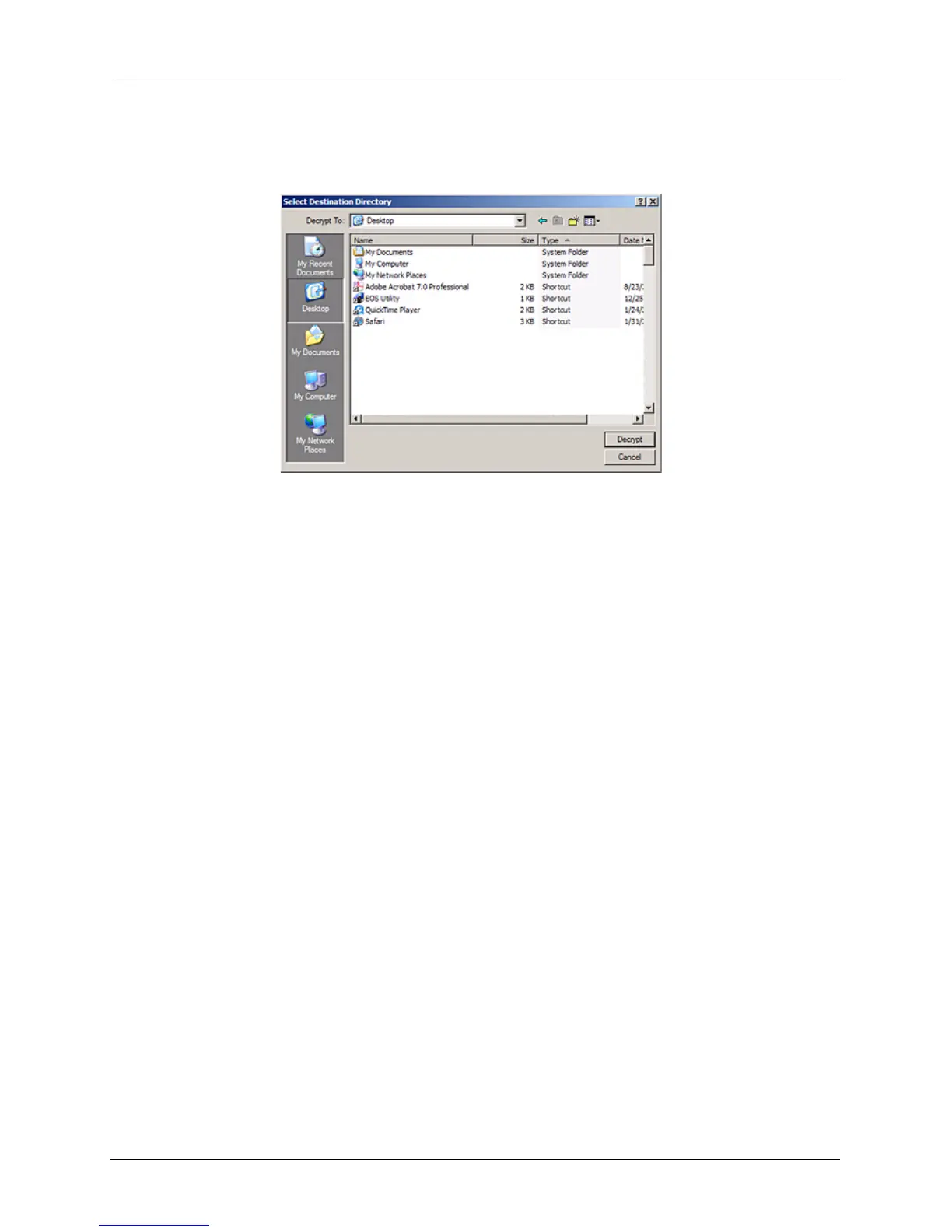
Step 2: Select a destination and click Decrypt.
Decrypted copies of the items are placed in the selected location.
The encrypted versions remain in the Encryption folder. To remove them from the
Encryption folder, use the Delete option in the Encryption folder toolbar.
Note: Files can also be dragged and dropped at the desired location on your computer. Folders
cannot be dragged and dropped; you must use the Decrypt operation to remove folders
from an Encryption folder.
Deleting Files and Folders from an Encryption folder
To delete files and folders from your Encryption folder,
Step 1: Select the items to be deleted in the Encryption folder and click Delete in the
toolbar.
Figure 5: Select Destination Directory











 To Next Page