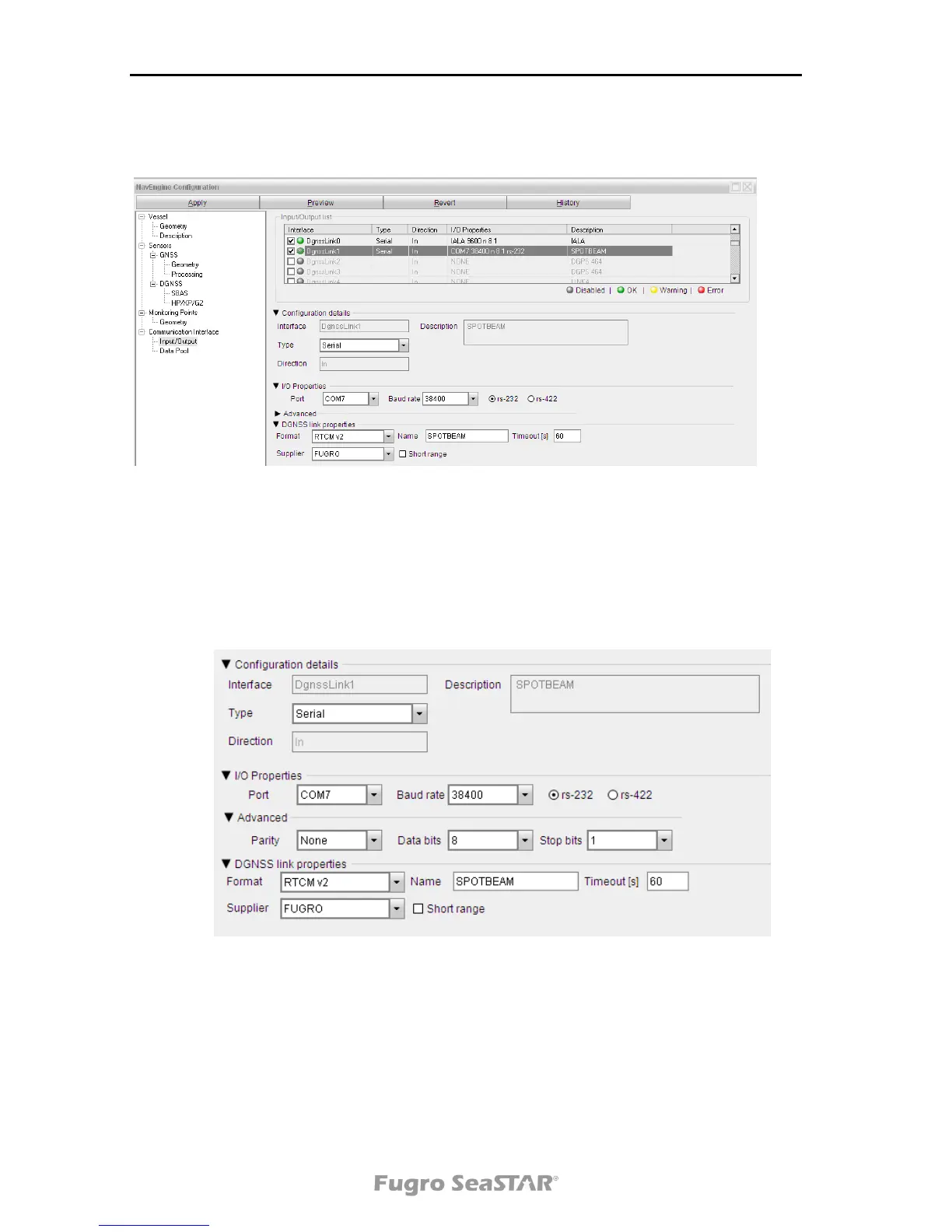
7. When selecting an interface, the Input/Output view will be divided into two
sections. The upper part consists of the list with all interfaces. The lower part
consists of Configuration details for the interface selected in the list. The
configuration details vary between the different interfaces.
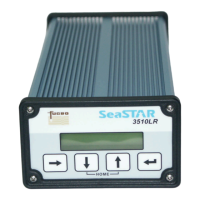
8. The Configuration details view is the lower part of the Input/Output list view.
The Configuration details view is divided into two sections: an interface
selection section and an I/O Properties section.
Figure 4 Configuration details view
9. To change the settings, press the Apply button in the upper left corner.
Changes are automatically saved and applied.
10. Exit the configuration menu.
11. When the DPS is configured, make sure the configuration of the 3610 DGNSS
receiver agrees with the DPS configuration with regards to baud rate and RS-
232/RS-422 interface and cables.


 To Next Page