Seatex DPS 132 Installation Manual, rev. 0 Installation
20
3.7.4 Connecting procedure
1. Connect the GPS antenna cable to the connector marked Ant.1 at the rear of the DPS 132
unit.
2. Connect the IALA Beacon antenna cable to the connector marked Ant.3 at the rear of the
DPS 132 unit.
3. Connect input and output connections included gyro data to Com5 through Com10.
4. Connect the VGA monitor cable, the mouse and the keyboard cables to the rear of the
DPS 132 unit.
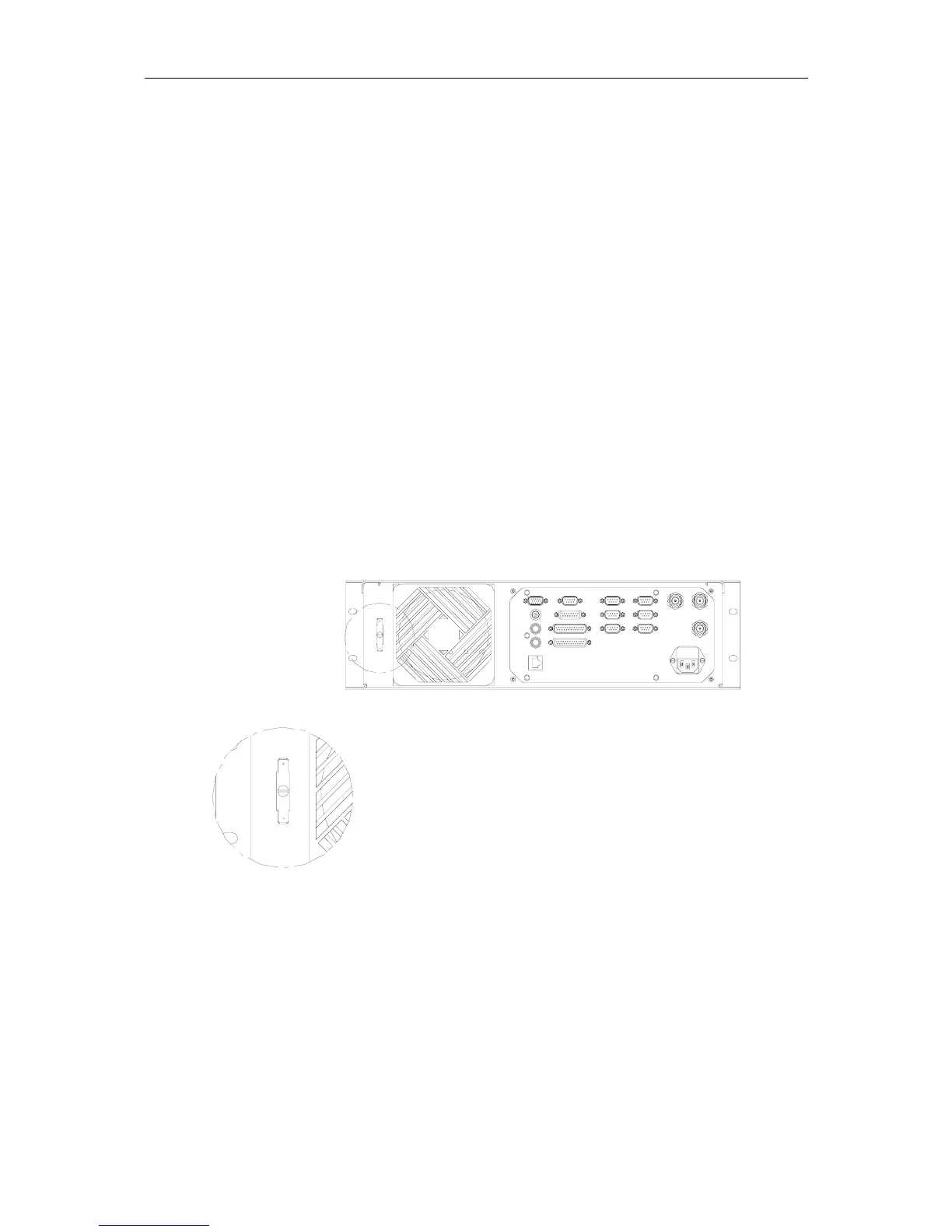
5. Connect a grounding cable from the grounding terminal at the rear of the DARPS 100
unit, as shown in Figure 2, to the grounding terminal inside the cabinet.
6. Connect a grounding cable from the grounding terminal inside the cabinet to a good
grounding point, e.g. to the ships structure.
7. Connect power to the connector at the rear of the DPS 132 unit.
A
DETAIL A
Figure 2 Grounding terminal detail



 To Next Page