Overview • 45
17-10-07-649-100a/04-2018S
3. OVERVIEW
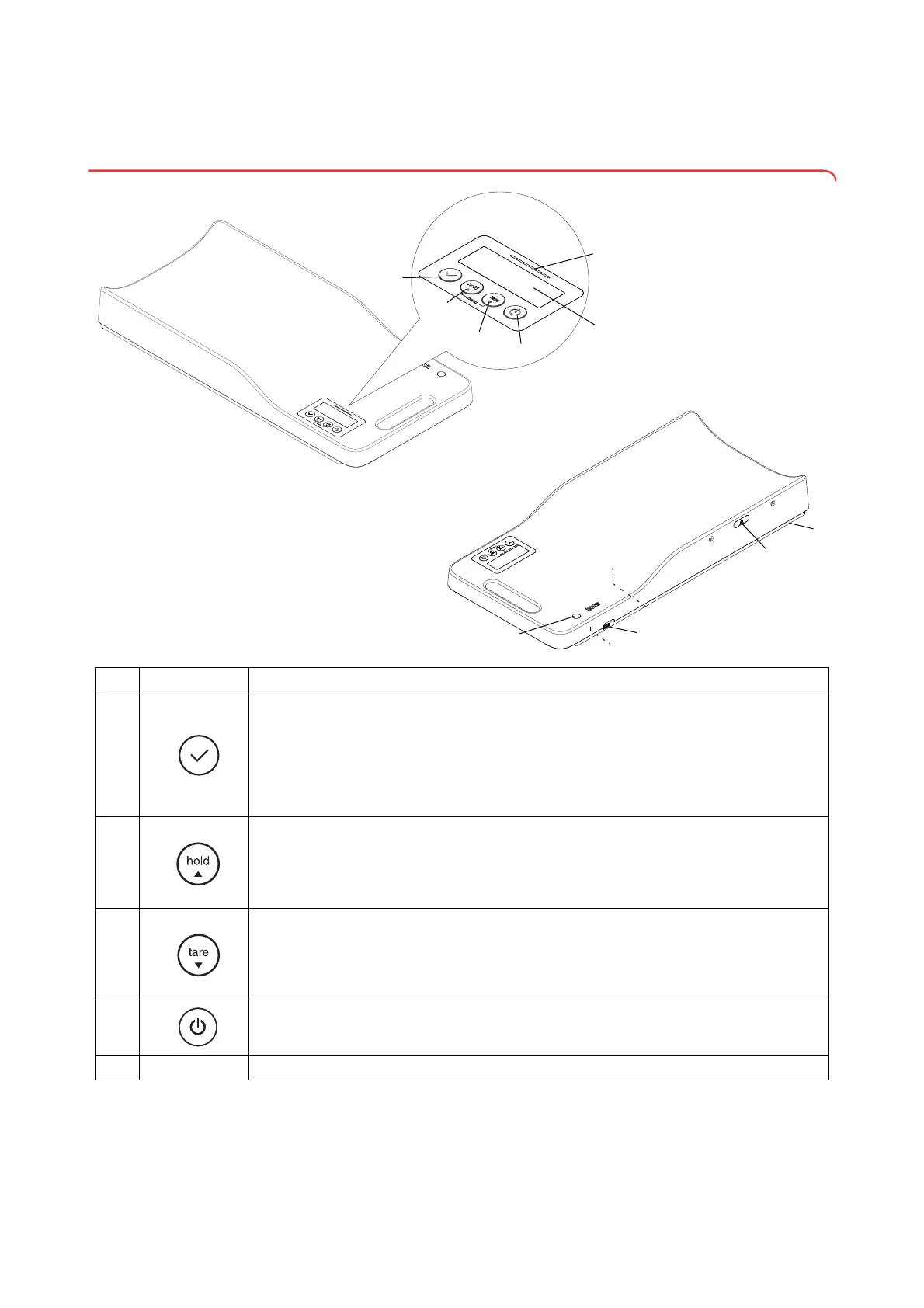
3.1 Controls
No. Control Function
1
Enter key
• During weighing (
seca 336 i only):
- Transmit measured results to a hospital information system
- Transmit measured results to seca software
•In the menu:
- Confirm selected menu item
-Set value
2
hold arrow key
• During weighing:
- Activate hold function
•In the menu:
- Switch to the next menu item or select the next setting
3
tare arrow key
• During weighing:
- Activate tare function
•In the menu:
- Switch to the previous menu item or select the previous setting
4
Start key
- Switch the device on and off
5
Display
Display element for measured results and to configure the device



 To Next Page