Operation • 59
17-10-07-649-100a/04-2018S
Measuring with the analog
measuring rod
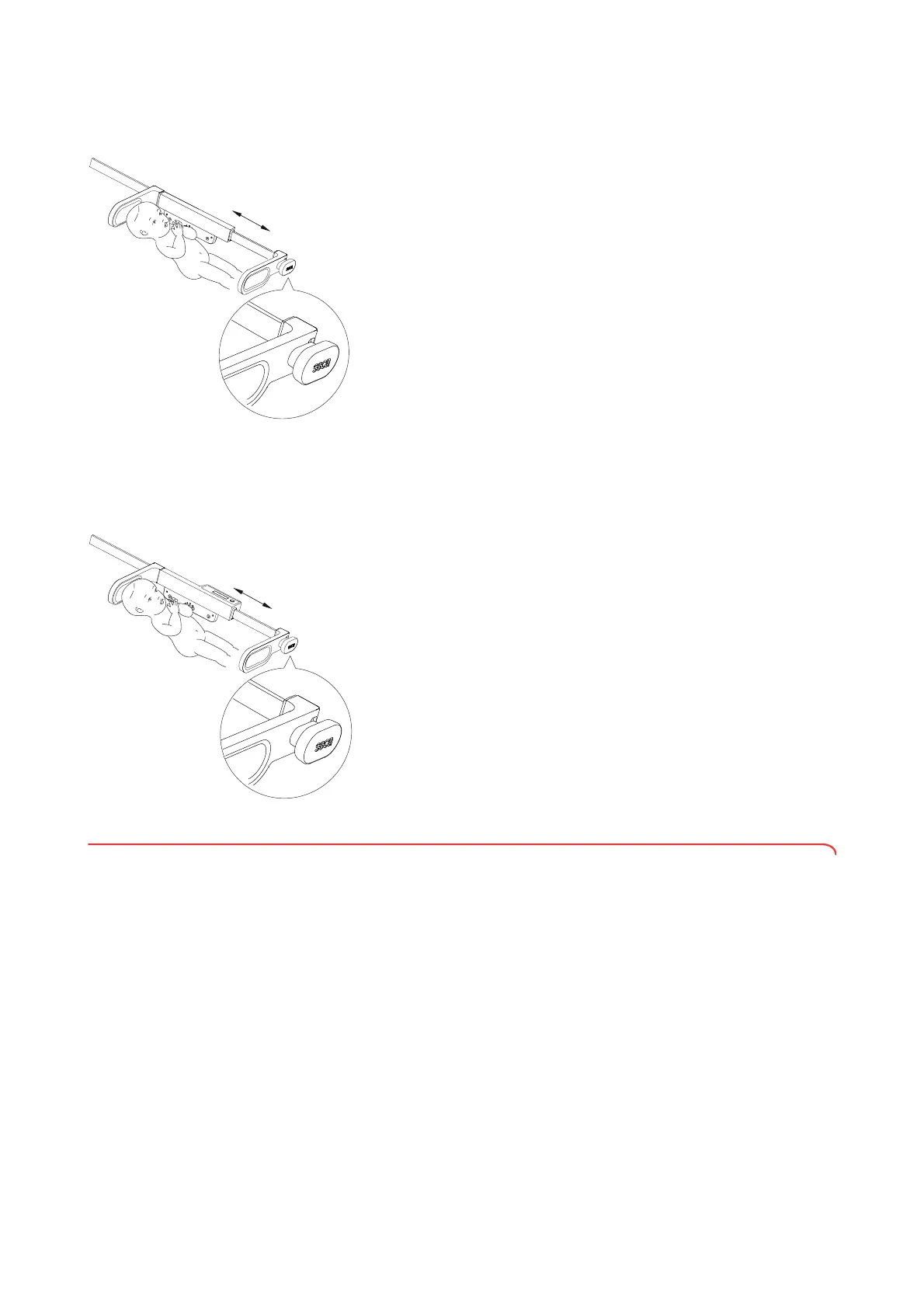
You can determine length using the seca 232 n analog measuring rod
obtainable as an option.
1. Place the baby on the scale so that his or her head is in contact with the
head stop of the measuring rod.
2. Pick up the measuring rod by the handle.
3. Slide the foot stop up to the baby’s feet.
NOTE
Ensure that the baby’s legs are stretched out straight.
4. Read off the measured result.
NOTICE!
Data loss
Analog measured values cannot be entered into the device.
► Enter analog measured values directly in the patient file to prevent
data loss or the incorrect assignment of measured results.
Measuring with the digital
measuring rod
You can determine length using the seca 234 measuring rod available as an
option and transmit this to the scale.
If your scale is equipped with a WiFi interface, you can send length and
weight to an HIS or to seca software.
1. Place the baby on the scale so that his or her head is in contact with the
head stop of the measuring rod.
2. Pick up the measuring rod by the handle of the foot stop.
3. Slide the foot stop up to the baby’s feet.
NOTE
Ensure that the baby’s legs are stretched out straight.
4. The measured value is shown in the display of the measuring rod.
5. Press the
hold key on the measuring rod.
The measured value for length is transmitted to the scale.
6. In order to transmit measured values to an HIS or to seca software,
proceed as described in the section entitled “Measuring with barcode
detection (336 i)” from page 59.
5.3 Measuring with barcode detection (336 i)
The WiFi interface of the device connects the scale wirelessly to an HIS or to
seca software.
With a barcode scanner, you can record the IDs of the baby and the user.
The patient data for the baby are called up from the HIS and linked to the
measured results. The measured results are then transmitted wirelessly to the
HIS or to seca software.
The following conditions must be met in order to be able to identify both user
and baby by means of barcodes:
• WiFi interface of the device is active
• Device is connected to an HIS
• Barcode scanner is connected to the device
NOTE
Observe the maximum permitted current consumption of the barcode
scanner (see “General technical data” from page 70). You can find a
list of recommended scanners at www.seca.com.



 To Next Page
 Loading...










