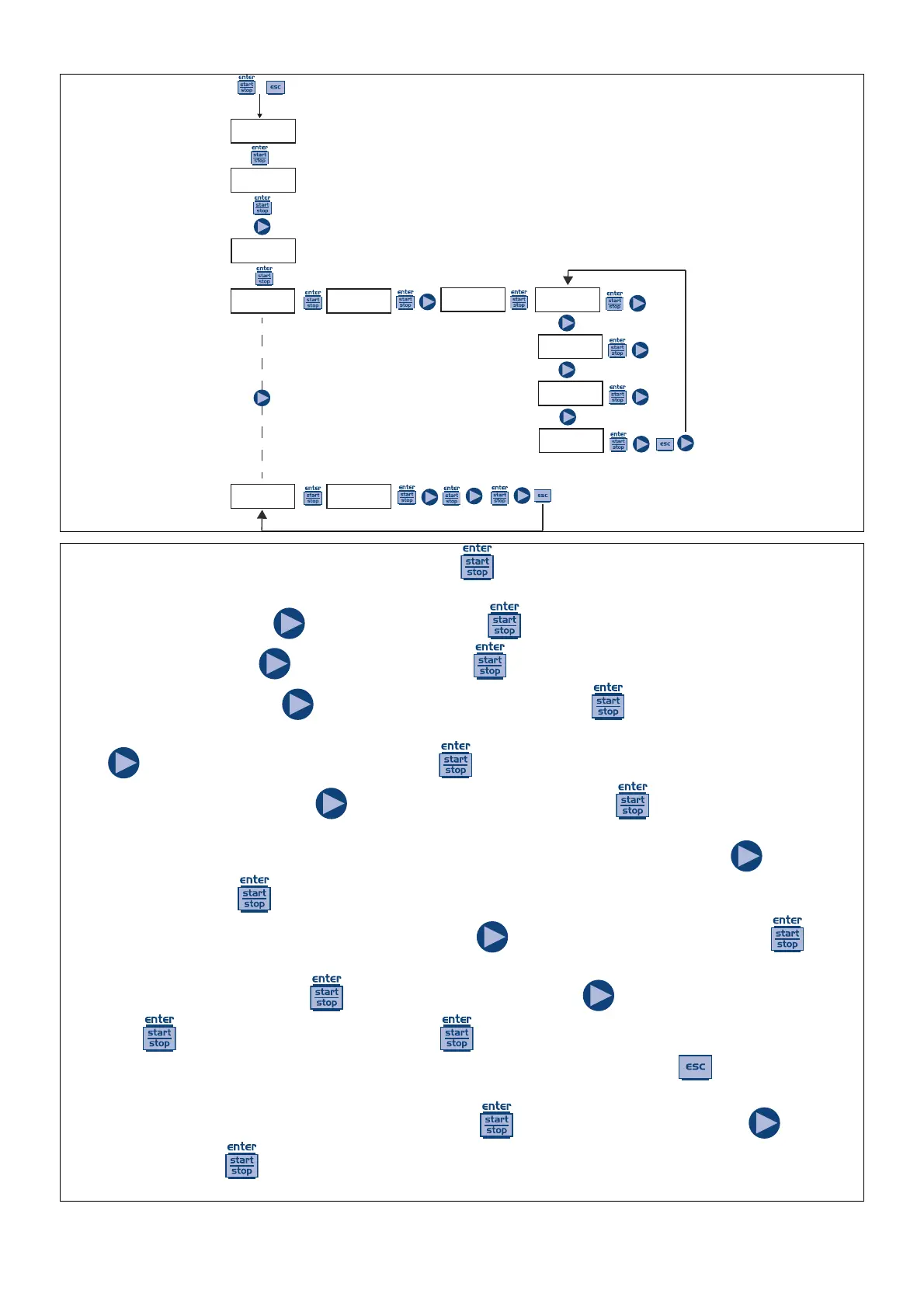
You can program 10 dosages for the entire week. Press from “Weekly Dos.” to enter the programming mode
in order to program the dosages.
1) Number of program: press
to modify and then press to confirm.
2) Dosage schedule: press
to modify and then press to confirm.
3) Quantity to be dosed: press
to set the value in “mL” and then press to confirm.
4) Dosing time, i.e. the period of time (in seconds) in which the quantity previously programmed will be dosed:
press
to set the value in seconds and then press to confirm.
5) Setting the dosage relay: press
to modify the values and then press to confirm; in “Off” mode the
relay does not stay off (open); in “after” mode, the relay is closing when the dosage is activated and stays closed,
when the dosage is finished, for a period of time (in seconds) that you can set by pressing the
key and then
confirm by pressing the
key. In “before” mode, the relay is closing before the dosage activation time, for a
period of time (in seconds) that you can set by pressing the
key and then confirm by pressing the key.
6) Activation days, i.e. the days in which you want the set program to be active (start time, quantity, dosage time
and relay operation mode). Press
to modify the option, then press to activate/deactivate the dosage,
then press
to change the day of the week. Press to confirm and automatically pass to the next program.
If you need to configure the new program, repeat the above procedure, otherwise press
to return to the main
menu.
On the main menu the next step is to set the clock; press
to modify the option, then press to set the
values and then press
to confirm. In sequence, you can set the day, the hour and the minute. Of course, the
day and the time set are those to which the programming will refer.




 To Next Page