EasyManua.ls Logo

Seko KOMPACT DPT - Programming Menu Navigation; Accessing the Programming Mode; Menu Structure and Navigation

Seko KOMPACT DPT
32 pages
Print Icon
To Next Page IconTo Next Page
To Previous Page IconTo Previous Page
Loading...
EM00136299 rev. 1.0 IT
3
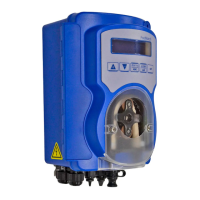
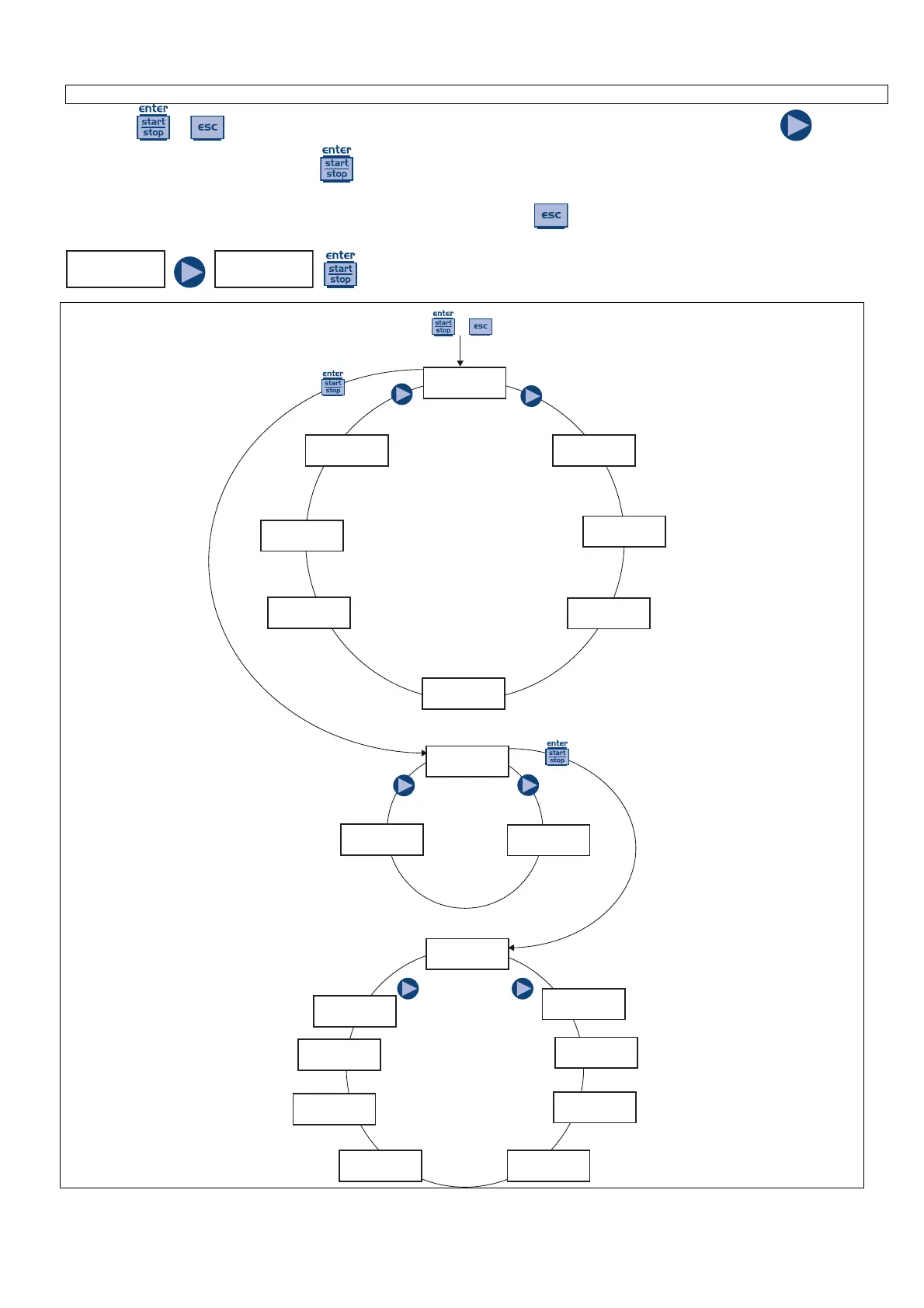
Press the + keys for more than three seconds to access the programming mode. Press the key to
scroll the menu items then press the
key to access the options. Whenever a menu item is editable, it flashes.
y default, the pump is set for constant mode. The pump automatically returns to operating mode after 1 minute of
inactivity. In this case, the data entered will not be saved. Press the
key to exit the programming levels. When
you exit the programming mode, the display shows:

Uscita
No Salva
Uscita
Salva
to confirm your choice.
PROG
Cong.
Paus
N.Open
Unit
Standard
Alarms
Level
Password
****
Stast
Hours
Pump Cal
0.25cc/l
Alarms
Flow
+
Cong.
Funct.
Max Flow
P100%
Language
English
Funct.
Manual
Funct.
0/4-20
Funct.
Weekly
Main
Menu
Settings
Menu
Functions
Menu
Paragraph 17
Paragraph 10
Paragraph 1
Paragraph 2
Funct.
20-0/4
Funct.
(1:n)
Funct.
(n:1)
Funct.
(1:c)
Funct.
Timer
Funct.
PPM
Paragraph 3
Paragraph 4
Paragraph 5Paragraph 6
Paragraph 7
Paragraph 8
Paragraph 9
Paragraph 16
Paragraph 15Paragraph 13
Paragraph 12
Paragraph 11
Paragraph 14
KOMPACT DPT Programming Menu

Related product manuals