PROG
Config.
+
Config.
Funct.
Language
English
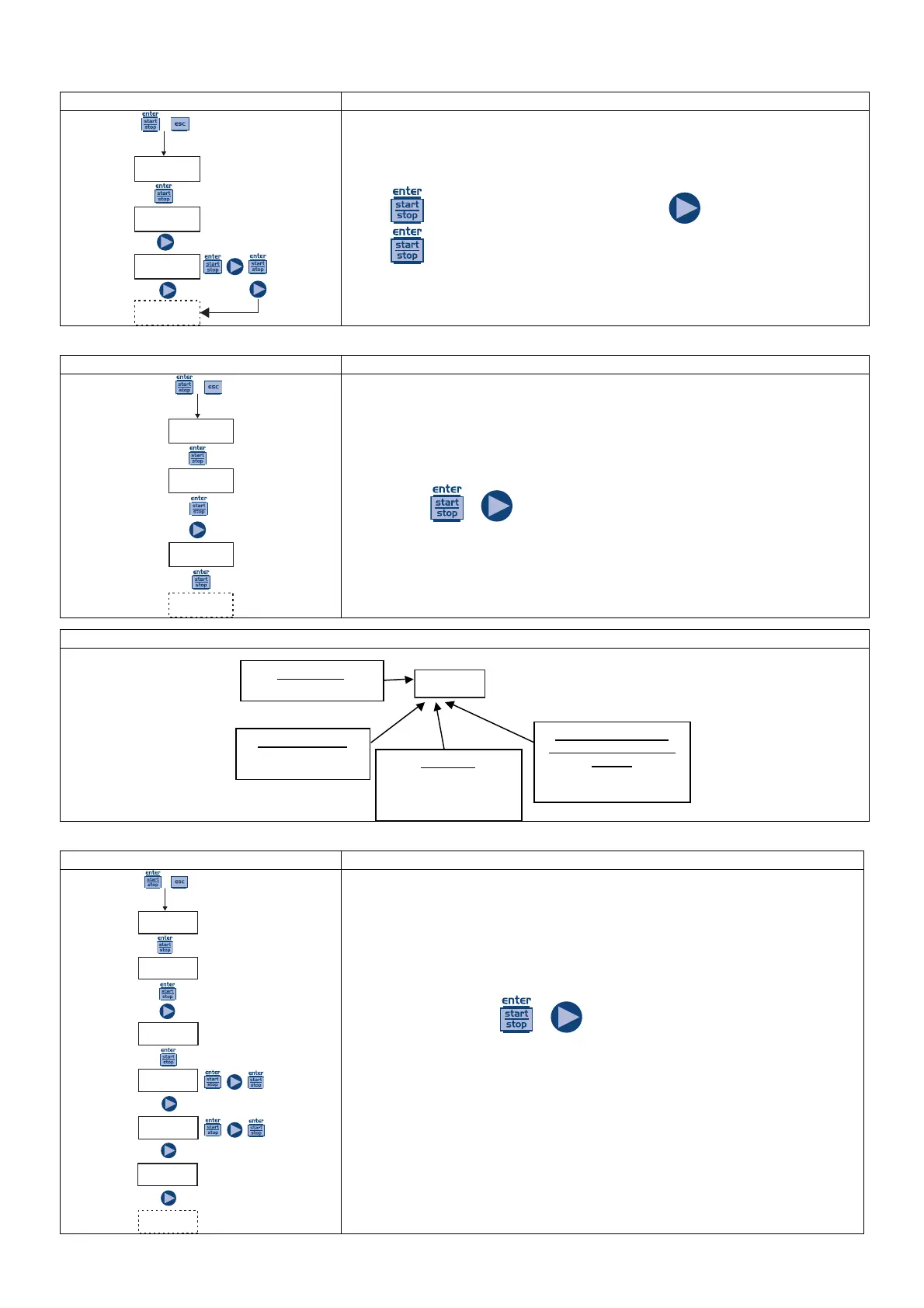
Allows you to set the language. By default the pump is set to English.
Press
to access the item, and then press to set the language.
Press
to confirm and return to the main menu.
Paragraph 1 – Manual dosage
PROG
Config.
+
Config.
Funct.
Funct.
Manual
The pump works in constant mode. The flow rate can be adjusted manually
by pressing
+ simultaneously.
Function mode
• Man = Manual
Alarms and statuses
• Lev = Level Alarm
• Flw = Flow Alarm
Value of dosing on going
(depends on unit of measure
selected)
• Percentage, Frequency,
l/h, Gph, ml/m
Pump status
• empty = pump in stating
• Stop = pump in stop
• Paus = pump in pause
Paragraph 2 – Proportional Dosage to a 0/4-20 mA signal
PROG
Config.
+
Config.
Funct.
Funct.
0/4-20
Low
4.0mA
High
20.0mA
IN mA :
0.1mA
The pump proportionally doses at a signal of (0)4-20 mA. By default, the
pump interrupts the dosage at 4 mA and doses at the maximum set
frequency when it receives 20 mA. These two values can be modified
during programming. The maximum frequency can be modified during
operation by pressing
+ simultaneously to modify the flow rate.
To view the current reading for the mA input, scroll the menu items to In
mA.
For an input signal of less than 0.2 mA the alarm LED turns on to indicate
the absence of signal.



 To Next Page