8 English
DISPLAY FOR HELP, NOTICES AND WARNINGS
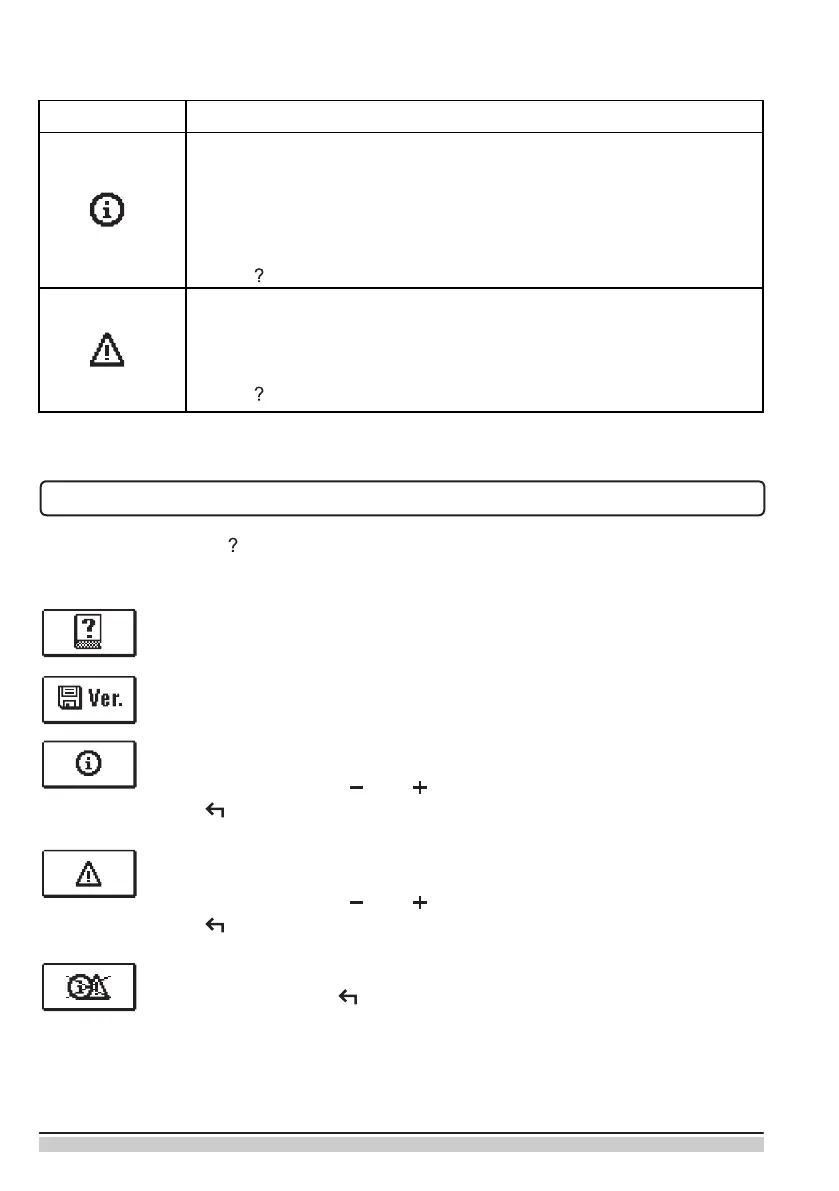
By pressing the button the screen for help, messages and warnings will be oppened in
which the following icons are available.
Short manual
Short manual for use of the controller.
Controller version
Overview of controller type and software version.
Notications
Log of exceeded maximum temperatures and activated protection functions.
By pressing the buttons and move through the list of notications.
Press to exit the list.
Warnings
Log of sensors, pump or ow meter failures.
By pressing the buttons and move through the list of warnings.
Press to exit the list.
Delete warning and notication logs
By pressing the button will erase notication and warning log. All sensors
that are not connected will be deleted from the list of failures.
Note: Failures of sensors that are required for controller operation can not
be deleted.
Symbol
Description
Notications
In case of exceeding the maximum temperature or activation of pro-
tection function, the controller indicates the event with ashing symbol
on the display. If the maximum temperature is no longer exceeded or
if the protection function is turned o, a lited symbol indicates a recent
event.
Press to open the screen to check notications.
Warning
In the event of sensor failure, the controller indicates the failure with
ashing symbol on the display. If the issue is resolved or no longer
present, a lited symbol indicates a recent event.
Press to open the screen to check warnings.
SYMBOLS FOR NOTICES AND WARNINGS


 To Next Page