English
3
USER MANUAL
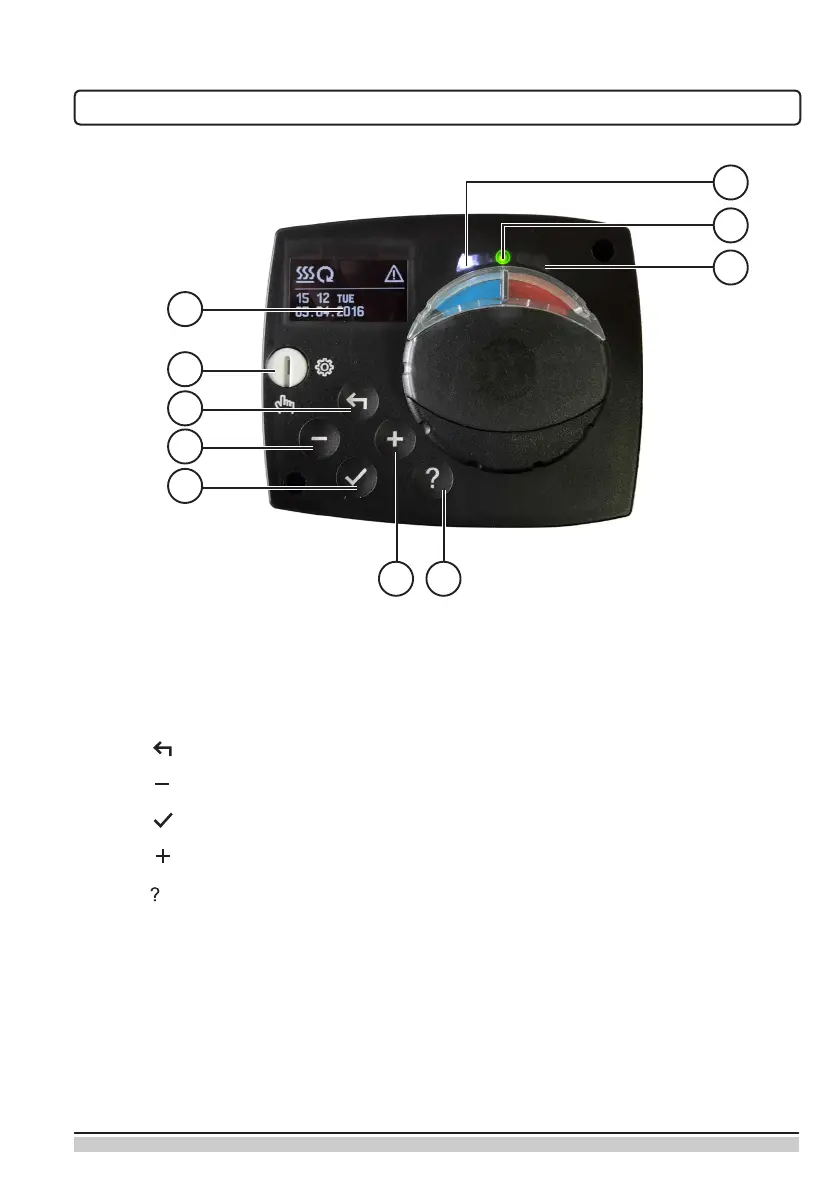
APPEARANCE OF THE CONTROLLER
1
2
3
4
5
8
9
10
6 7
1. Graphic display
2. Clutch for manual operation.
3. Button Return back.
4. Button Move to left, decreasing.
5. Button Menu entry, conrmation of selection.
6. Button Move to right, increasing.
7. Button Help.
8. LED indication - valve rotation right.
9. LED indication red - fault, error.
10. LED indication - valve rotation left.


 To Next Page