16 English
CONTROLLER PARAMETER AND AUXILIARY TOOLS
SERVICE MANUAL
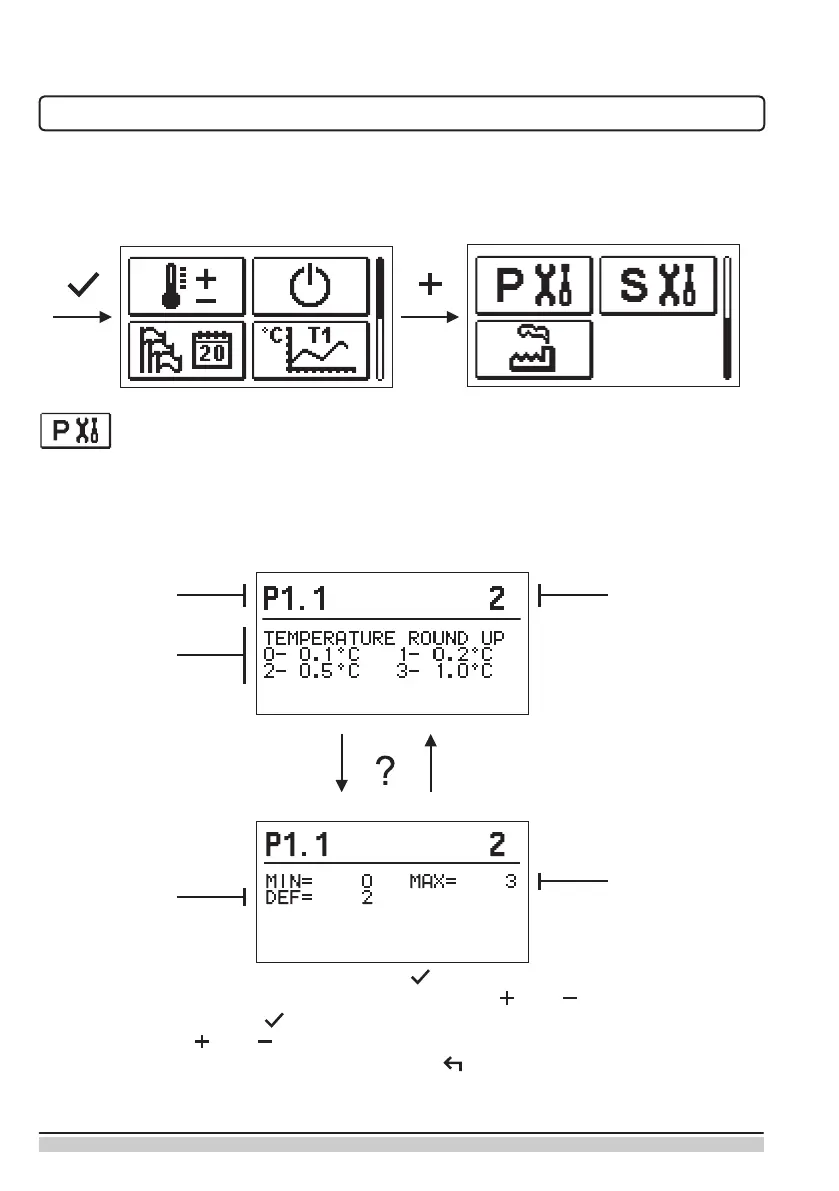
All additional settings and adjustments of controller performance are carried out by means
of parameters. User-, Service- and parameters are found on the second menu screen.
BASIC PARAMETERS
The basic parameters are listed in one group P1 - basic parameters.
Content of basic parameters is displayed as follows:
Parameter mark
Parameter
description
Current parameter
value
Factory default
Setting range
The setting is changed by pressing the button .
The value will start blinking and can be changed with the and . The setting is conr-
med by pressing the button .
Move with buttons and to other parameters and repeat the procedure.
Exit the parameter settings by pressing the button .


 To Next Page