English
9
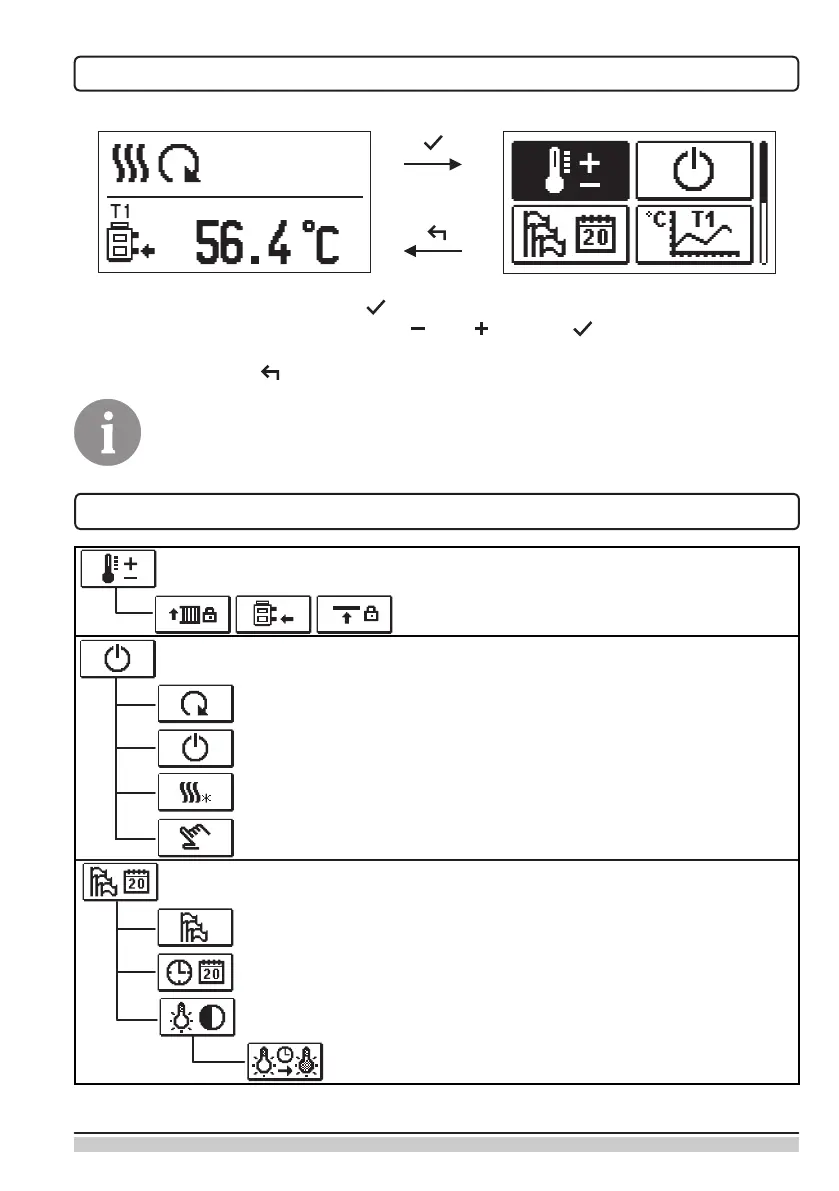
MENU ENTRY AND NAVIGATION
To enter the menu, press the button .
Move around the menu using the buttons and , with the button you conrm your
selection.
By pressing the button you return to the previous screen.
If some time no button is pressed, the backlight turns o or is reduced accor-
ding to the setting.
MENU STRUCTURE AND DESCRIPTION
TEMPERATURE SETTINGS
Set-point temperature.
OPERATION MODE
Automatic operation.
Switch-off.
Select Heating / Cooling mode.
Manual operation.
BASIC PARAMETERS
Language selection.
Time and date.
DISPLAY SETTINGS
Duration of active display illumination and menu autoexit.


 To Next Page