14 English
The following settings are available:
Time of active screen illumination and autoexit from menu to the main screen.
DISPLAY SETTINGS
By pressing buttons , and you select and conrm required setting.
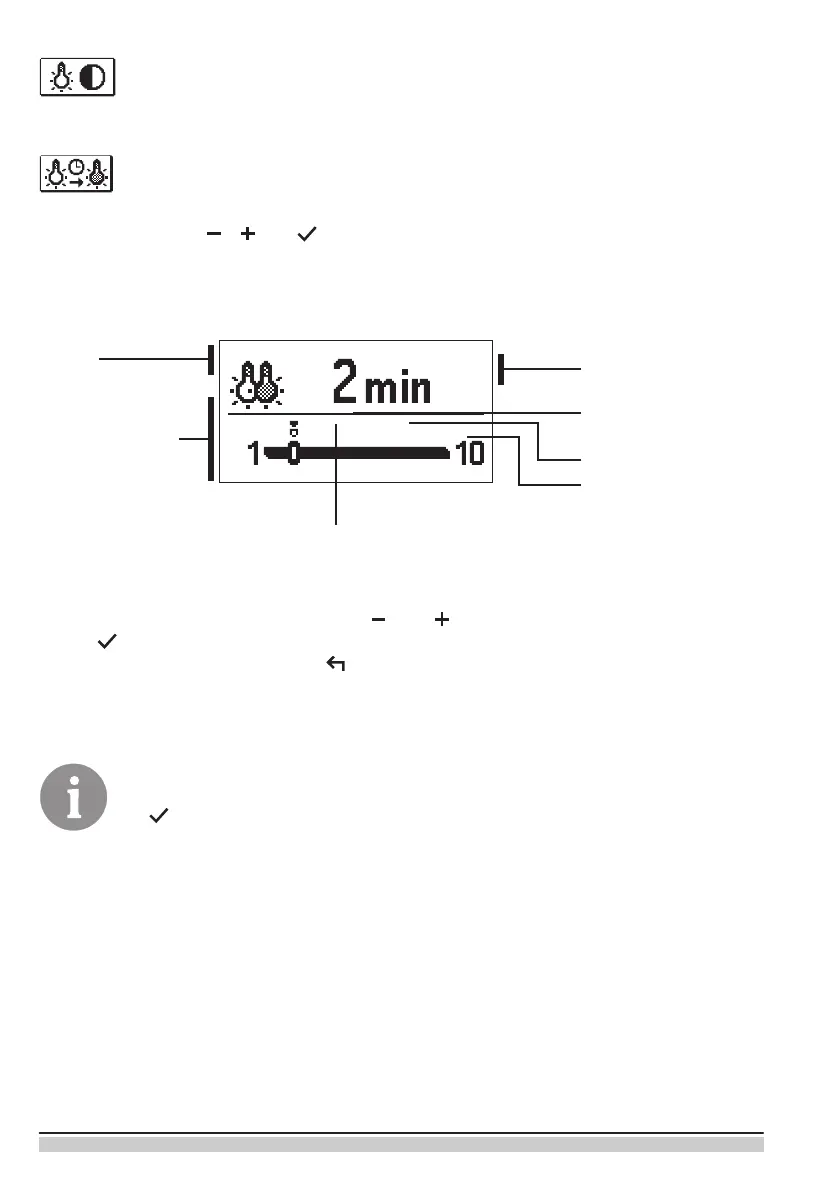
A new window opens:
Graphic
symbol
Werkseinstellung
Aktueller Einstellwert
Current value of
setting (graphic)
Einstellbereich
The last conrmed
value of setting
Current value of setting
(Numeric value)
You change settings by pressing buttons and and conrm by pressing
button .
Exit the settings by pressing button .
The change of settings is carried out when you conrm it by pressing button
.


 To Next Page