English
19
Basic parameters :
Para-
meter
Function Parameter description Setting range Default
value
S1.1 HYDRAULIC
SCHEME
Selection of hydraulic scheme. 01 - 04
01
S1.2 CODE FOR UNLO-
CKING THE SER-
VICE SETTINGS
This setting enables the change of code which is necessary
to unlock the service settings.
WARNING! Keep new code on a safe place. Without this
code is impossible to change service settings.
0000 ÷ 9999
0001
S1.4 ACTUATOR OPE-
NING DIRECTION
Setting of actuator turning direction - valve opening. 0- RIGHT
1- LEFT
0
S1.5 DISPLAY ORIENTA-
TION
Setting of display orientation. 0 - REGULAR 0°
1 - ROTATED 180°
0
S1.9 ANTI-BLOCK
FUNCTION FOR
PUMP AND VALVE
All outputs that haven’t been activated in the last week are
activated on Friday at 20:00 for 60 seconds.
0- OFF
1- ON
0
S1.17 SENSOR T1 CALIB-
RATION
Correction of displayed measured temperature for sensor
T1.
-5 ÷ 5 K
0
S1.18 SENSOR T2 CALIB-
RATION
Correction of displayed measured temperature for sensor
T2.
-5 ÷ 5 K
0
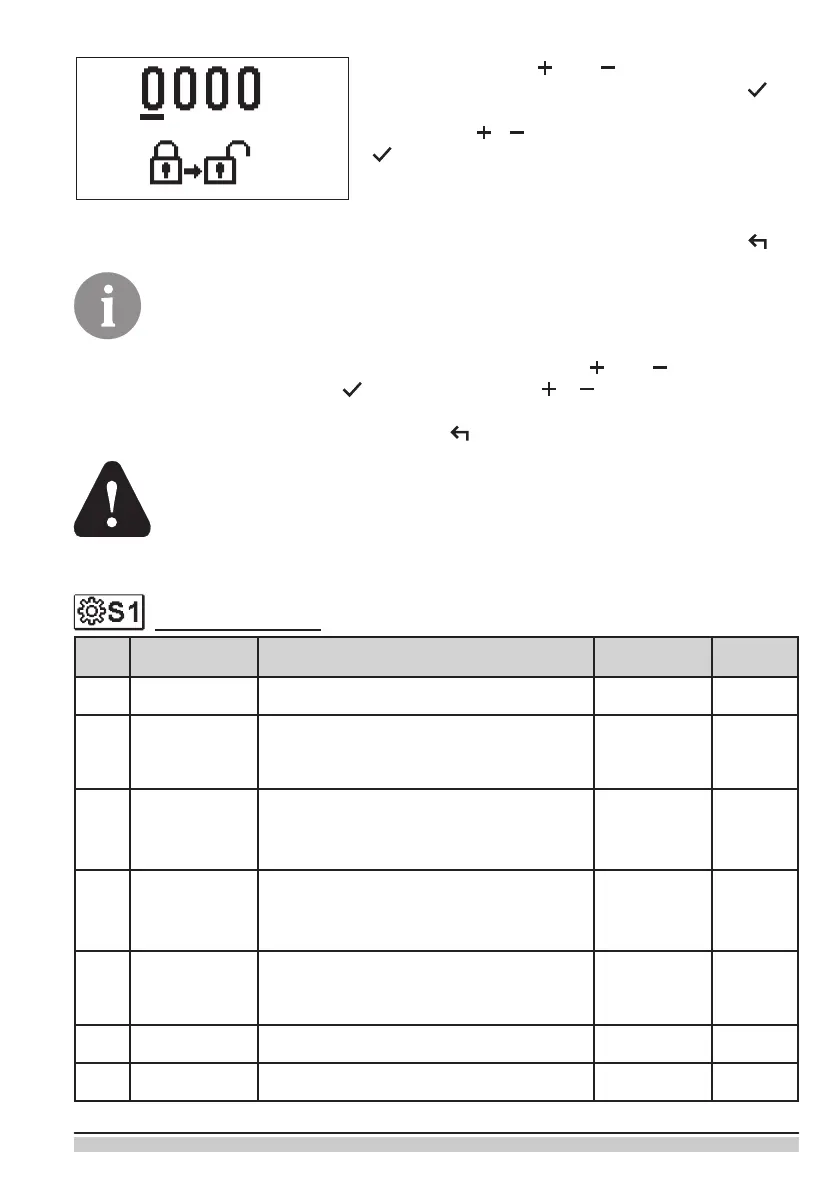
By pressing buttons and you mark the number
which you want to modify and press the button .
When the number ashes you can modify it by pres-
sing buttons , and conrm it by pressing button
.
When the correct code is inserted, the controller
unlocks the parameters for editing and returns to the
selected group of parameters.
Return back from unlocking by pressing button .
Factory set code is “0001”.
Modify the value of the unlocked parameter by pressing buttons and . The setting is
conrmed by pressing the button . By pressing buttons , you can move to ano-
ther parameter and repeat the procedure.
exit parameter settings by pressing the button .
Change of service and functional parameters must be carried out only by a
properly qualied expert.


 To Next Page