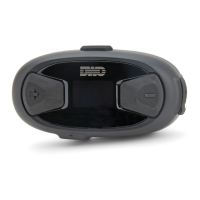
10Upad
48
Tap (+) Button or (-) Button Tap Center Button
Remote Control Pairing Execute
Universal Intercom Pairing Execute
Factory Reset Execute
Exit Conguration Execute
Voice Conguration Menu & Button Operations
15 REMOTE CONTROL
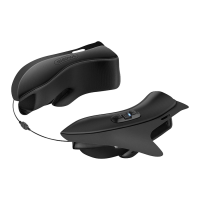
You can remotely control the 10Upad via Bluetooth using the Remote
Control (sold separately). This eliminates the need to take off your
hand for button operations. Your 10Upad and the Remote Control must
be paired together before use.
1. Turn on the 10Upad and the Remote Control.
2. Press the Center Button for 10 seconds to enter the conguration
menu. Tap the (+) Button until you hear a voice prompt saying,
“Remote control pairing”. Press the Center Button to enter into
Remote Control Pairing mode and the red LED will ash rapidly
and you will hear multiple beeps. Please refer to
section 14.15,
“Remote Control Pairing”
for more details.
3. Enter Bluetooth pairing mode on your Remote Control. The
10Upad will automatically perform pairing with the Remote Control
in pairing mode. You will hear a voice prompt, “Remote control
connected”, when they are successfully connected.


 To Next Page