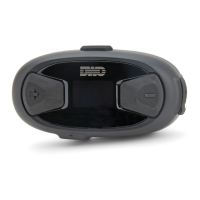
10Upad
50
17.3 Fault Reset
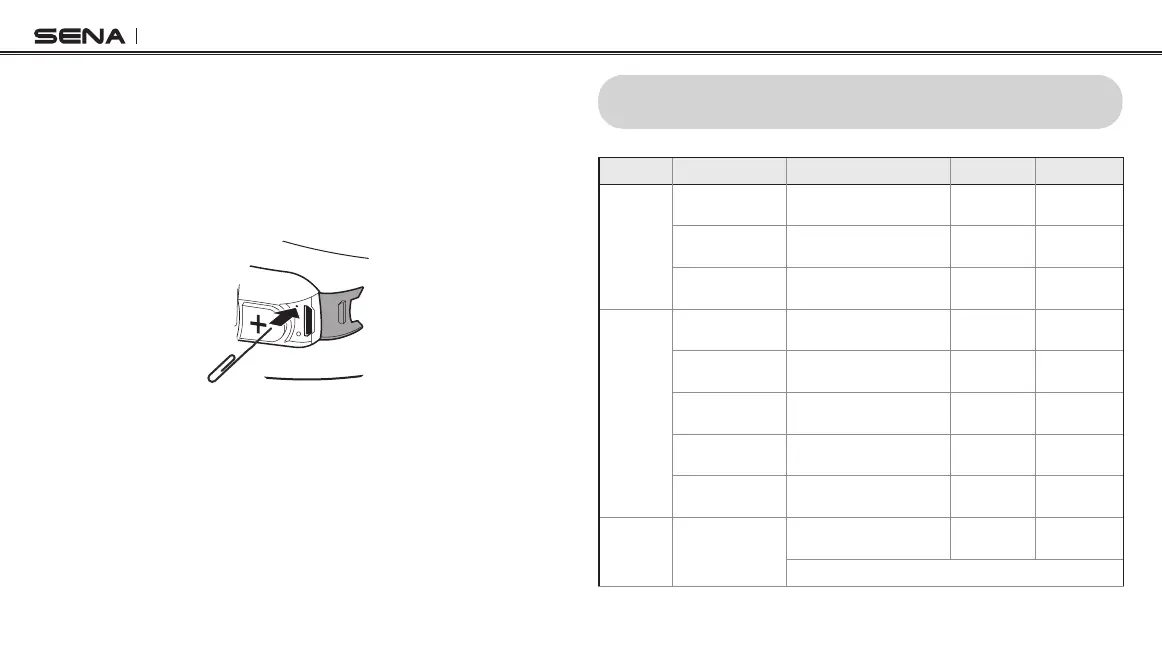
When the 10Upad is not working properly or is in faulty status for any
reason, you may reset by pushing the pin-hole reset button below the
(+) Button . Insert a paper clip into the reset pin-hole and press the
reset button for a second with light pressure. The 10Upad will be
switched off. Restart the system and try again. This will not restore the
headset to factory default settings.
17.4 Factory Reset
If you want to restore the headset to factory default settings, use the
Factory Reset in the conguration menu. The headset automatically
restores the default settings and turns off. Please refer to
section
14.17, “Factory Reset”
for more details.
18 QUICK OPERATION REFERENCE
Type Function Button Command LED Beep
Basic
Function
Power on
Press the Center Button and
the (+) Button for 1 second
Solid blue
Ascending
beeps
Power off
Tap the Center Button and
the (+) Button
Solid red
Descending
beeps
Volume adjustment
Tap the (+) Button or the (-)
Button
- -
Mobile
Phone
Answer mobile
phone call
Tap the Center Button - -
End mobile phone
call
Press the Center Button for
2 seconds
- -
Voice dial
Pr
ess the Center Button for
3 seconds
- -
Speed dial
Press the (+) Button for
3 seconds
-
Mid-tone
single beep
Reject incoming
call
Press the Center Button for
2 seconds
- -
Intercom Inter
com pairing
Press the Center Button for
5 seconds
Red ashing
Mid-tone
single beep
T
ap the Center Button of any one of the two headsets


 To Next Page