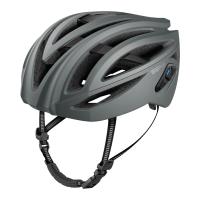
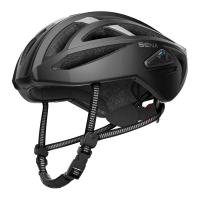
R1 Smart Cycling Helmet | 21
2 GETTING STARTED: BUILT-IN BLUETOOTH SYSTEM
MENU
2.2 Powering On and Off
PressandholdtheCenter Buttonandthe(+) Buttonatthesametime
for1 secondtoturntheBluetoothsystemonoroff.
Powering On/Off
=
1s
HOLD
POWER
ON/OFF
DEVICE
2.3 Charging
WARNING:Whenchargingthebattery,useonlytheapproved
chargerprovidedbythemanufacturer.Useofanon-approvedcharger
maycausere,explosion,leakage,andotherhazardswhichmayalso
reducethelifetimeorperformanceofthebattery.
TheBluetoothsystemcanbechargedusingmanycommonmethodsvia
thesuppliedUSBpower&datacable:
1.Pluggedintoacomputer’sUSBport.
2.WithaUSB-equippedACadapterviaawall-outletcharger.
Note:
• Pleasemakesuretotakeoffyourhelmetwhilecharging.The
Bluetoothsystemautomaticallyturnsoffduringcharging.
• Any3rdpartyUSBchargercanbeusedwithSenaproductsifthe
chargerisapprovedbyeithertheFCC,CE,ICorotherlocally
approvedagenciesthatSenaaccepts.


 To Next Page
 Loading...