Using the EM 300-500 G4
94
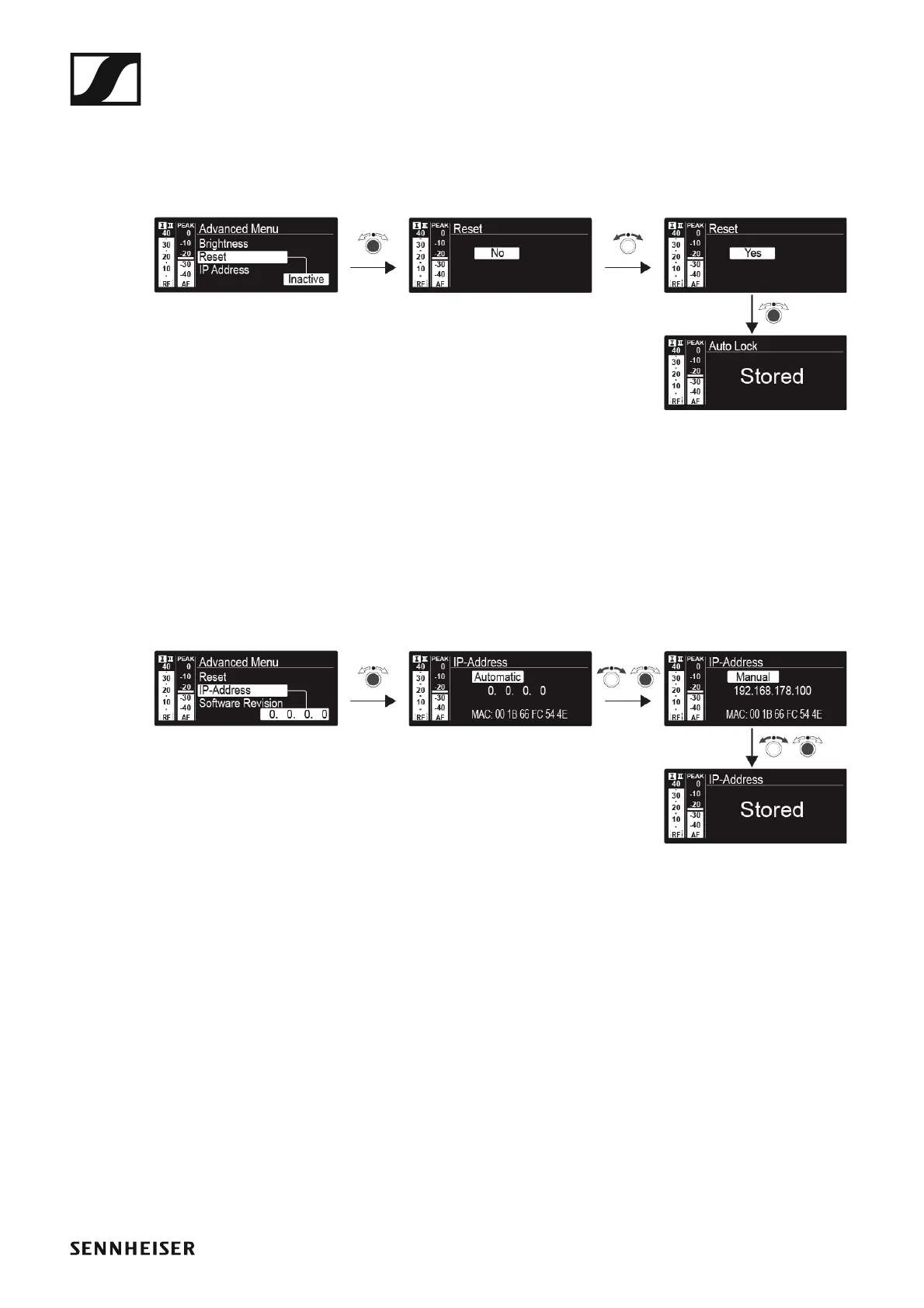
Advanced -> Reset menu item
In the Reset menu item of the Advanced submenu, you can reset the set-
tings of the receiver.
►
Advanced -> IP Address menu item
In the IP Address menu item of the Advanced submenu, you can configure
the IP addresses.
The IP addresses can be obtained automatically (automatic) or entered
manually (manual).
►
Advanced -> Software Revision menu item
In the Software Revision menu item of the Advanced submenu, you can
display the current software version of the receiver.













 To Next Page