Using the SKM 300 G4
95
Using the SKM 300 G4
These sections contain detailed information about using the SKM 300 G4.
You can find information on installation and startup of the SKM 300 G4 un-
der “Installing the SKM 300 G4”.
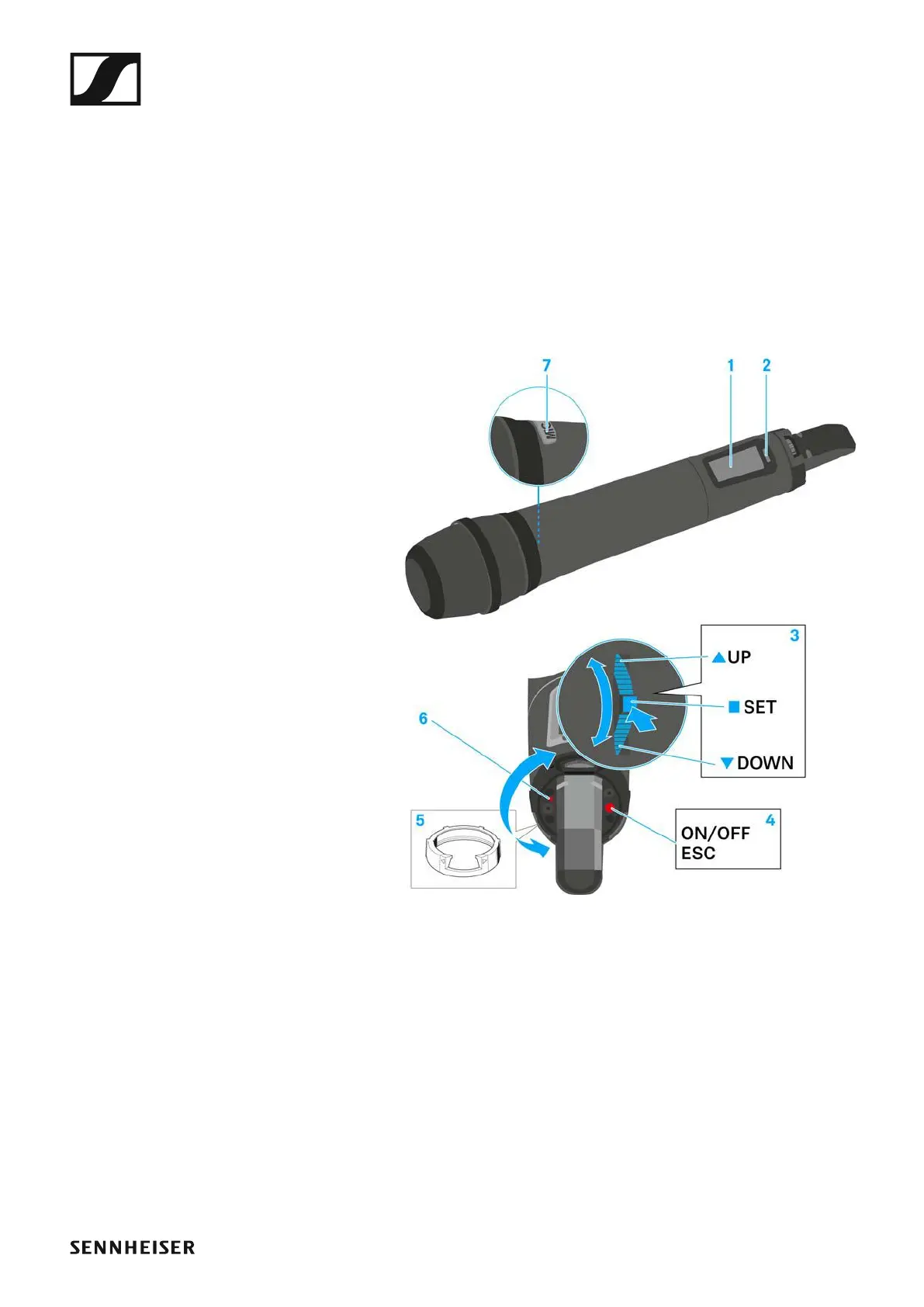
Operating elements of the SKM 300 G4 handheld
transmitter
►
1 Display panel
• See “Displays on the SKM 300 G4 handheld transmitter display pan-
el”
2 Infra-red interface
• See “Synchronizing devices”
3 DOWN, UP and SET multi-function switch
• See “Buttons for navigating the SKM 300 G4 menu”
4 ON/OFF button with ESC function in the operating menu
• Switch the transmitter on or off
See “Switching the SKM 300 G4 handheld transmitter on and off”
• Escape function in the menu
See “Buttons for navigating the SKM 300 G4 menu”
• Deactivating the RF signal
See “Deactivating the RF signal (RF mute)”













 To Next Page