Using the SKM 300 G4
99
Deactivating the RF signal with the ON/OFF button
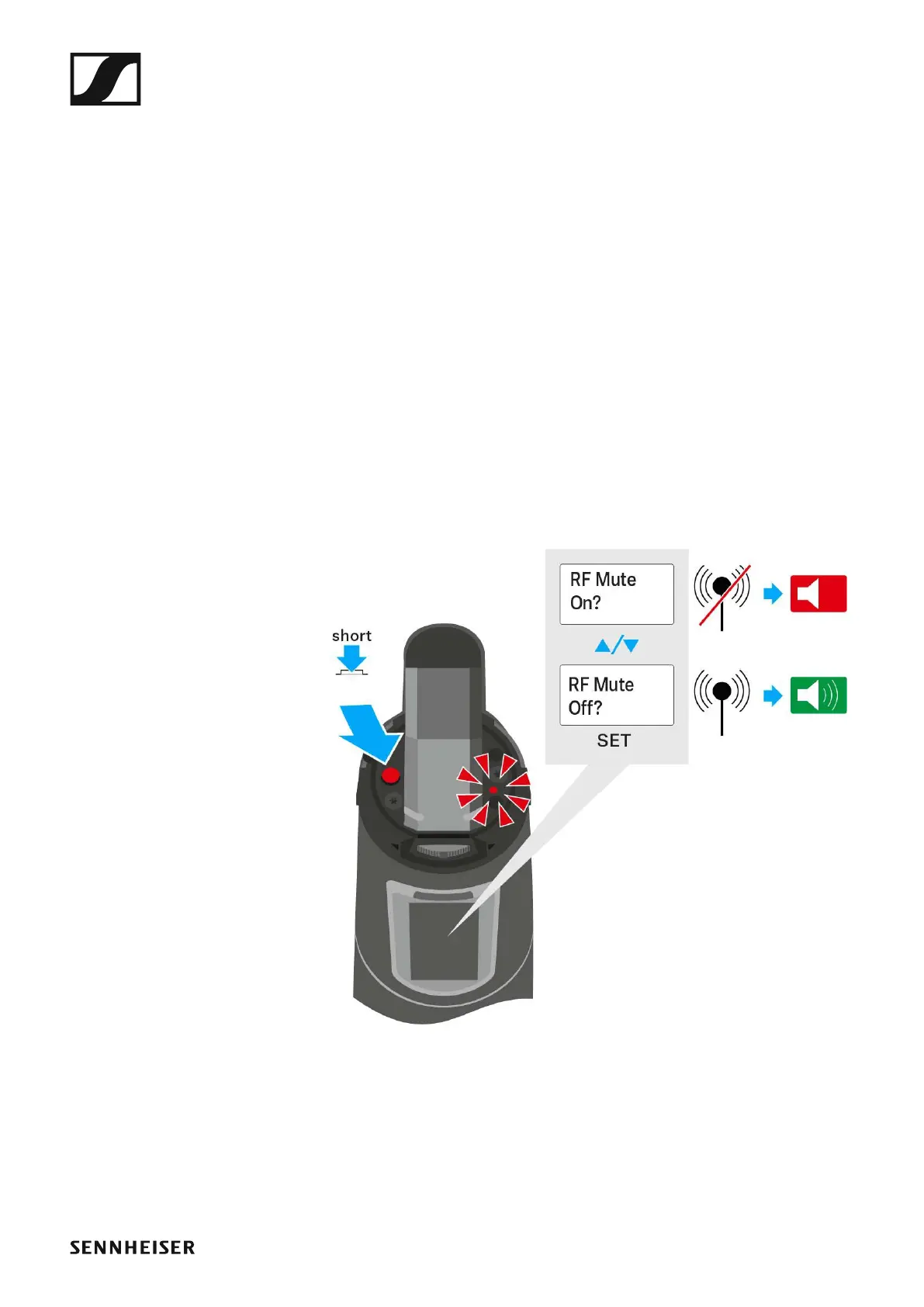
You can deactivate the RF signal with the ON/OFF button.
To deactivate the RF signal:
▷ Press the ON/OFF button.
RF Mute On? appears.
▷ Press the SET button.
The transmission frequency is displayed, however the wireless micro-
phone is not transmitting an RF signal. The transmission icon is not lit
(see “Displays on the SKM 300 G4 handheld transmitter display pan-
el”).
To activate the RF signal:
▷ Press the ON/OFF button.
RF Mute Off? appears.
▷ Press the SET button.
The transmission icon appears again (see “Displays on the
SKM 300 G4 handheld transmitter display panel”).













 To Next Page