accuMAG Meter Quick Guide Software v4.1.2 WQG-10004-01
4Start-up
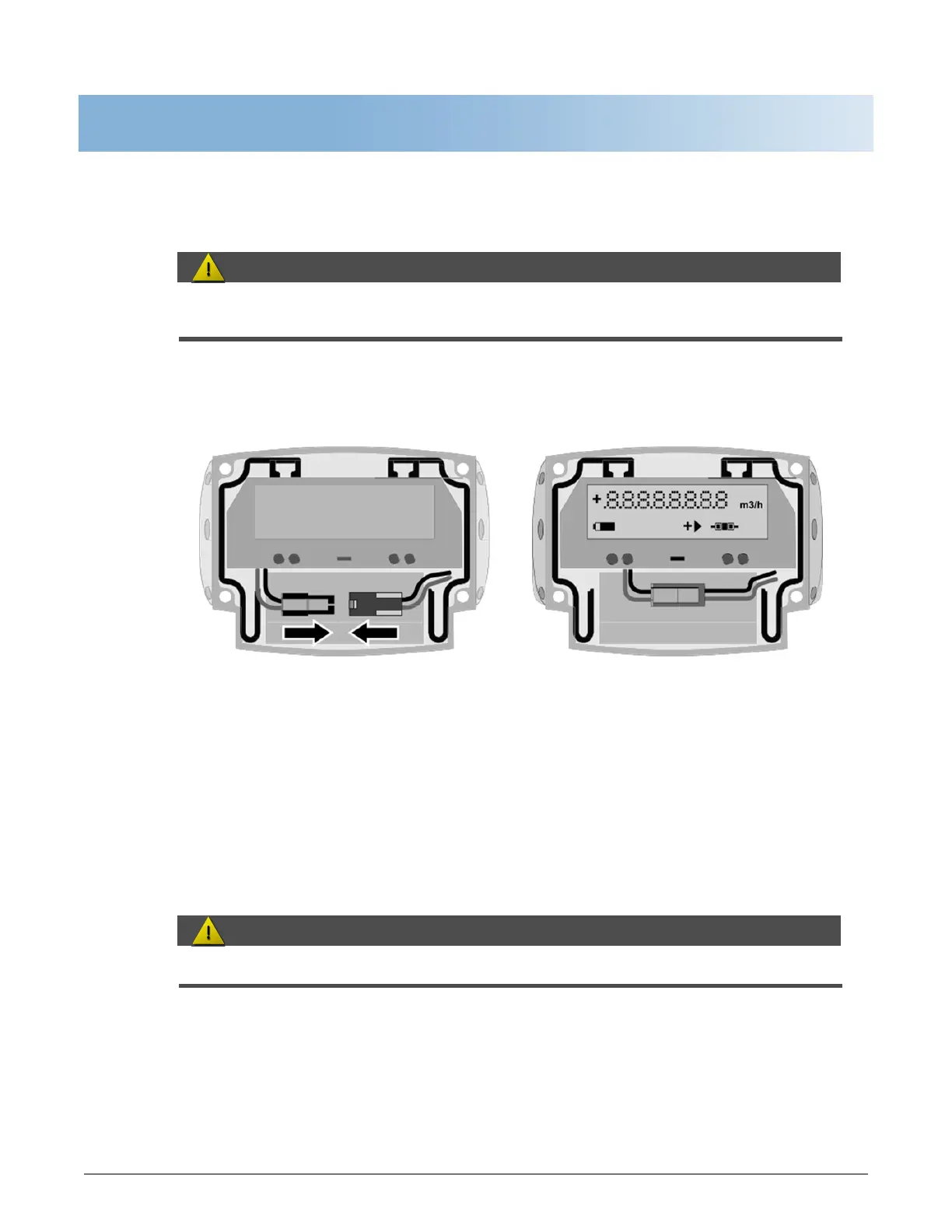
4.1 Connecting the battery
Please connect the battery before first use. Each converter is always delivered with a disconnected
battery.
Figure 4-1: Connecting the battery
1. Remove the protective cap.
2. Loosen the 4 Allen bolts (4mm) (IP67 housing).
3. Remove th
e cover.
4. Fasten the battery connector to the internal connector in the converter.
5. Verify the display lights up.
6. Replace the cover.
Make sure that the battery cable is not jammed by the cover.
7. Tighten the 4 bolts.
| sales@mvandc.com | Phone: 877.566.3837 | Fax: 925.407.2903


 To Next Page