accuMAG Meter Quick Guide Software v4.1.2 WQG-10004-01
5 Operation
5.1 Display and operating elements
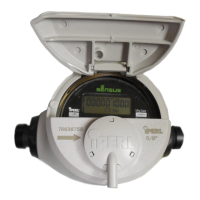
The signal converter has a display and two optical keys. The optical keys can be used to cycle the
display and to access the menu.
Figure 5-1: Main screen
1. Battery status
2. Optical to nav
igate through the menu
3. Reset button (only accessible after removing the housing)
4. Flow direction and counter settings
5. Measured value and measuring unit
6. Optical key
to navigate through the menu settings
| sales@mvandc.com | Phone: 877.566.3837 | Fax: 925.407.2903


 To Next Page