EasyManua.ls Logo

Sequential PROPHET-600 - 2-6 LOAD FROM TAPE

Sequential PROPHET-600
92 pages
Print Icon
To Next Page IconTo Next Page
To Previous Page IconTo Previous Page
Loading...
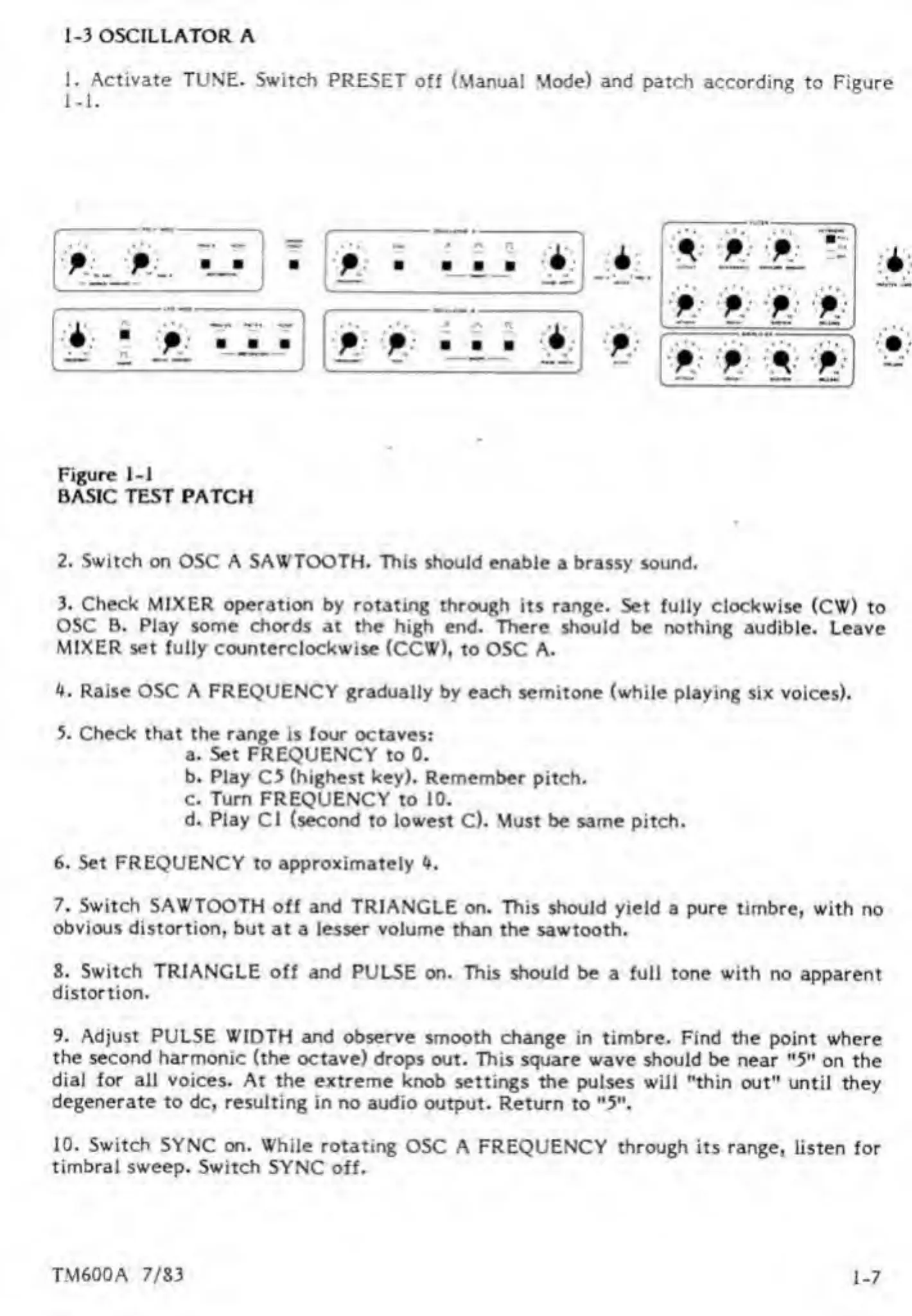
1-3
OSCILLATOR
A
1.
A
ctivate
TUNE.
Switch
PRESET
off
(Manual
Mode)
and
patch
according
to
Figure
P
P
P
P
P
P
p
p
P
p
Figure
1-1
BASIC
TEST
PATCH
2.
Switch
on
OSC
A
SAWTOOTH.
This
should
enable
a
brassy
sound.
3.
Check
MIXER
operation
by
rotating
through
its
range.
Set
fully
clockwise
(CW)
to
OSC
B.
Play
some
chords
at
the
high
end.
There
should
be
nothing
audible.
Leave
MIXER
set
fully
counterclockwise
(CCW),
to
OSC
A.
4.
Raise
OSC
A
FREQUENCY
gradually
by
each
semitone
(while
playing
six
voices).
5.
Check
that
the
range
is
four
octaves:
a.
Set
FREQUENCY
to
0.
b.
Play
C5
(highest
key).
Remember
pitch.
c.
Turn
FREQUENCY
to
10.
d.
Play
Cl
(second
to
lowest
C).
Must
be
same
pitch.
6.
Set
FREQUENCY
to
approximately
4.
7.
Switch
SAWTOOTH
off
and
TRIANGLE
on.
This
should
yield
a
pure
timbre,
with
no
obvious
distortion,
but
at
a
lesser
volume
than
the
sawtooth.
8.
Switch
TRIANGLE
off
and
PULSE
on.
This
should
be
a
full
tone
with
no
apparent
distortion.
9.
Adjust
PULSE
WIDTH
and
observe
smooth
change
in
timbre.
Find
the
point
where
the
second
harmonic
(the
octave)
drops
out.
This
square
wave
should
be
near
"5"
on
the
dial
for
all
voices.
At
the
extreme
knob
settings
the
pulses
will
"thin
out"
until
they
degenerate
to
dc,
resulting
in
no
audio
output.
Return
to
"5".
10.
Switch
SYNC
on.
While
rotating
OSC
A
FREQUENCY
through
its
range,
listen
for
timbral
sweep.
Switch
SYNC
off.
1-7
TM600A
7/83

Other manuals for Sequential PROPHET-600

Related product manuals