6
7Getting Started
Sequential Prophet Rev2 User’s Guide
Getting Started
Working with Stacked or Split Programs
The Prophet Rev2 is bi-timbral, meaning that it can produce two
different sounds/programs at the same time, either by stacking them, or
by allowing you to split the keyboard and assign one sound to the upper
section of the keyboard and a different sound to the lower section of the
keyboard.
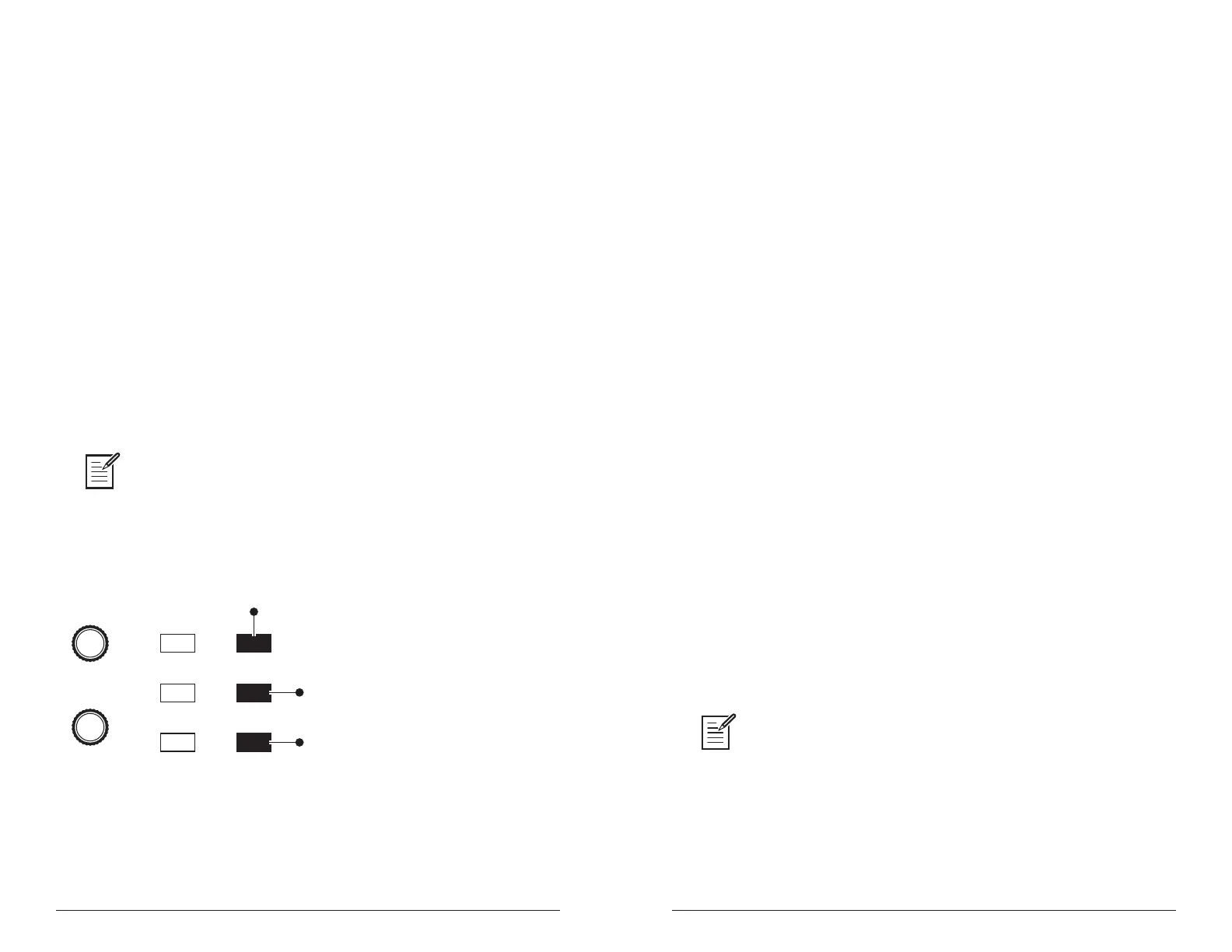
The two layers are referred to as Layer A and Layer B. By default, Layer
A is always active when you recall a program. If either the split a|b
button or the stack a+b button is lit, then Layer B is also active.
Each Layer can have different Effect, Unison, Arpeggiator, and
Sequencer settings. This allows for some very interesting combinations
of sounds.
As you scroll through various factory programs, you can tell which are
stacked and which are split. On stacked sounds, the stack a+b button is
lit. On split sounds, the split a|b button is lit.
All factory programs have a “B” layer, even if that layer isn’t currently enabled.
To hear Layer B in isolation, press the edit layer b button and disable stack or split (if
active) by turning off the stack a+b btutton or split a|b button. Pressing edit layer b a
second time enables Layer A again.
PROGRAM
BANK
Edit Layer B
Stack A+B
Split A | B
Compare
Write
Global
Button is lit when
split is active
Button is lit when
stack is active
Press to enable
Layer B editing
Split and Stack buttons
Stacked Programs
Stacking two programs allows you to create extra fat sounds, since you
can have two completely different programs layered on top of each other.
Polyphony is halved in Stack mode, so if you have a 16-voice Prophet
Rev2, in Stack mode, it functions as an 8-voice because it uses two
voices for each key played.
To turn Stack mode on:
• If it’s not currently lit, press the stack a+b button. The button becomes
lit. The program on Layer B is stacked with the program on Layer A.
Polyphony is halved since two voices are used per note.
To turn Stack off:
• If it’s currently lit, press the stack a+b button. The button becomes
unlit. Only the program on Layer A is heard.
To edit Layer B:
1. Press the edit layer b button. Layer B editing is enabled.
2. Change any parameters to change the sound of Layer B.
3. Press the edit layer b button again to turn off Layer B editing.
To edit Layer A and B simultaneously:
1. With Stack mode on (stack a+b button is lit) press and hold the edit
layer b button. It begins ashing, indicating that you are in “Link”
mode.
2. Change any parameters. The parameters are changed on both Layer A
and Layer B.
3. To turn off Link mode, press the edit layer b button again. It stops
ashing.
Saving a program saves any edits to programs on both Layer A and Layer B.















 To Next Page