54
55Unison
Sequential Prophet Rev2 User’s Guide
Unison
Unison
When unison is on, the Prophet Rev2 functions like a monophonic
synthesizer in that only one note can be played at a time. However, that
one note can be powered by as many as 8 or 16 voices, depending on
how many you choose to use (and whether you have an 8 or 16-voice
Prophet Rev2). With many oscillators powering a single note, you can
create some very dense, speaker-rattling sounds.
If you want to create an ultra-heavy synth bass, try using Unison!
Unison gives you control over not only how many voices to stack, but
also the amount of detuning between the oscillators (with the unison
detune parameter in the misc params menu), and what note gets priority
if you happen to play more than one note on the keyboard. (This is
called the key assign mode or note priority. See “Key Modes and Unison
Mode” on page 56 for details.)
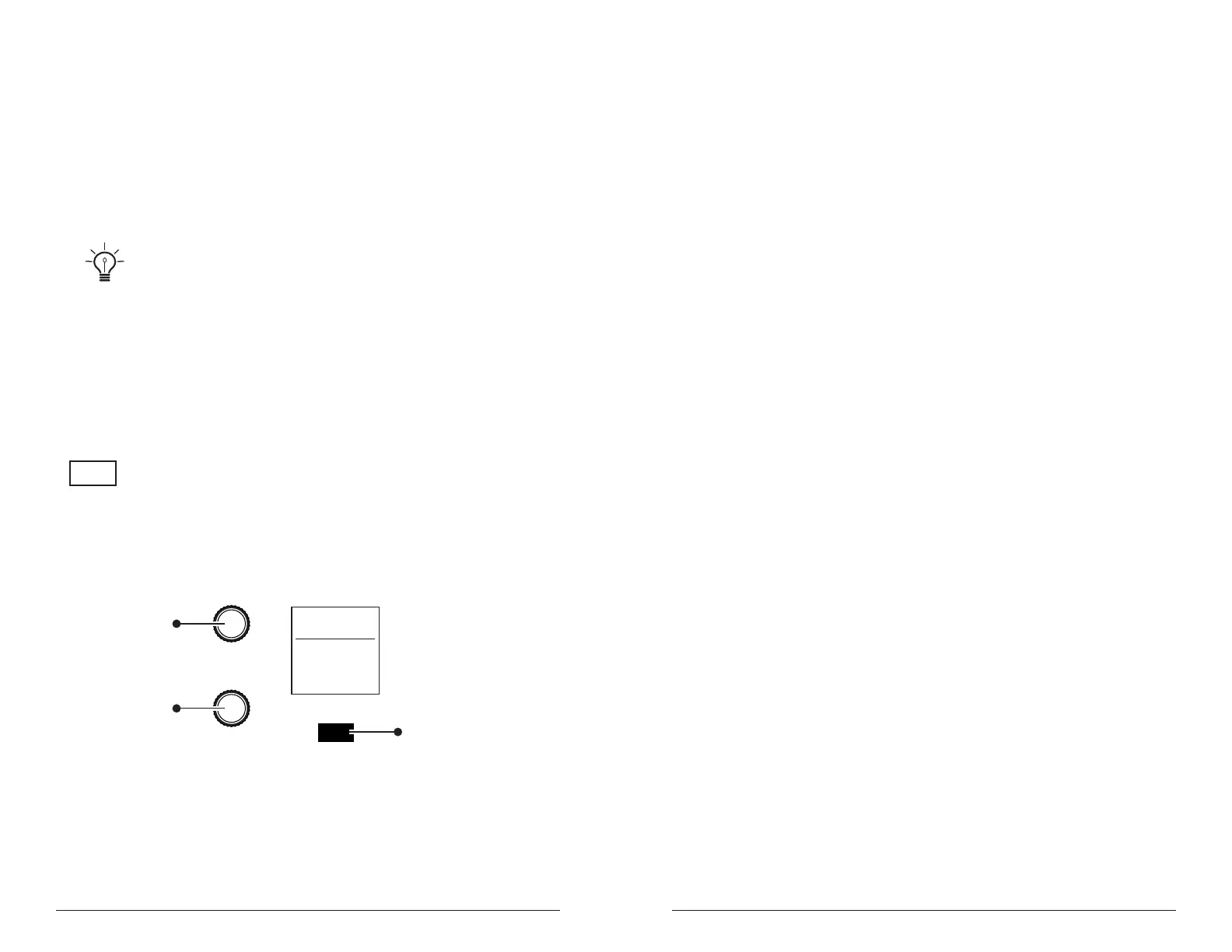
UNISON
The Unison button
PARAMETER
VALUE
MISC PARAMS
show
U1 P1
Filter Sweep
Unison Mode
4 Voices
120
Press to toggle on
Misc Parameters
Use this knob to
scroll to the
“Unison Mode”
Parameter
Use this knob to
select the number
of unison voices
(or chord memory)
Unison Mode parameter
To use Unison:
1. Press the unison button.
2. Press the misc params button and use the parameter knob to scroll to
unison mode.
3. Use the value knob to choose the number of voices to stack.
4. To detune the oscillators while in unison, use the parameter knob to
scroll to unison detune in the misc params menu.
5. Use the value knob to choose the amount of detuning.
Using Chord Memory
Unison has another useful feature: chord memory. Instead of assigning
voices to a single note, hold down a chord on the keyboard and press the
unison button. The Prophet Rev2 memorizes the notes of the chord. Single
notes played on the keyboard will then trigger all notes of the stored chord,
transposing them as you play up or down the keyboard. Try using this
feature to create powerful chord stabs.
If you save a program that uses chord memory, the chord is saved with
the program.
To use chord memory:
1. Press the misc params button and use the parameter knob to scroll to
unison mode.
2. Turn the value knob fully clockwise to choose chord.
3. Hold down a chord on the keyboard.
4. Press the unison button. The chord voicing is memorized. Play a few
notes to listen to the result.
5. If you save the program, the unison chord memory is saved with it.
To store a different chord in chord memory:
1. With chord selected as the unison mode in the misc params menu, hold
down a different chord on the keyboard.
2. Press the unison button. The chord voicing is memorized. Play a few
notes to listen to the result.















 To Next Page