20.ELECTRIC-LOCKS SETTING
0 = Not used
1 = Electric lock with mechanical relock on closing
2 = Maglock – ONLY 24VDC
3 = Magnetic bolt lock
4 = Motorized lock
5 = Electric lock with auto relock
6 = Maglock with delay relock – ONLY 24VDC
Impulse time or
Opening delay
(3)
RANGE: 0 ÷ 9
This timing depends on the type of electric lock
Closing force of the
electric-lock
(4)
Activation of the electric-
lock according the logic
selected
(5)
0 = Disabled
1 = One Radar
2 = Two Radars
3 = One Radar and Two Radars
4 = Unlocking Feedback
(6)
5 = Command unlocking
(7)
4 = Unlocking Feedback
(6)
5 = Command unlocking
(7)
5 = Lock command repetition
5 = Lock command repetition
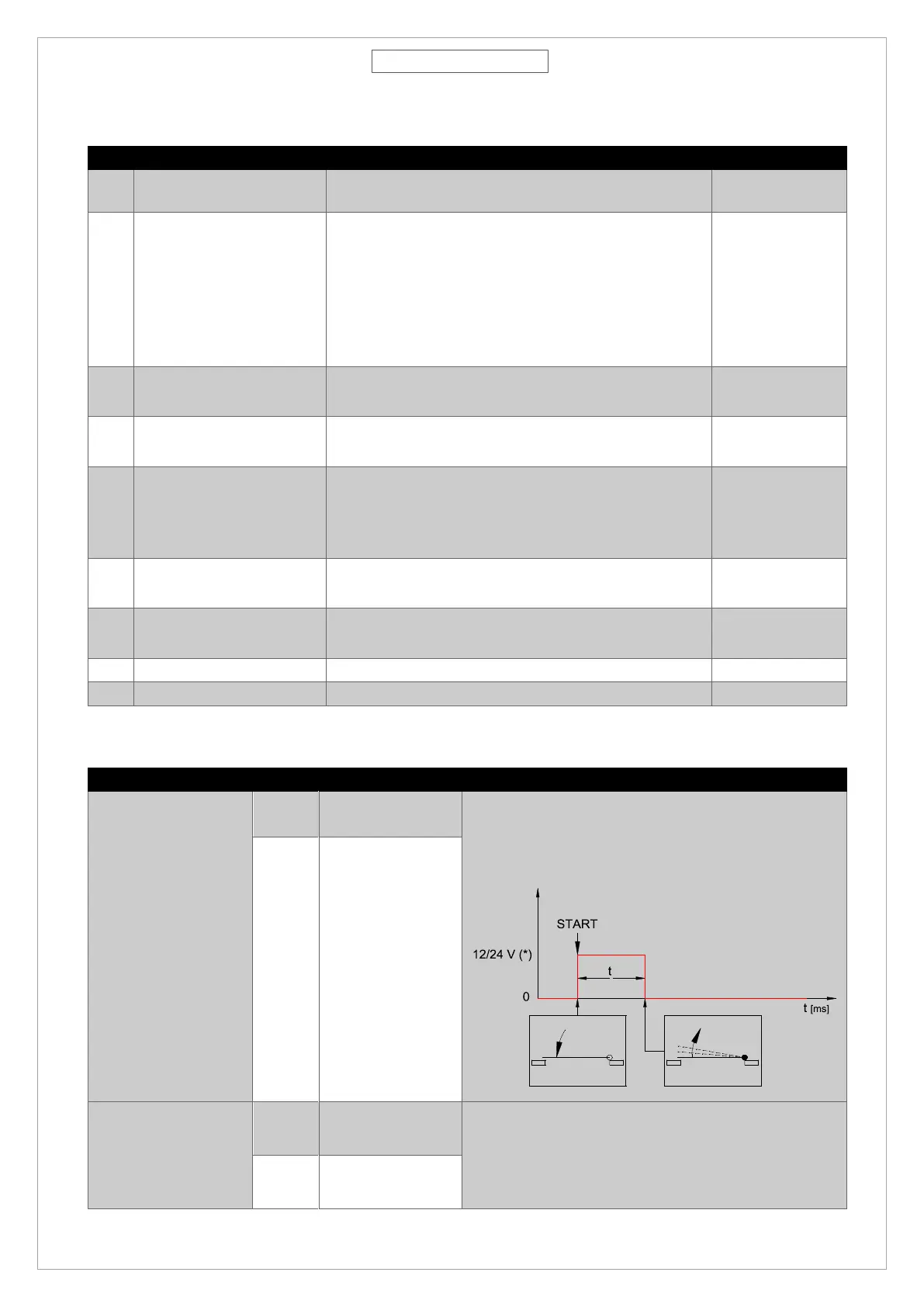
1-ELECTRIC LOCK WITH
MECHANICAL RELOCK
ON CLOSING
After impulsive power supply, it unlocks the door and
automatically relocks when it closes. It requires a
push back hit to unlock the door.
It keeps the door closed with power, when
disconnected it release the door. It does not require
a push back hit. Maglock is powered again when door
start it closing cycle to facilitate the complete closing.
RANGE: 0÷9
[t=200÷2000 ms]



 To Next Page