31
USB Port
Updating Firmware
Note: Before updating rmware, perform USB Conguration Cloning. Refer
to USB Conguration Cloning on previous page.
The USB port can be used for upgrading the SRCM rmware in the eld.
To upgrade the rmware you must rst download the rmware for the lat-
est versions of the hex le for the host controller, the USB hex le and the
BACnet hex le, these are EMS1009.hex, usb.hex and BACnet.hex. Place the
new les on the thumb drive. Plug in the USB adapter cable, shown on previ-
ous page, and the ash drive.
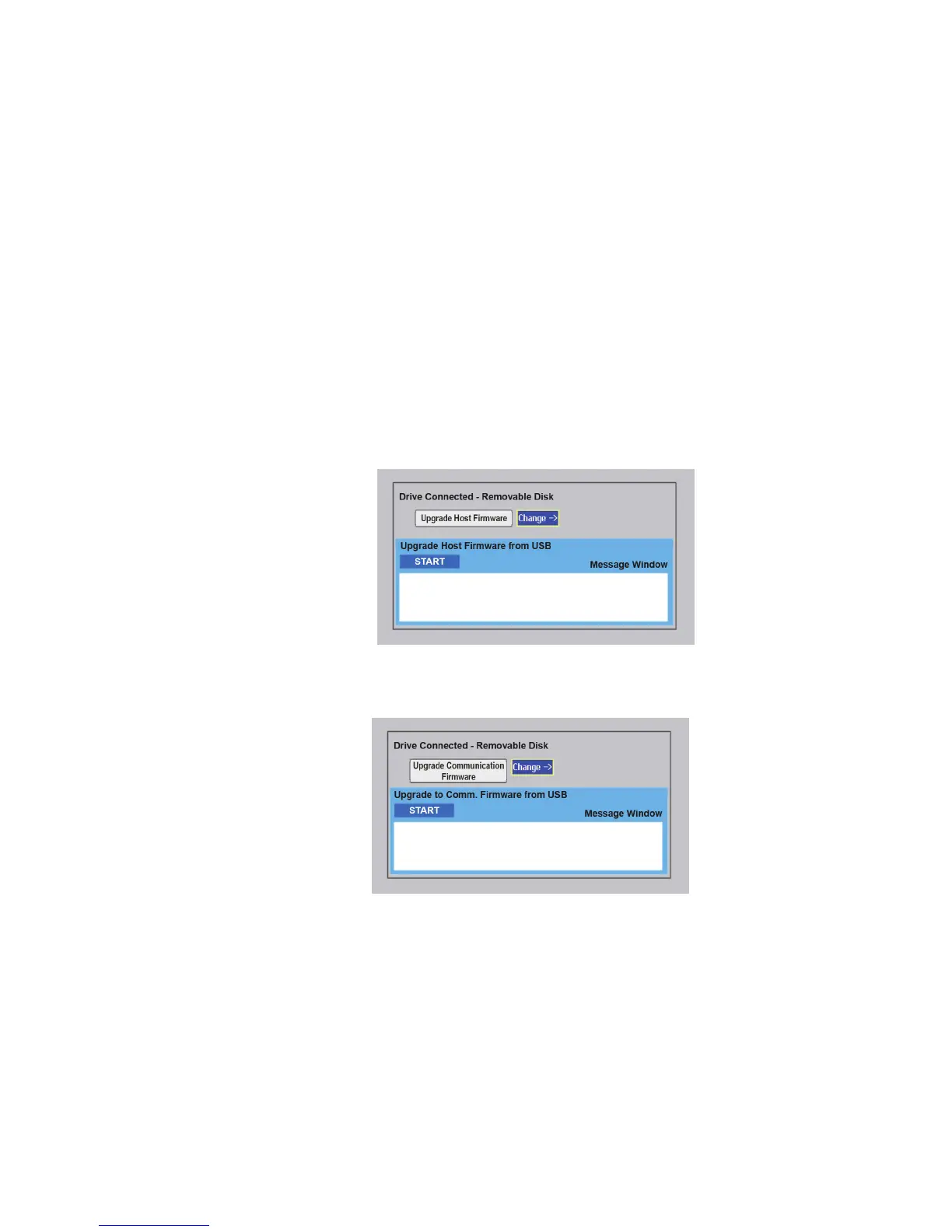
The SRCM will automatically detect the USB drive bringing up a window.
1. Press the Change button.
2. Scroll to the Upgrade Host Firmware screen shown here.
3. After the host rmware has been updated, change to the Upgrade
Communication Firmware screen and press START.


 To Next Page