Installation
24
On-board fuse mounting
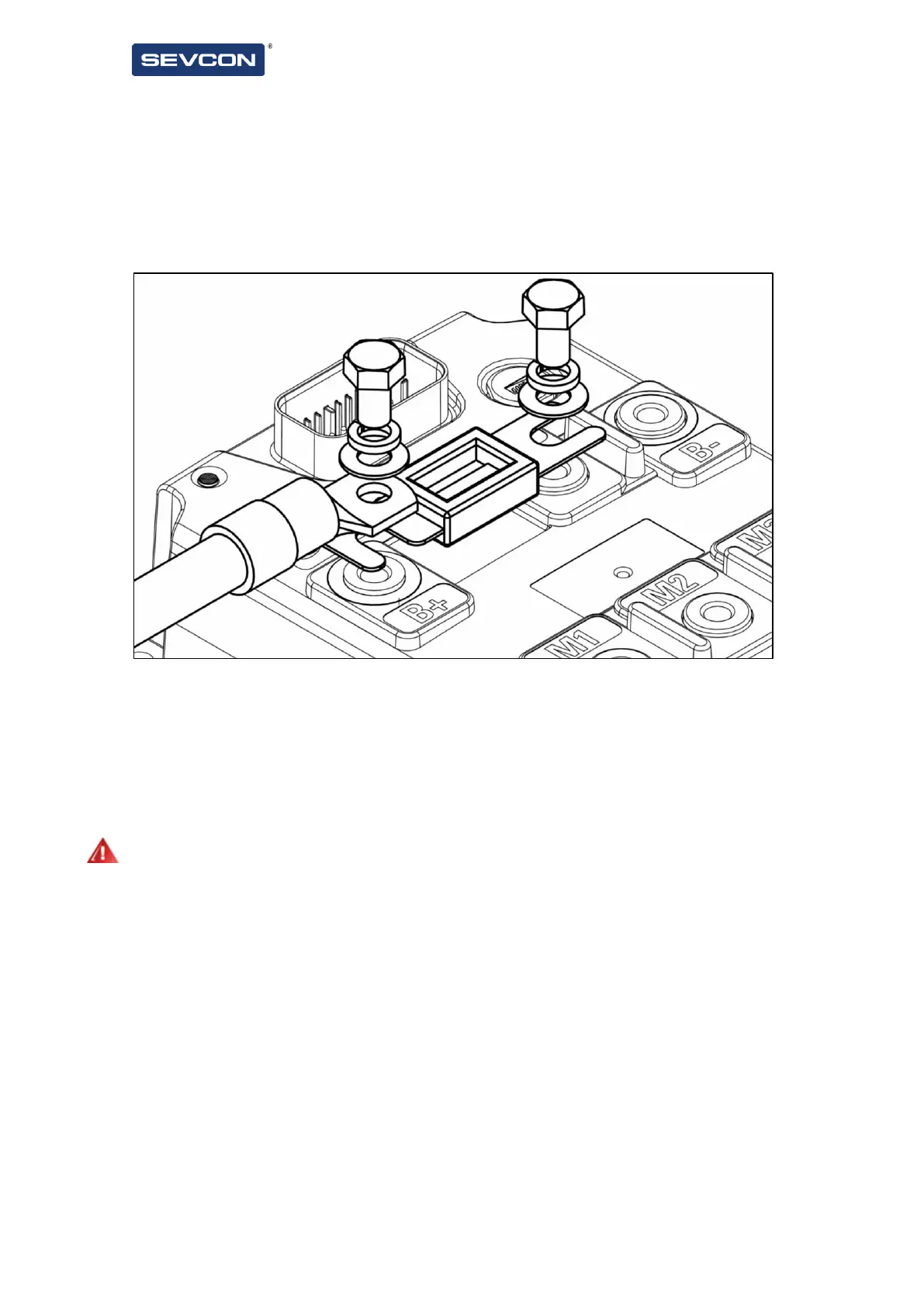
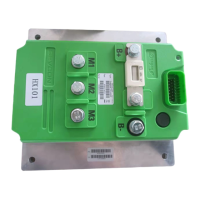
You can mount your main input protection fuse directly onto the controller body as shown below.
Connect the battery positive cable to the B+ terminal. Connecting to the other end of the fuse will
connect battery voltage to the controller but will leave your installation without a fuse unless a fuse is
located elsewhere in the system. The B+ terminal is a dummy terminal to allow fuse connection only and
has no internal connection.
Figure 11 - On-board fuse mounting
Fuse rating and selection
On-board fuse dimensions are in accordance with DIN43560/1 The fuse rating should be selected based
on the application and should not be greater than 500A for the 72V controller.
Integrated Battery Switch
The Dragon8 range of controllers contain an integral battery. Note that in order to provide reverse
battery protection an external protection device is still required.
Integrated DC-link capacitor pre-charge circuit
The Dragon8 range of controllers contain an integral capacitor pre-charge circuit which is activated
automatically to ensure the main capacitor bank is fully charged prior to closing the integrated battery
switch. If an external line contactor is fitted then an external pre-charge circuit will also be required.


 To Next Page