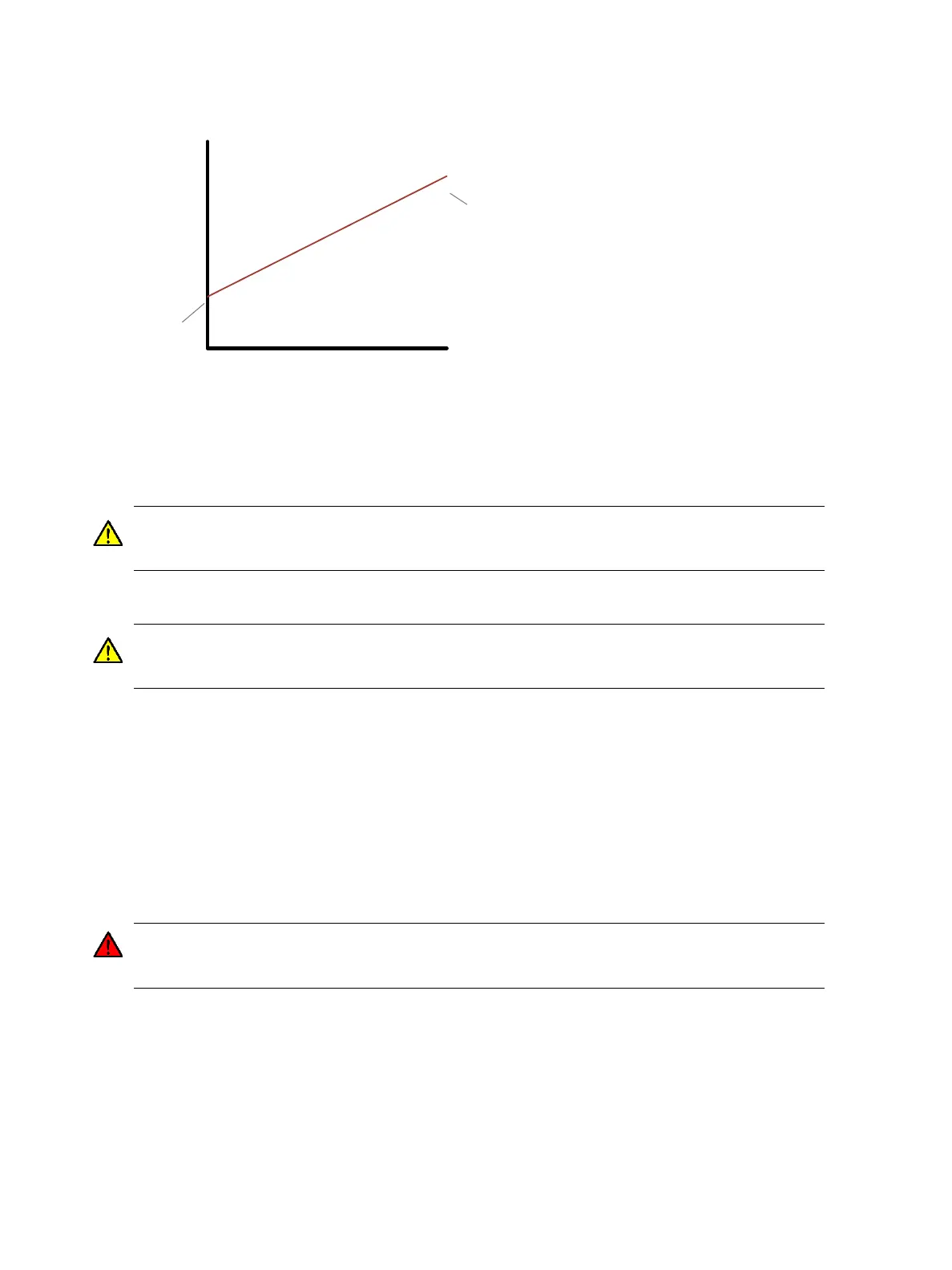
Figure 25 - Illustration showing behaviour of creep torque
Increasing the creep torque level can improve how the vehicle feels when drive is first selected and the
vehicle starts to move. However, too much creep torque can make the vehicle uncontrollable at low
speeds.
CAUTION: Creep torque will be applied as soon as drive is selected and the throttle is closed. Do not
increase the creep torque value to a level that would cause unexpected high levels of torque output for
comparatively low levels of throttle push. If in doubt, set the creep torque level to 0%.
Driveability Features
CAUTION: These features are used to configure how the system uses throttle information and how it
handles speed limits (in torque mode). The installer must ensure these features are configured
appropriately.
Set the following driveability features at 2910
h
,1:
• Enable/disable proportional braking. If enabled, the braking torque during direction braking is
proportional to the throttle.
• Enable/disable directional throttle. If configured as a directional throttle, the throttle voltage
indicates the direction as well as the speed demand. This removes the need for forward and reverse
direction switches.
• Proportional speed limit enable/disable. If enabled, speed limit is proportional to the throttle,
otherwise speed limit is fixed at the forward or reverse maximum speed. Only used in torque mode.
WARNING: Proportional Speed Limit is not recommended for on-highway vehicles as it can
cause the traction motor/wheel to remain locked or brake severely if the wheel is momentarily
locked due to loss of traction on a slippery surface and/or mechanical braking.
• Braking directional throttle enable/disable. If enabled, a directional throttle can be used to demand
a drive or braking torque in conjunction with the direction switches. Only used in torque mode.
• Handbrake fault. If enabled, a handbrake fault is set when a direction is selected whilst the
handbrake input is active.
• Proportional speed limit during braking enable/disable. If enabled, speed limit is proportional to
throttle only in drive states. Maximum speed limit is allowed in braking states. Only used in torque


 To Next Page