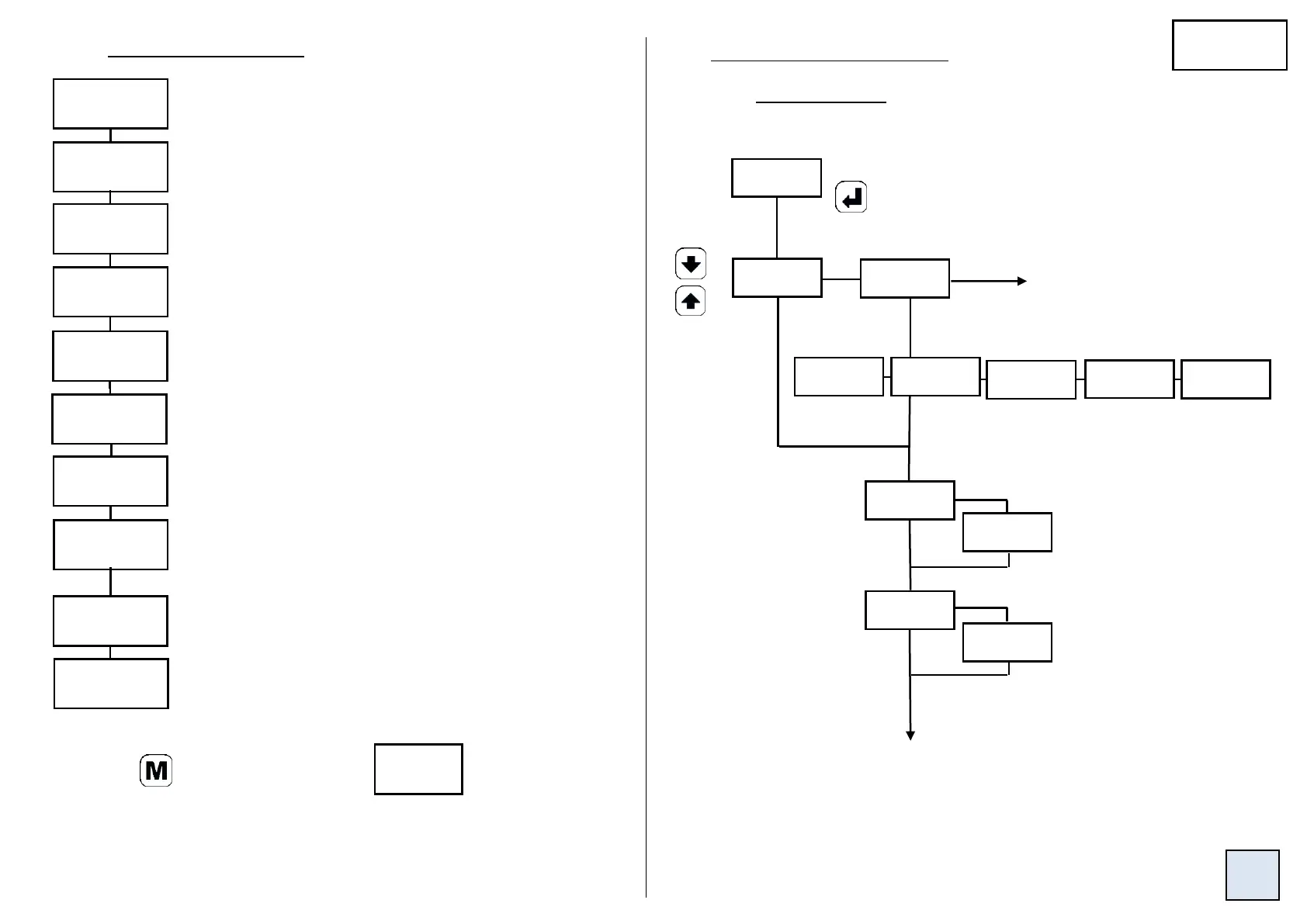
4.4 Programming menu (depending on options)
Access to the programming of the input p9
Access to the programming of the display factor p11
Access to the programming of the advanced functions p12
Access to the programming of the analogue output p13
(option analogue output)
Access to the programming of the relays p14
(option relay outputs)
Access to the communication parameters p16
(option digital output)
Access to the programming of the logic inputs p16
Access to the programming of the display: p18
Leds, brightness, colour of the digits…
a. Process signals
Access to the menu exit from the programming with or p19
without saving the configuration
Note:
Press to come back to the menu
In mode programming, the instrument will automatically come back to the
measure with the previous configuration if no key is pressed during 1min.
Choice of the voltage caliber.
To t° sensors and
resistive sensors
Setting of the input down
and up scale:
-22 < x < 22 (mA)
-110 < x < 110 (100mV)
-1.1 < x < 1.1 (1V)
-11 < x < 11 (10V)
-165 < x < 165 (150V)
-300 < x < 300 (270V)
Access to the programming of the analogue and relay p17
outputs in case of self-diagnosis error and/or sensor
break, and access to disabling the sensor break detection
(option analogue output and/or relay outputs)
4.4.1 Programming of the input


 To Next Page