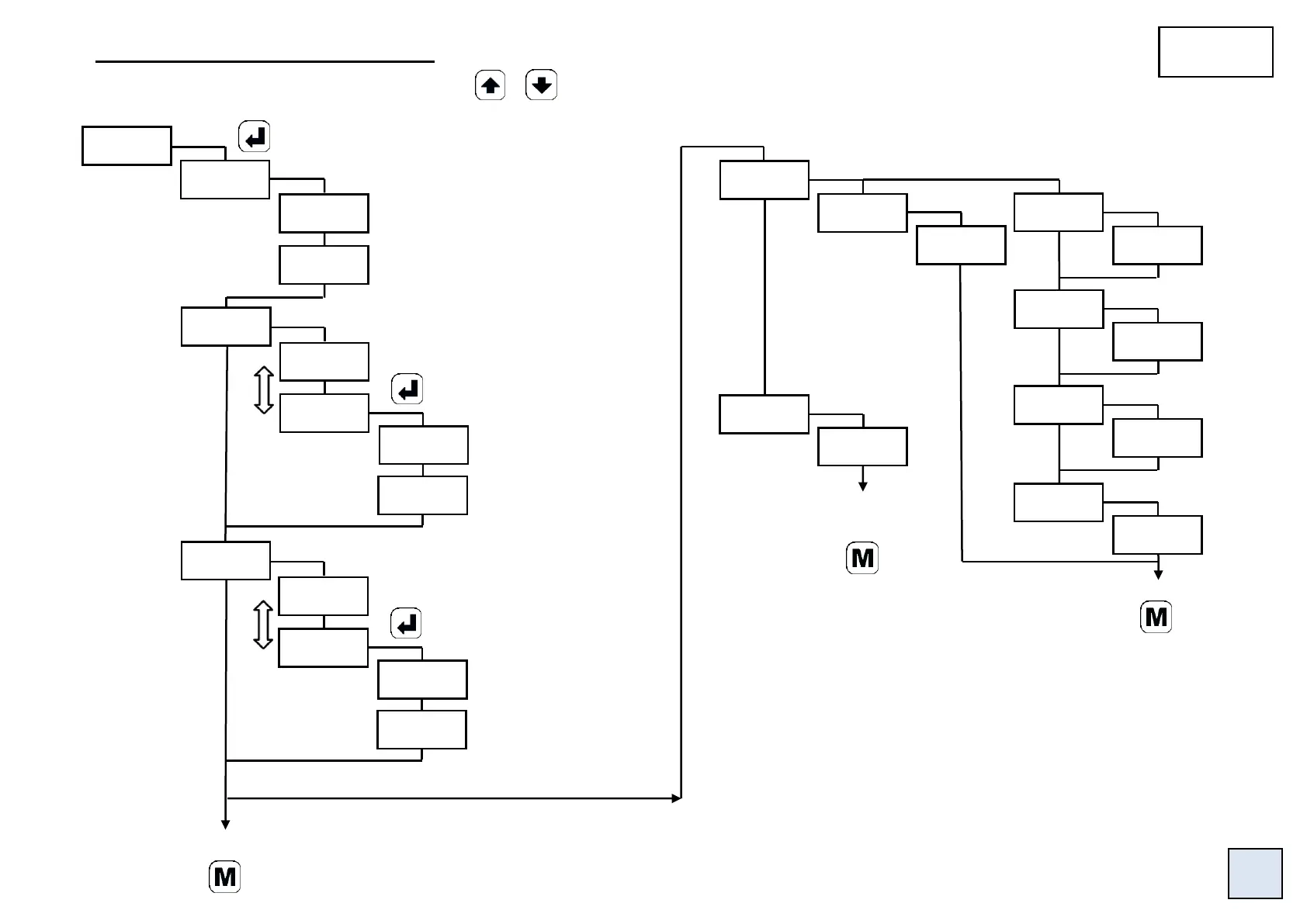
5.5 Menu adjustment (display calibration).
Access by the menu FUnCt or by pressing simultaneously + during the
measure display.
Case of a process, resistance or potentiometer input:
The instrument will re-adjust its scale factor and its display factor
in order to obtain the desired result.
Case of a temperature input:
Eg. 1: If 1 setting only is performed, this will correspond to setting
an offset, which means all the points will be shifted by the same
quantity (+000.3° in this example).
Eg. 2: If the 2 settings are performed, the slope and the offset will
be corrected in order to obtain the desired result.
In the example for 0.5° the performed correction will be of -0.5°,
and for 501.8° a correction of -1.8° will be performed.
Set the display value directly (down
or up scale) according to the value of
the signal injected on the input.


 To Next Page