22
Basic adjustment settings
Press a/b to select “Manual Adjust”, and
then press OK.
4
Next
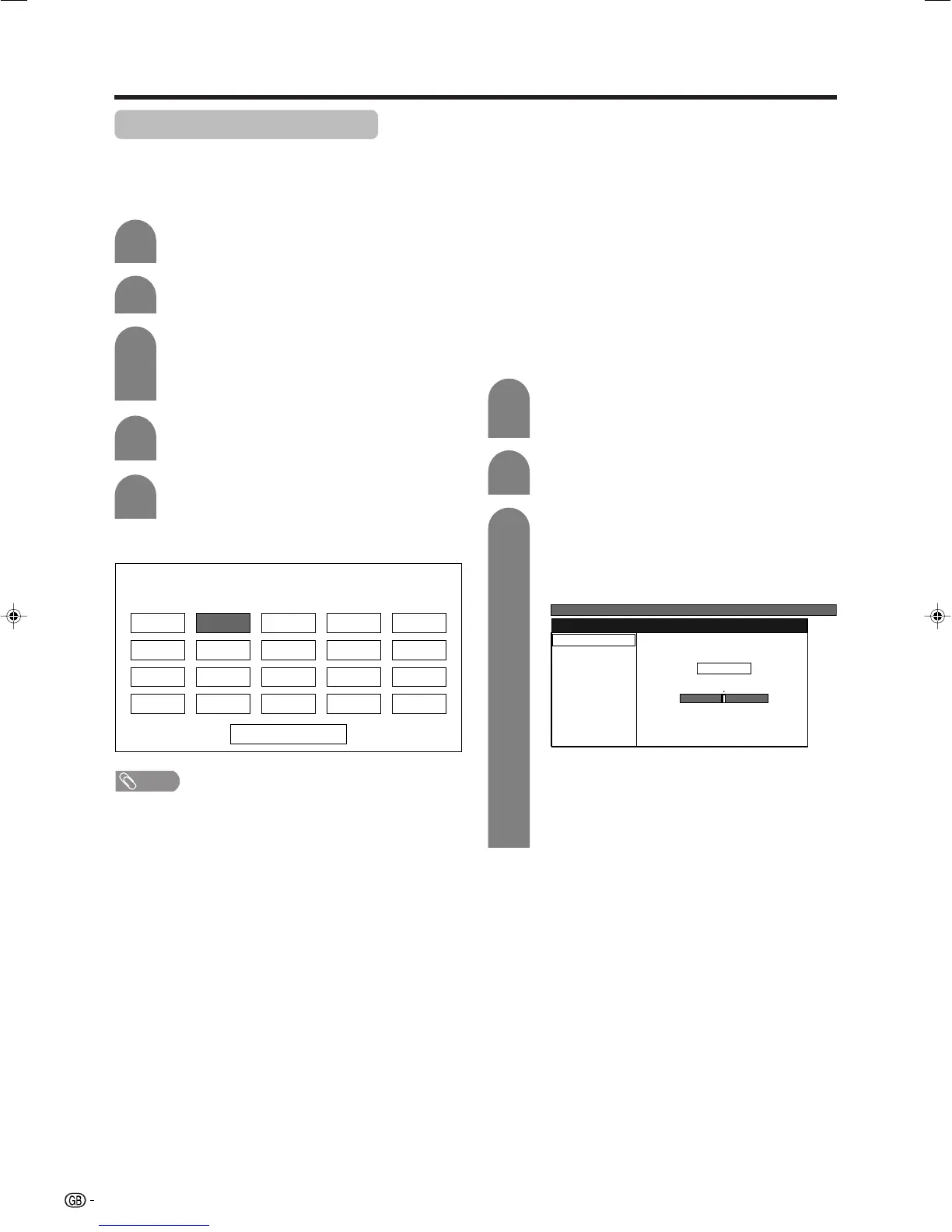
01 SAT.1 02 PR07 03 KABEL
Programme Setup “Manual Adjust” menu
NOTE
• When you exit Programme Setup “Manual Adjust” menu,
preset download automatically runs if you change
information on that menu.
Press MENU and the MENU screen displays.
Press c/d to select “Setup”.
1
2
3
5
Press c/d to select “Yes”, and then press
OK.
You can select one of the following settings.
1Fine
2Colour system (See page 23.)
3Sound system (See page 23.)
4Label (See page 23.)
5Skip (See page 24.)
6Decoder (See page 24.)
7Lock (See page 24.)
8Booster (See page 24.)
Manual setting for each channel
You can set some channel items manually. They are
Fine (TV frequency), Colour sys., Sound sys., Label
(Network name), Skip, Decoder, Lock (Child Lock) and
Booster.
Press a/b to select “Programme Setup”,
and then press OK.
If you already set the PIN, enter it here.
• See page 47 for setting PIN.
3
Press a/b/c/d to select the channel you
want to edit, and then press OK.
• The selected channel information displays.
Press a/b to select “Fine”, and then press
OK.
Press c/d to adjust the frequency, and then
press OK.
• Adjust while checking the background picture
as a reference.
1
2
MENU
[
Setup
...
Programme Setup
]
Fine
Colour sys.
Sound sys.
Label
Skip
Decoder
Lock
[179.25]
[AUTO]
[B/G]
[Off]
[SAT.1]
[Off]
[Off]
Booster [Off]
179.25 MHz
a
• 179.25 MHz: Press 1 s 7 s 9 s 2 s 5.
• 49.25 MHz: Press 4 s 9 s 2 s 5 s OK.
• Instead of the above, you can also set by
directly entering the frequency number of the
channel with 0 – 9.
Fine tuning
LC-32GA4E(E)-d 04.5.30, 9:10 AM22













 To Next Page