48
Useful adjustment settings
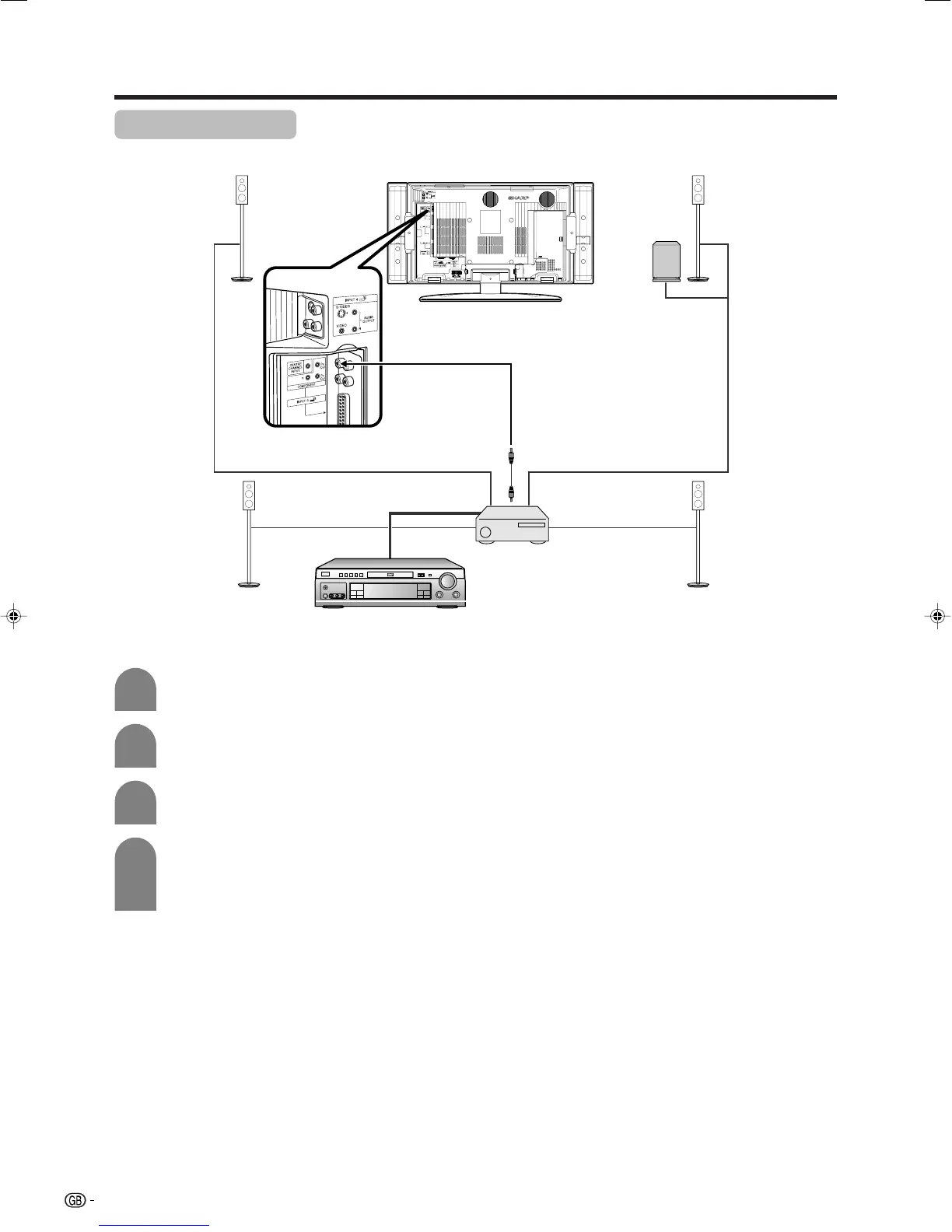
Centre Channel Input
You can use the speaker as the centre speaker when using a 5.1ch surround system.
4
Press c/d to select “On” , and then press
OK.
• Only the sound from the Centre Channel Input
terminal is output from the speaker.
Press MENU and the MENU screen displays.
1
2
Press c/d to select “Option”, and then press
OK.
3
Press a/b to select “Centre Channel Input”,
and then press OK.
* Connect to external audio equipment
that supports a 5.1ch surround system.
Refer to your external equipment
operation manual for details.
AV amplifier
DVD player, etc.
LC-32GA4E(E)-j 04.5.30, 9:21 AM48













 To Next Page