31
Basic adjustment settings
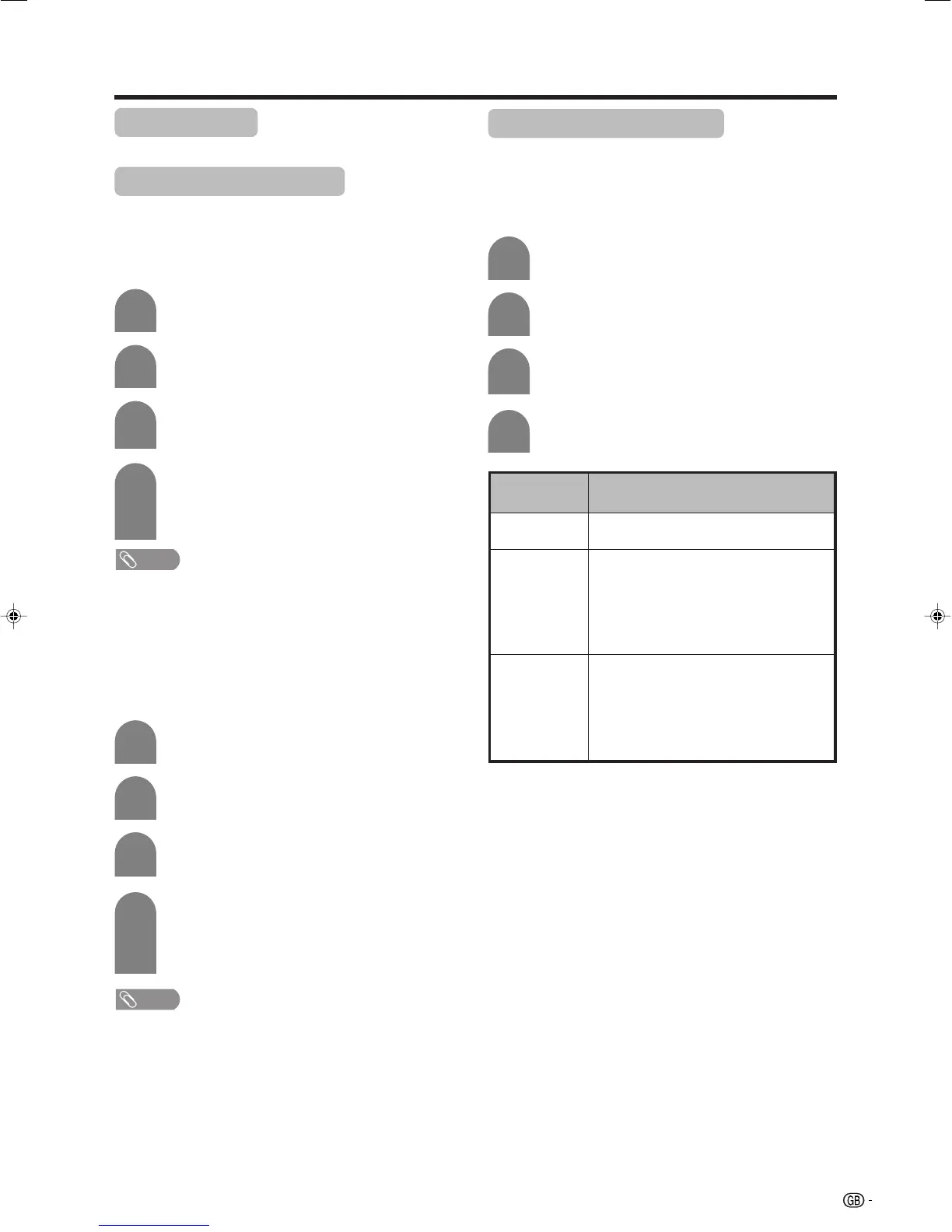
No signal off
When set to “Enable”, the power will automatically shut
down if no signal inputs for 15 minutes.
Press a/b to select “No Signal Off”, and
then press OK.
Press c/d to select “Enable”, and then
press OK.
3
4
• Five minutes before the power shuts down,
remaining time displays every minute.
NOTE
• “Disable” is factory preset value.
• When a TV programme finishes, this function may not
operate.
Press c/d to select “Power Control”.
2
Press MENU and the MENU screen displays.
1
No operation off
When set to “Enable”, the power will automatically shut
down if there is no operation for 3 hours.
Press a/b to select “No Operation Off”, and
then press OK.
Press c/d to select “Enable”, and then
press OK.
3
4
• Five minutes before the power shuts down,
remaining time displays every minute.
NOTE
• “Disable” is factory preset value.
Press c/d to select “Power Control”.
2
Press MENU and the MENU screen displays.
1
Power control
Power control setting allows you to save energy.
Power control for AV source
Power control for PC source
Power control setting allows you to save energy.
Power management
When set, the power will automatically shut down.
Press a/b to select “Power Management”,
and then press OK.
Press a/b to select “Mode1” or “Mode2”,
and then press OK.
3
4
Press c/d to select “Power Control”.
2
Press MENU and the MENU screen displays.
1
Description
• No power management
• Factory preset value.
• If no signal inputs for 8 minutes, the power
shuts down.
• Even if you start using the PC and the signal
inputs again, the TV stays off.
• The TV turns on again by pressing a on
the Display or B on the remote control unit.
(See page 15.)
• If no signal inputs for 8 seconds, the power
shuts down.
• When you start using the PC and the signal
inputs again, the TV turns on.
• The TV turns on again by pressing a on
the Display or B on the remote control unit.
(See page 15.)
Selected item
Off
Mode1
Mode2
LC-32GA4E(E)-f 04.5.30, 9:13 AM31












 To Next Page