10. MODE SWITCH (ER-31MDl/MD2/MD3/MD4/MD5)
10.1 Outline
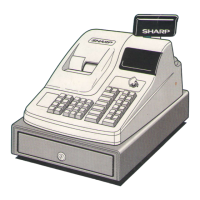
The ER-31OO cash register can be equippedwith an optional mode
switch for more strict control of individualECRS.
This mode
switch is available in 100 varieties.
These varieties are
equally divided into five groups, which are given the model names
ER-31MD1 thru ER-31MD5 respectively.
When installingtwo or more optionalmode switcheswithin a
store, use those that are different in key number (see Fig. 21).
0 How to readthekey
Key name
identificationnmber
/
xxx
\ /
00
\ /
Keyno.
Keyno.
001
to
100
Key type
C)l+op
03+SM
05+MA
v
Key
Modeswitch
Fig. 21
10.2 Installationprocedure
1. Remove the top cabinet.
(Refer to Section 5 “REMOVINGTHE TOP
CABINET AND MAIN DRAWER”.)
2. Disconnect the connectorsat the inside of the top cabinet and
remove the keyboard unit and switch unit.
(Fig. 22)
–54–


 To Next Page