MX-M350/M450 N/U SIMULATION 9 - 63
Operation/Procedure
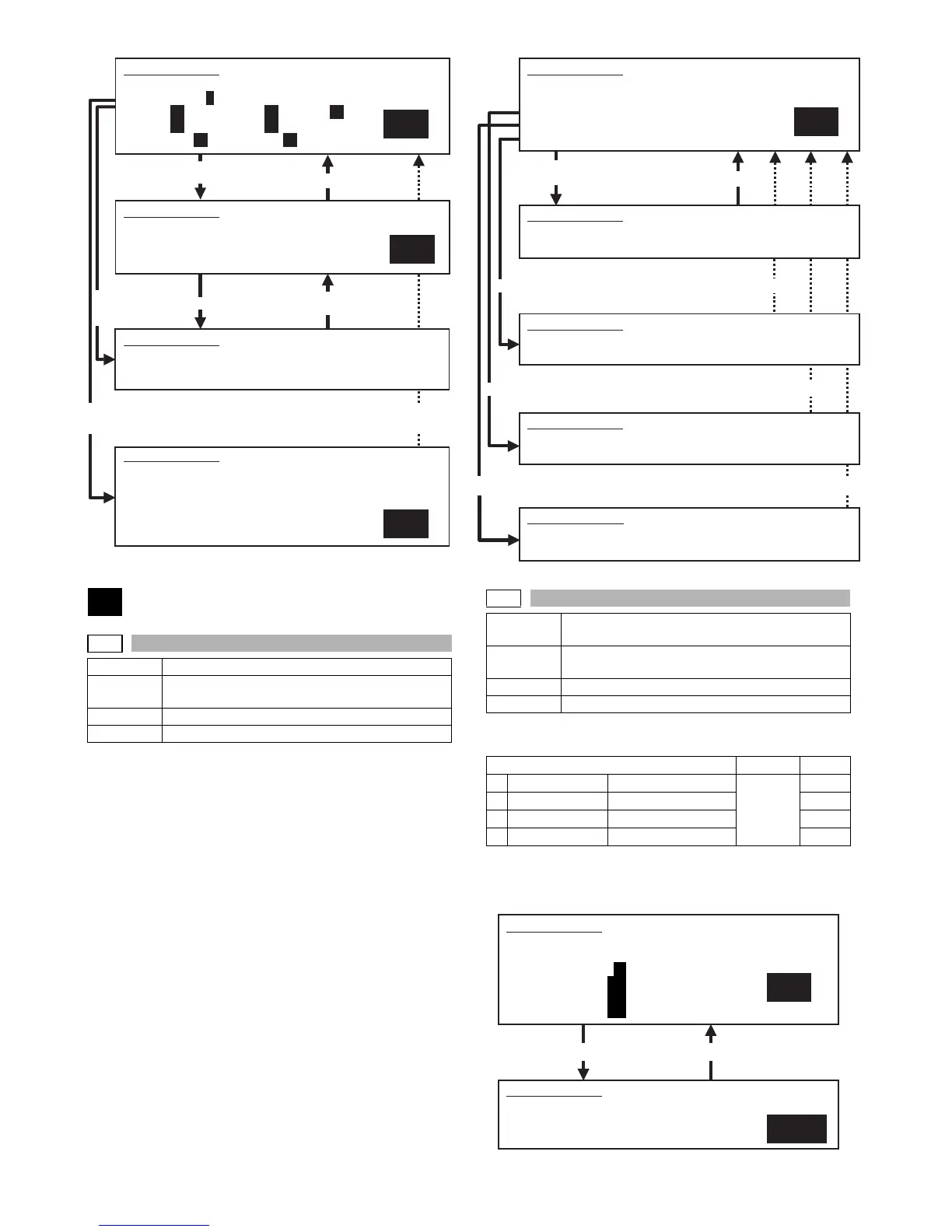
1) Set the SPF paper feed guide to the max. position.
2) Select "MAX. POSITION" with 10-key.
3) Press [START] key.
The max. width detection level is recognized.
4) Press [SYSTEM SETTINGS] key.
5) Set the SPF paper feed guide to A4R size position.
6) Select POSITION 1 with 10-key.
7) Press [START] key.
The A4R width detection level is recognized.
8) Press [SYSTEM SETTINGS] key.
9) Set the SPF paper feed guide to A5R size position.
10) Select POSITION 2 with 10-key.
11) Press [START] key.
The A5R width detection level is recognized.
12) Press [SYSTEM SETTINGS] key.
13) Set the SPF paper feed guide to the min. position.
14) Select "MIN. POSITION" with 10-key.
15) Press [START] key.
The min. width detection level is recognized.
If the above procedures are not completed normally, ERROR is
displayed. When completed normally, COMPLETE is displayed.
Operation/Procedure
1) Enter the number corresponding to the set item with 10-key.
2) Press [START] key.
3) Enter the set value with 10key.
4) Press [START] key.
Select 0, and
press [START] key.
Press [START] key, or
press [SYSTEM SETTINGS] key.
53
53-6
Purpose Adjustment
Function
(Purpose)
Used to adjust the DSPF width detection level.
Section
Item Operation
60
1
SIMULATION 51-2
RESIST TIMING ADJUSTMENT. SELECT 0-8, AND PRESS START.
0.TRAY SELECT 1 1.PRINT START
2.TRAY1 60 3.TRAY2 50 4.DESK 50
5.BPT 55 6.ADU 50
7.SPF(HIGH) 60 8.SPF(LOW) 75
SIMULATION 51-2
RESIST TIMING ADJUSTMENT. NOW PRINTING.
SIMULATION 51-2
RESIST TIMING ADJUSTMENT. INPUT VALUE 0-99, AND PRESS
START.
2.TRAY1
Select 1,
and press
[START] key.
Select other than 0 - 1, and
press [START] key.
Press [SYSTEM SETTINGS] key.
Press [START] key.
Press [SYSTEM SETTINGS] key,
or terminate copying.
1
SIMULATION 51-2
RESIST TIMING ADJUSTMENT. SELECT 1-15, AND PRESS START.
(FEED TRAY)
1.TRAY1 2.TRAY2 3.TRAY3 4.TRAY4
5.BPT
(ABOVE+10: DUPLEX MODE)
Select 4, and press [START] key. Press [SYSTEM SETTINGS] key.
53-7
Purpose Adjustment/Setup/Operation data output/Check
(Display/Print)
Function
(Purpose)
Used to enter the SPF width detection adjustment
value.
Section DSPF
Item Operation
Item Set range Default
1 MAX. POSITION Max. width 0 - 1023 66
2 POSITION 1 Adjustment position 1 456
3 POSITION 2 Adjustment position 2 713
4 MIN. POSITION Min. width 791
Press [START] key. Press [SYSTEM SETTINGS] key.
1
Select 2, and press [START] key.
Select 3, and press [START] key.
Press [SYSTEM SETTINGS] key.
Press [SYSTEM SETTINGS] key.
Press [SYSTEM SETTINGS] key.
SIMULATION 53-6
SPF TRAY ADJUSTMENT. SELECT 1-4, AND PRESS START.
1.MAX.POSITION
2.POSITION 1
3.POSITION 2
4.MIN.POSITION
SIMULATION 53-6
SPF TRAY ADJUSTMENT.
MAX.POSITION ... COMPLETE (or “ERROR”)
SIMULATION 53-6
SPF TRAY ADJUSTMENT.
POSITION 1 ... COMPLETE (or “ERROR”)
SIMULATION 53-6
SPF TRAY ADJUSTMENT.
POSITION 2 ... COMPLETE (or “ERROR”)
Select 1, and
press [START] key.
SIMULATION 53-6
SPF TRAY ADJUSTMENT.
MIN.POSITION ... COMPLETE (or “ERROR”)
1
SIMULATION 53-7
SPF TRAY ADJUSTMENT(MANUAL). SELECT 1-4, AND PRESS
START.
1.MAX.POSITION: 66
2.POSITION 1 : 456
3.POSITION 2 : 713
4.MIN.POSITION: 791
66
SIMULATION 53-7
SPF TRAY ADJUSTMENT(MANUAL). INPUT VALUE 0-1023, AND
PRESS START.
1.MAX.POSITION



 To Next Page