MX-M350/M450 N/U MAINTENANCE AND DETAILS OF EACH SECTION 7 - 54
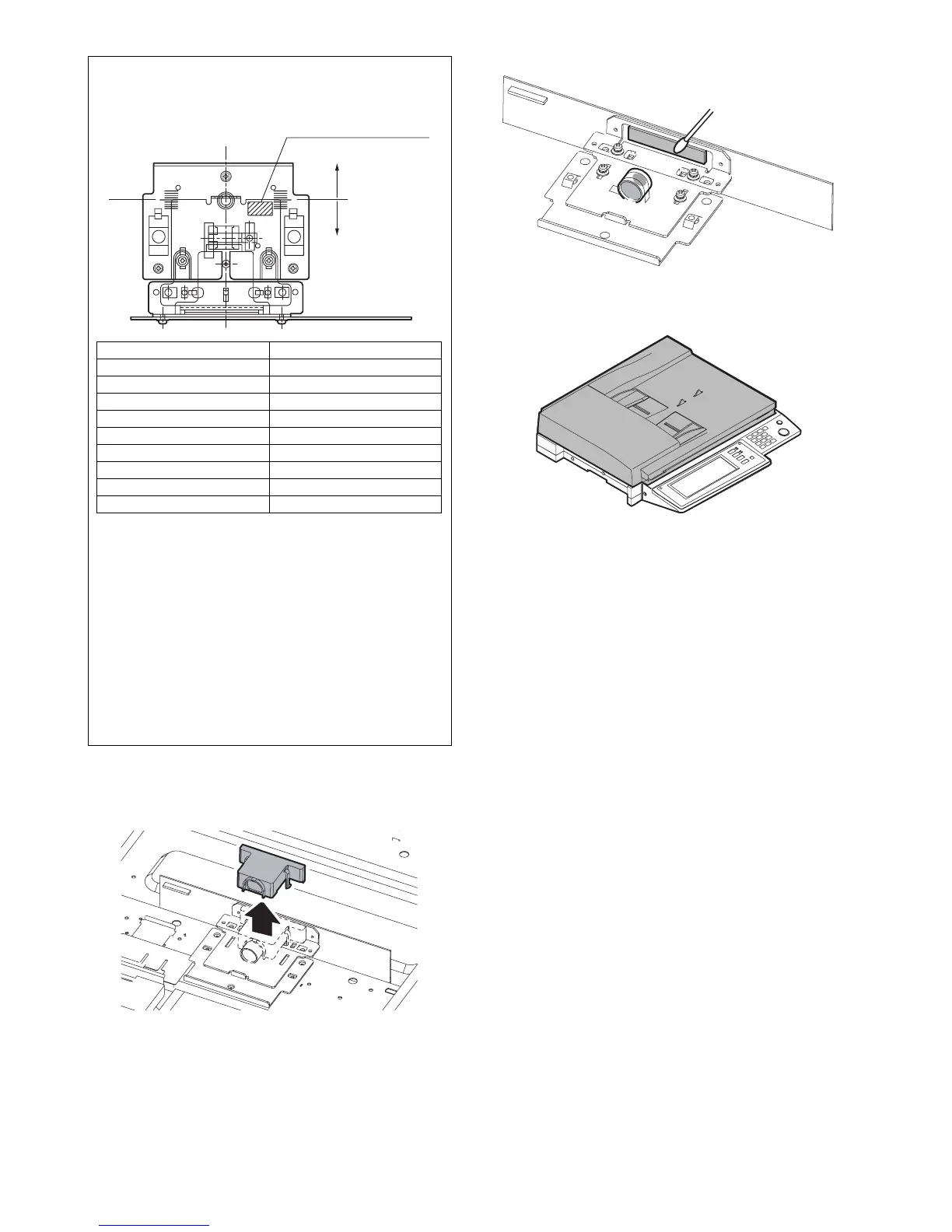
c-1. CCD lens
1) Remove the table glass.
2) Remove the dark-box cover.
3) Remove the lens cover.
4) Clean the CCD lens and the CCD.
7. DSPF section
A. General
Sheet documents are automatically fed and transported for contin-
uous scanning.
The DSPF (MX-EFX1) supports duplex sheet to scan both of the
front and the back surfaces at a time.
Note for CCD lens PWB unit installation
<1> Adjust the CCD unit adjustment value listed in the table
below with the scribed line on the lens base.
<2> Make a sample copy at the above position, and measure
the magnification ratio.
<3> Change the installing position in the horizontal direction to
adjust the magnification ratio.
• When the copy image is longer than the original, shift to the
positive (+) direction.
• When the copy image is shorter than the original, shift to the
negative (-) direction.
∗ 1 scale of the scribed line corresponds to 0.3% of magnifica-
tion ratio.
∗ If this adjustment is not satisfactory, make a fine adjustment
with SIM 48-1.
(Refer to the adjustment described below.)
CCD adjustment value
+4 scales 5.0~
+3 scales 3.6~4.9
+2 scales 2.2~3.5
+1 scale 0.8~2.1
Reference -0.6~0.7
-1 scale -2.0~ -0.7
-2 scales -3.4~ -2.1
-3 scales -4.8~ -3.5
-4 scales ~ -4.9
CCD unit adjustment value
(+) direction
Reference line
(-) direction
1 scale: 1.4mm



 To Next Page