25
Basic Operations
Playback
Basic Operations
Video Search
The video search function makes it easy to
search for a desired scene on the tape.
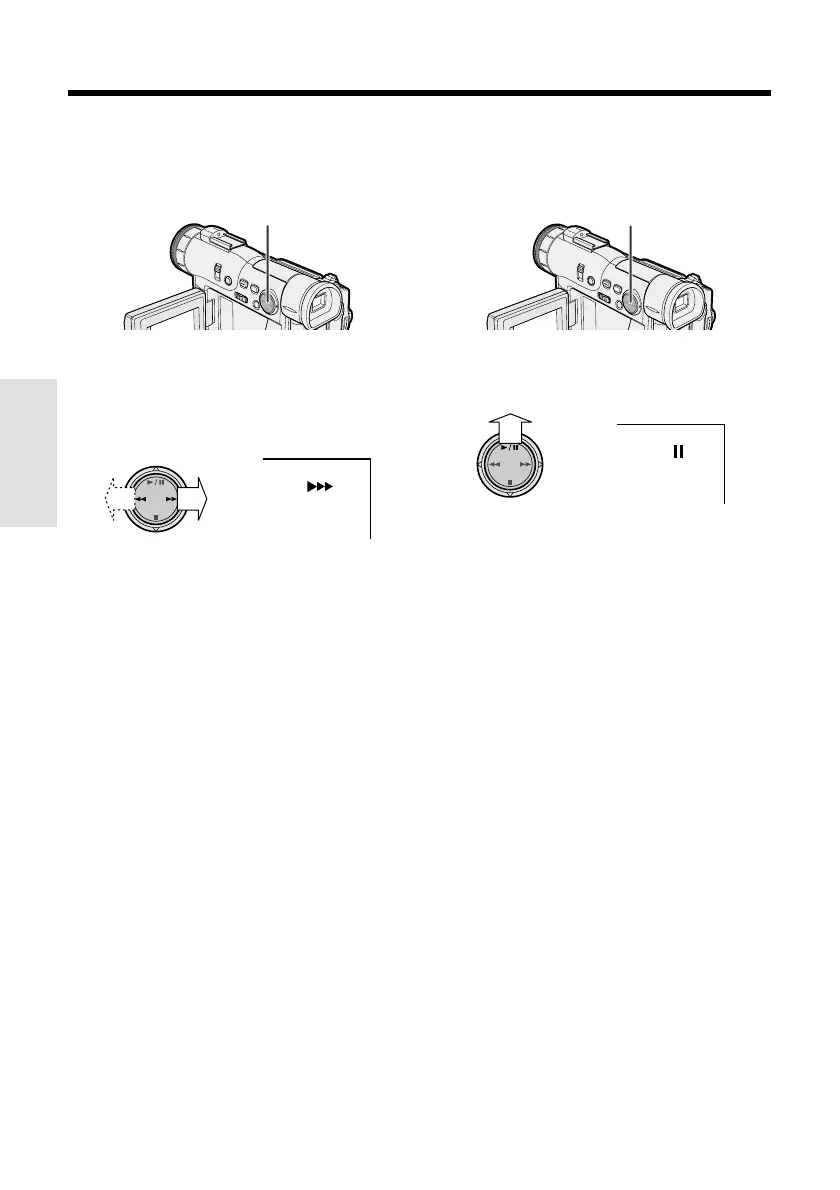
Operation button
1 During playback in TAPE-VCR mode,
press r (or e) on the Operation
button.
• The playback picture fast forwards (or
reverses).
AUDIO
12
+
2 When you find the desired scene, press
y to return to normal playback.
Notes:
• The sound is off during search.
• Some picture noise appears during search. This
is not a malfunction.
Still
The still function makes it possible to pause
playback in TAPE-VCR mode.
During playback in TAPE-VCR mode, press
y on the Operation button.
AUDIO
12
+
To return to normal playback, press y
again.
Notes:
• The sound is off in Still mode.
• To protect the tape, the camcorder automatically
returns to normal playback if it is left in Still mode
for more than 5 minutes.
Operation button










 To Next Page