38
Useful Features
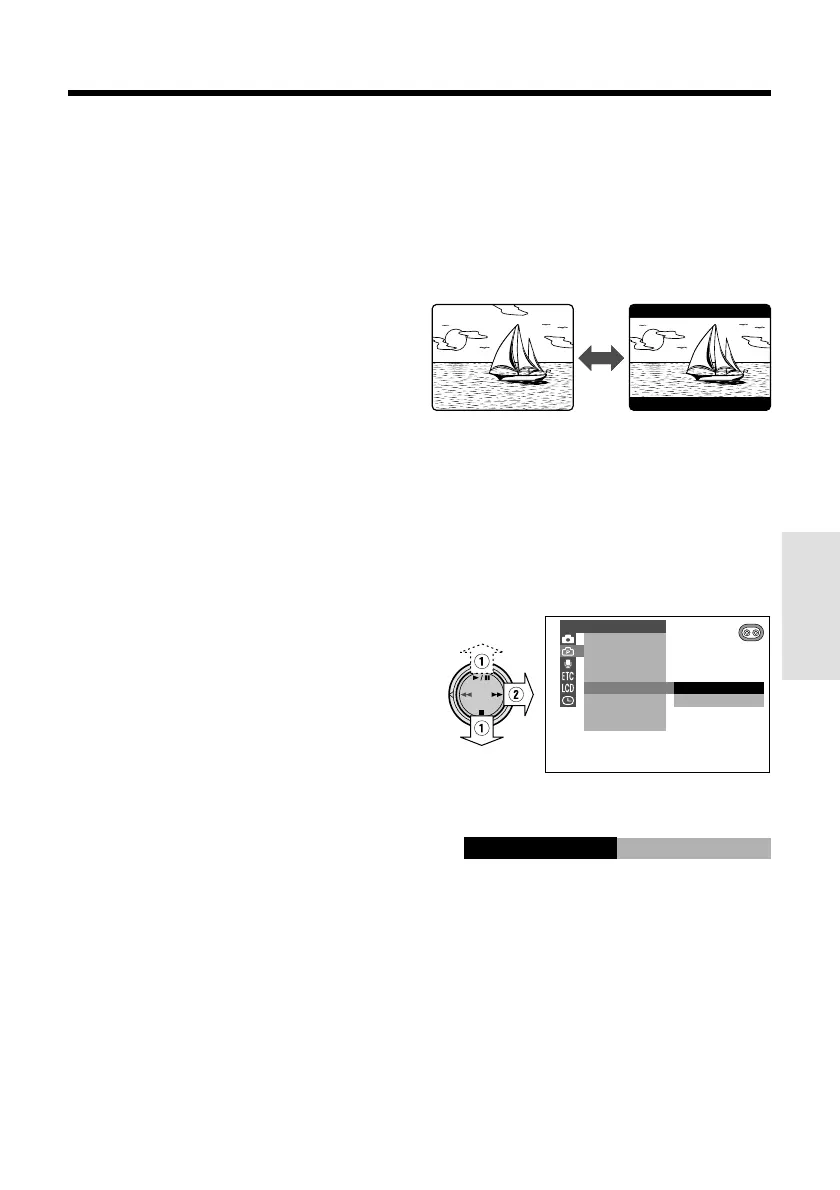
Normal screen
To cancel Fade mode
Select “OFF” in step 4 in “Setting Fade Mode”.
To use Fade Out only
1 During camera recording in TAPE-
CAMERA mode, perform steps 2 to 5 in
“Setting Fade Mode” to display “FADE”.
2 Press the REC START/STOP button at
the point where you wish to stop
recording.
Note:
• Fade mode is automatically canceled after Fade
Out.
Wide Screen (16:9)
The wide screen function lets you record
scenes with the wide-screen feel of a movie
shown in a theater. The top and bottom of the
picture are masked with black bands to
produce an effective screen aspect ratio of
16:9.
1 Set the camcorder to TAPE-CAMERA
mode.
2 Press the MENU/DISPLAY button until
the menu screen appears.
3 Select Y, then press r on the
Operation button. Select “16:9” (1), then
press r (2).
4 Press d or y to select “ON”, then
press e.
OFF
ON
PHOTO SNAP
DGTL ZOOM
TAPE SPEED
16 9:
CAMERA SET
EFF.SNAP
ON
16 9:
5 Press the MENU/DISPLAY button to
turn off the menu screen.
• The picture is displayed with the top and
bottom portions masked.
To return to normal screen
Select “OFF” in step 4 above.
Notes:
• You can only use the wide screen function when
the camcorder is in TAPE-CAMERA mode.
• Each frame picture will not be displayed in Wide
Screen mode when a still recording effect is set
during Wide Screen mode.
Wide screen










 To Next Page