46
Useful Features
Using the Time Code
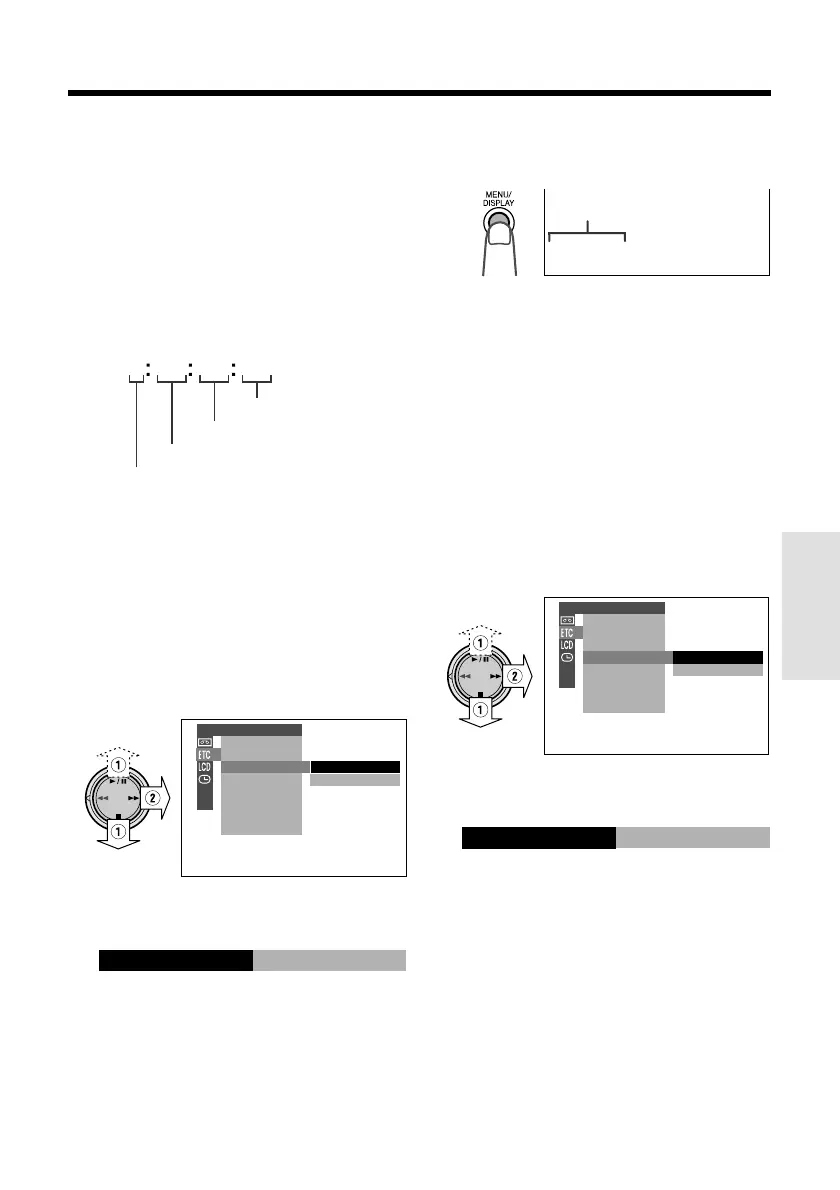
The time code shows the hour, minute and
second of recording, and the frame number
(1 frame = approx. 1/30 sec.). This is automati-
cally recorded along with the subject when you
are recording on the tape. You can display the
time code on the screen as an accurate
counter in both TAPE-VCR and TAPE-CAMERA
modes.
Frame number*
Display format
0 00 10 20TC
• The example screens for this feature are for
TAPE-VCR mode.
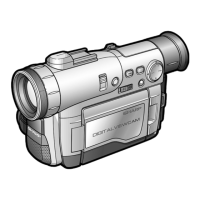
1 During playback or camera recording in
TAPE modes, press the MENU/
DISPLAY button until the menu screen
appears.
2 Select I, then press r on the
Operation button. Select “TIME CODE”
(1), then press r (2).
3 Press d or y to select “DISP. ON”,
then press e.
4 Press the MENU/DISPLAY button to
turn off the menu screen.
• The time code appears.
DISP.OFF
DISP.ON
OTHERS
REMOTE
SOUND
TIME CODE
TC OUT
SP
TC0 05:35:
To turn off the time code
Select “DISP. OFF” in step 3 above.
Note:
• When the tape reaches an unrecorded section,
the time code returns to zero (TC0:00:00). Once
recorded, the time code cannot be changed.
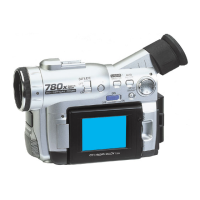
Displaying the time code on a TV
during playback
1 In TAPE-VCR mode, select I, then
press r on the Operation button.
Select “TC OUT” (1), then press r
(2).
OFF
ON
OTHERS
REMOTE
SOUND
TIME CODE
TC OUT
2 Press d or y to select “ON”, then
press e.
ON
TC OUT
Second
Minute
Hour
* Displayed during still
or frame advance
playback.
Time code
DISP.ON
TIME CODE



 To Next Page