41
Useful Features
Camera Recording
Useful Features
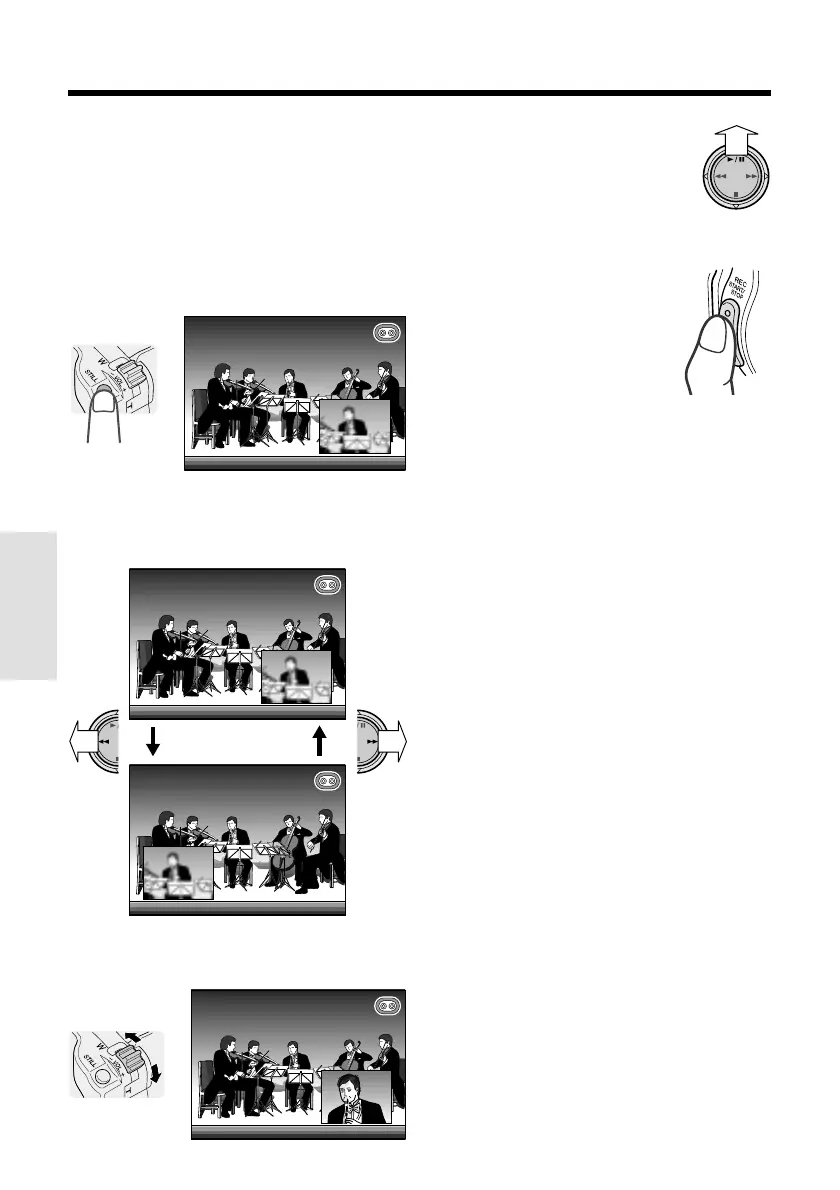
Using P-IN-P mode
1 Perform the steps in “Selecting a still
recording effect” to select “P-IN-P” (see
page 40).
2 In Recording Standby mode, press the
STILL button.
• An inset image of the subject is
displayed.
AU
TO
AUTO
• To change the position of the inset
image, press e or r on the Opera-
tion button. The inset image moves as
shown below.
AUTOAUTO
AUTOAUTO
3 Adjust the Power Zoom control to frame
the inset subject.
4 Press y to freeze the inset
image.
Note:
• Pressing y, e or r while
the inset image is frozen cancels
the still image.
5 Press the REC START/
STOP button.
• The still image of the
subject will be recorded.
• In CARD-CAMERA mode,
press the STILL button,
instead of the REC START/
STOP button.
To pause recording on tape
Press the REC START/STOP button.
To turn off the inset image
Press the MENU/DISPLAY button.
To cancel still recording effects
Select “OFF” in step 5 of “Selecting a still
recording effect”.
AUTOAUTO
Note:
• P-IN-P mode cannot be used together with the
following functions.
—Mosaic picture effect
—DIS
—16:9
—Brighter mode (`) of the gain-up function
—Digital zoom












 To Next Page