PLAYBACK STANDBY
INDEX SEARCH
INDEX SEARCH
\I/
-FF-
Playback standby function allows you to quickly
find the beginning of a previous recording.
The
VIEWCAM
is capable of
rememberlrg
the
starting
point of up to 10 recordings.
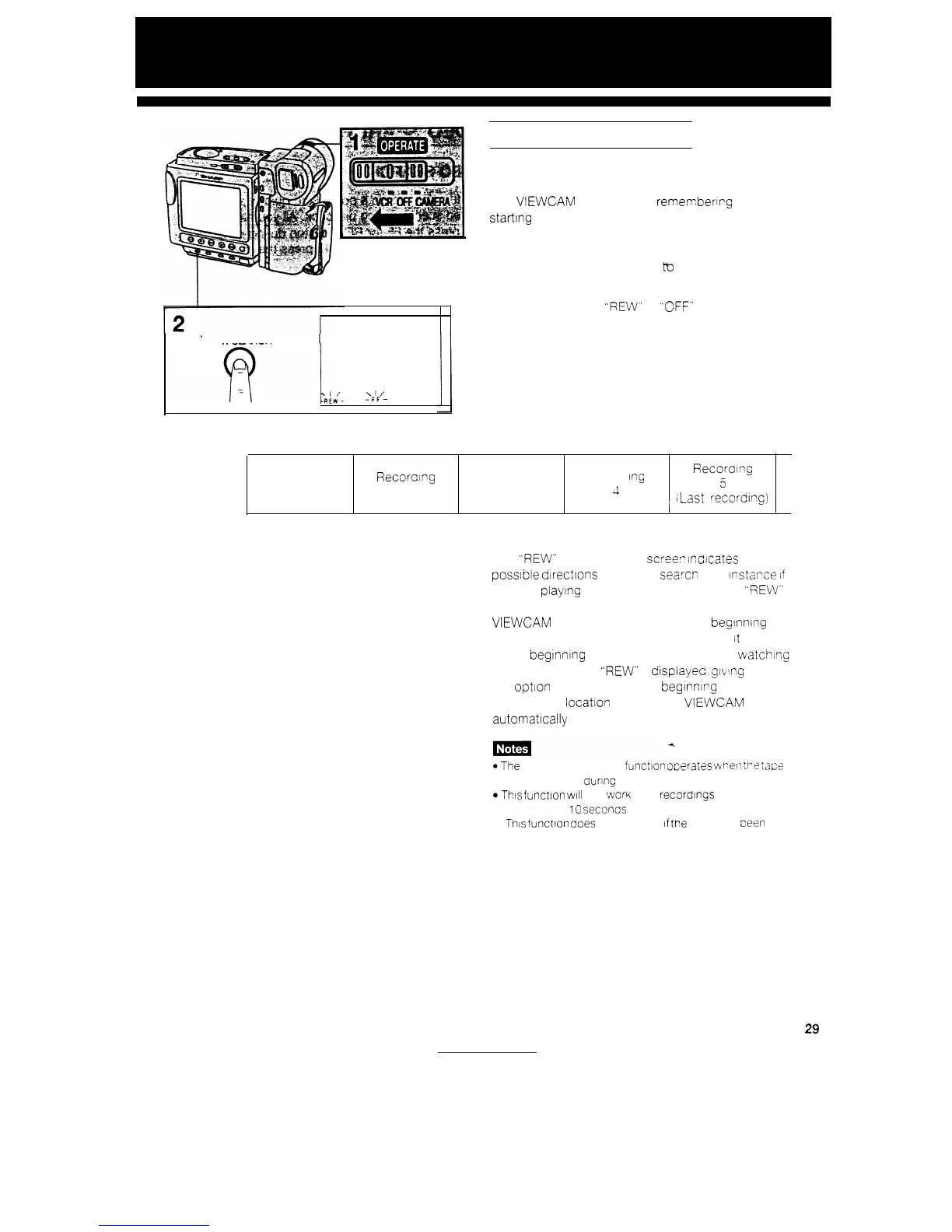
TO OPERATE PLAYBACK STANDBY
1
Set the OPERATE switch to VCR.
2
Press the INDEX SEARCH button. (“INDEX
SEARCH” and
“REW”
or “CFF” or both are
displayed on the screen.)
Beginning Recording
of tape
1
Recoralng
2
Recording
3
Record
tng
Recorang
4
5
,
;Last recording)
The
“REW”
or “FF” on the
scree,?
indicates
the
possible dtrectlons you can searcn For
Irstarce
if
you are playing back recording 3. “FF” ard
“REW”
are displayed. If you press the FF button, the
VIEWCAM automatically winds to the beginning of
recording 4. If you press the REW button
It
returns
to the begInnIng of recording 3. If you are
watching
recording 5, only
“REW”
IS
displayec,
glvtng
you
the option of returning to the begInnIng of recording
5. After the
locatron
IS found, the VIEWCAM goes
automatlcally to Playback mode.
@The
playback standby function ocerares viiren
tPe
:apt?
IS stopped, and during playback.
aThis
fclnctlon
WIII
not
wary
with recordings that are
shorter than
10
seconcs
l
Thls
function aoes not operate
If
tt?e
tape nas
teen
ejected.
29


 To Next Page