SELF RECORDING
Indoor
Tripod
adaptor for
i
800
recordtng
VR-FA1 OOP
(optronal
accessory)
Recording yourself and your fnends together at a
party, using the remote control,
while
monltorlng
yourselves on the
VIEWCAM’s
screen
Outdoor
Tripod
adaptor for
i
800
recordtng
VR- FA1 OOP
(optional
accessory)
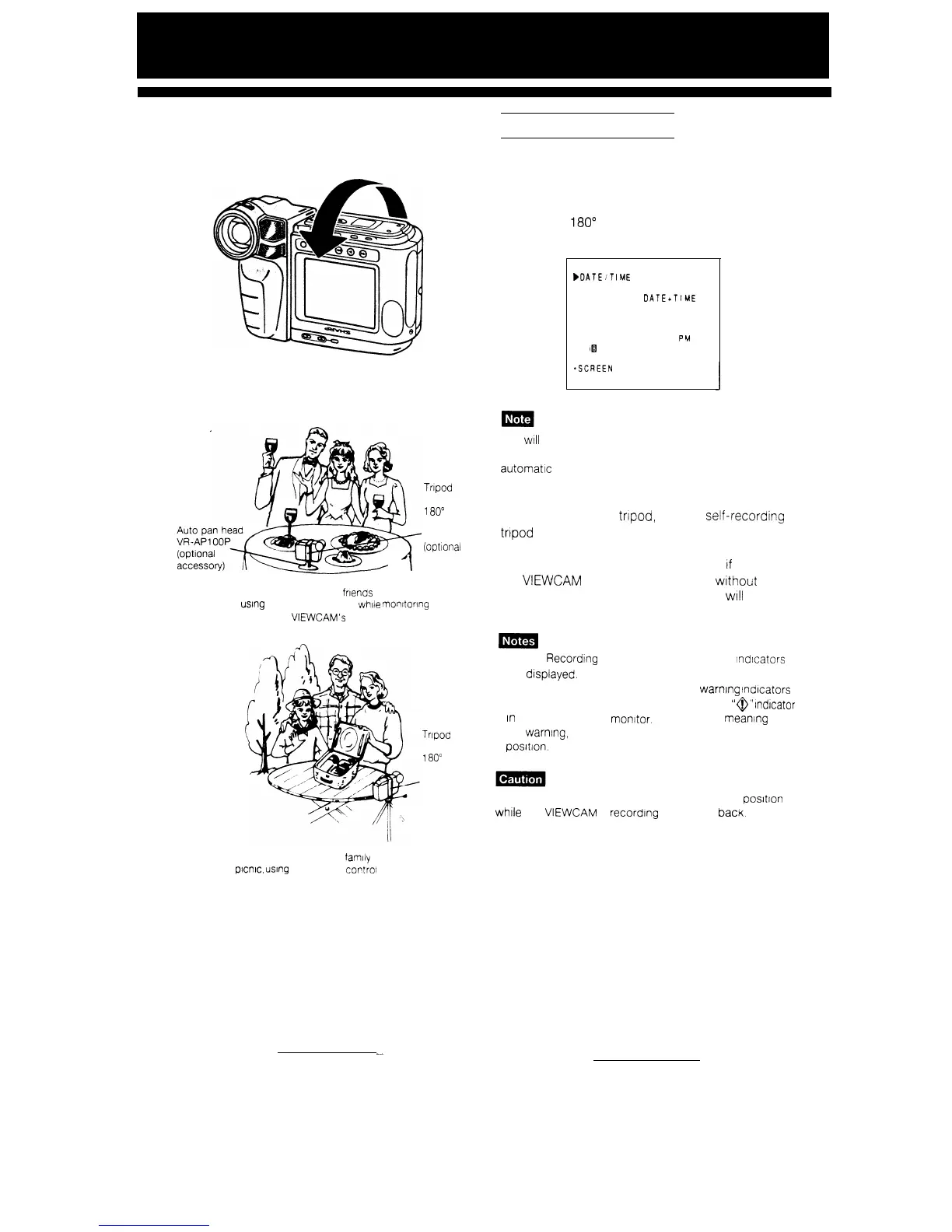
The Self Recording function lets you monitor the
recording while you are part of the scene. Set the
“SELF REC” menu item to “AUTO CORRECT” to
turn the on-screen picture right way up. Then rotate
the monitor
180”
to face the same direction as the
camera lens.
MENU
bDATEiT
IME
l
D I SPLAY
OFF
*SELECT
DATEcT
IME
*AREA
11 SYDNEY
l SUMR TIME OFF
ä ETTING
25 12 1993
6 25
PH
l
H
i[il
AUTO
*SELF REC
AUTO CORRECT
*SCREEN
NORMAL
*REMOTE
ON
You
WIII
need the VR-FA1 OOP tripod adaptor for 180”
recording (optional accessory) if you want to use an
automatic pan head or a tripod when recording in Self
Recording mode.
If you wish to use a
trtpod,
use the
seli-recording
tripod
adaptor bracket, and make sure the lens
section is right side up. If the lens section
IS
Inverted
instead of the screen (which will occur
If
you mount
the
VIEWCAM
directly onto a tripod, wtthout the
adaptor bracket), the recorded picture
WIII
be
upside down.
l In Self Recording mode. no menus or mode lndtcators
are dtsplayed.
l In Self Recording mode, all standard warning indicators
on the monitor are replaced
by
a flashrng
”
@
”
Indicator
in
the centre of the monitor. To check the
meantng
of
the warning, rotate the monitor back to the normal
posltlon.
4
Do not rotate the monitor to the Self Recording positton
while the
VIEWCAM
IS
recordrng
or playing
bacK.
Recording yourself and
your family together
on a
pwc,
using
the remote control
35
--


 To Next Page