l By using the electronic shutter together
with
the “snapshot
recording function, you can record a completely still
Image
without any blurring.
l The quality of
pictures
recorded
In
Snapshot
Recordtng
mode
WIII
be slightly lower than normal pictures.
USING THE DIGITAL IMAGE
STABILIZATION
(DIS)
FEATURE
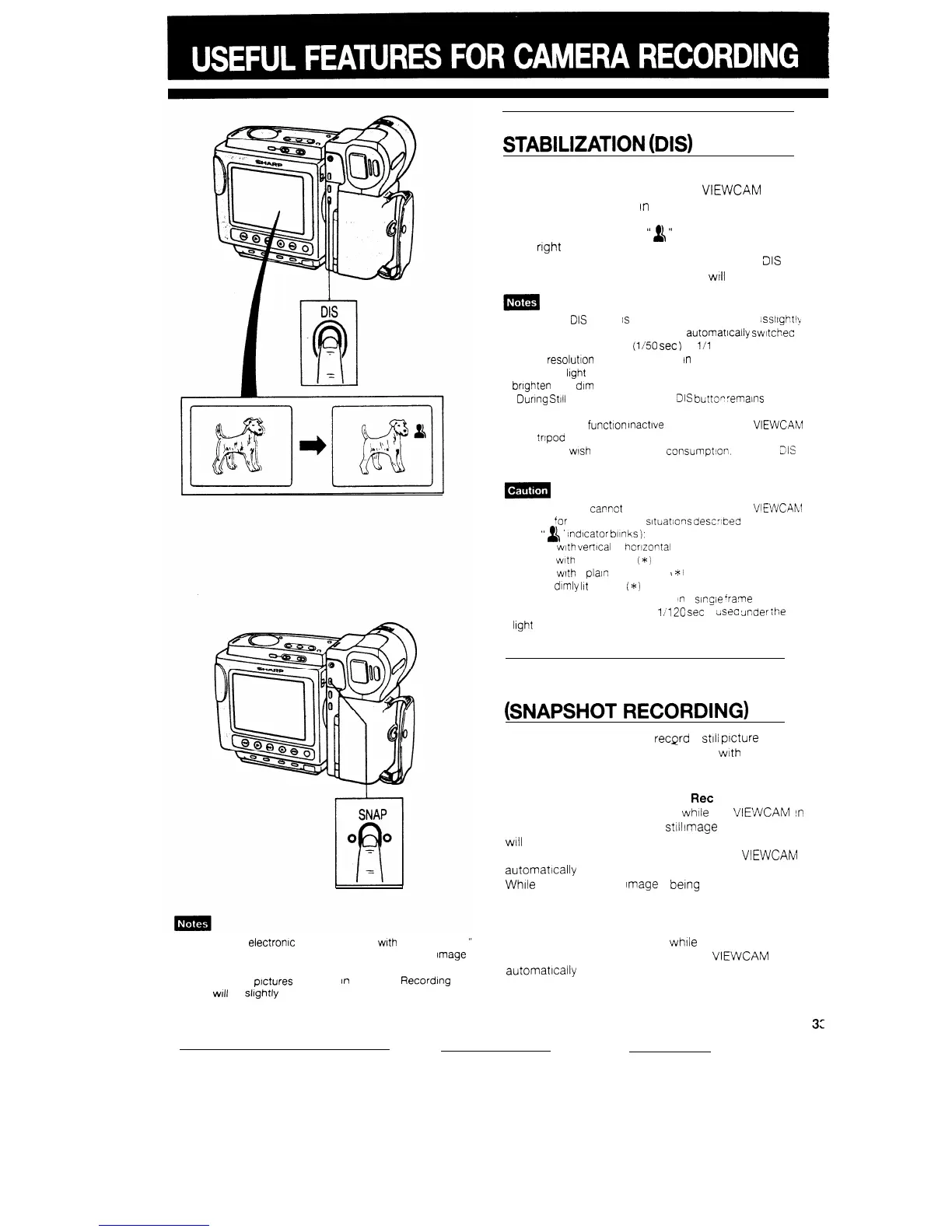
The DIS button lets you stabilize the image by electro-
nically cancelling relatively small VIEWCAM shakes
that are often annoying
In
closeup shots.
Press the DIS button. The
“
&
”
(DIS) Indicator appears
at the
right
of the monitor screen.
To return to normal recording mode, press the
31s
button once again. The DIS Indicator
WIII
disappear.
l When the
DIS
mode
IS
engaged, the screen Image
IS
sllght$
magnified, and the shutter speed IS
automatlcally
swltchec
from the standard speed
(l/50
set
)
to
l/l
20 sec..
l Image
resolutton
slightly decreases
In
DIS mode
l Under the light of fluorescent lamps, the picture may
bnghten
and dim
l Dunng
Still
Recording mode, the
DIS
buttop
remalns
Ineffective
l Leave the DIS
function
Inactive
when you use the VlEWCAhil
on a
trtpod
l When you wish to save battery
consumption.
Keep the ZIS
function inactive.
The DIS function
capnot
compensate for excessive VIEWCAhl
shake, or
‘or
the subjects or
sltuatlons
descrlbed
below
(*The
”
&
’
Indicator
blinks
),
l Subject
with
verttcal
or
hcrizontai
stripes
l Subject
with
low contrast
i*)
l Subject
with
a plain background
I
~::i
l Dark or
dimly
Ilt
subject
(*)
l There are many moving subjects
In
a
slrgie
‘rame
l A shutter speed other than
1
/120
set
IS
cist?o
tinder
Ihe
light
of fluorescent lamps
RECORDING A FIVE-SECOND
STILL IMAGE
(SNAPSHOT
RECORDING)
The SNAP button lets you
recprd
a
stlli
picture (“snap-
shot”) for about five seconds, together
wtth
normal
sound.
Recording a Snapshot While in
Ret
Pause Mode
If you press the SNAP button
whtie
the
VIEWCAM
IS
in
Recording Standby mode, a
still
Image
of the subject
WIII
be recorded for about five seconds.
When “snapshot” recording IS finished, the
VIEWCAM
automatically
returns to Recording Standby mode.
While
a freeze-frame
Image
IS
being
recorded. the
monitor screen also displays the freeze-frame Image.
Recording a Snapshot While in Recording Mode
If you press the SNAP button
while
recording, when
the snapshot has been recorded, the
VIEWCAM
automatlcally
returns to Recording mode.


 To Next Page