MANUAL FOCUS
IMAN’
L
I
1
FIFOCUS(N
\
4
The VIEWCAM’s Auto Focus feature (Full Auto
mode) is designed to focus on most types of
subjects. In Full Auto mode, the VIEWCAM auto-
matically focuses on whatever is in the center of the
scene. Therefore, always keep the subject in the
center of the screen.
When it is difficult to focus in Full Auto mode, set
the VIEWCAM to Manual Focus mode and focus
manually.
1
2
3
4
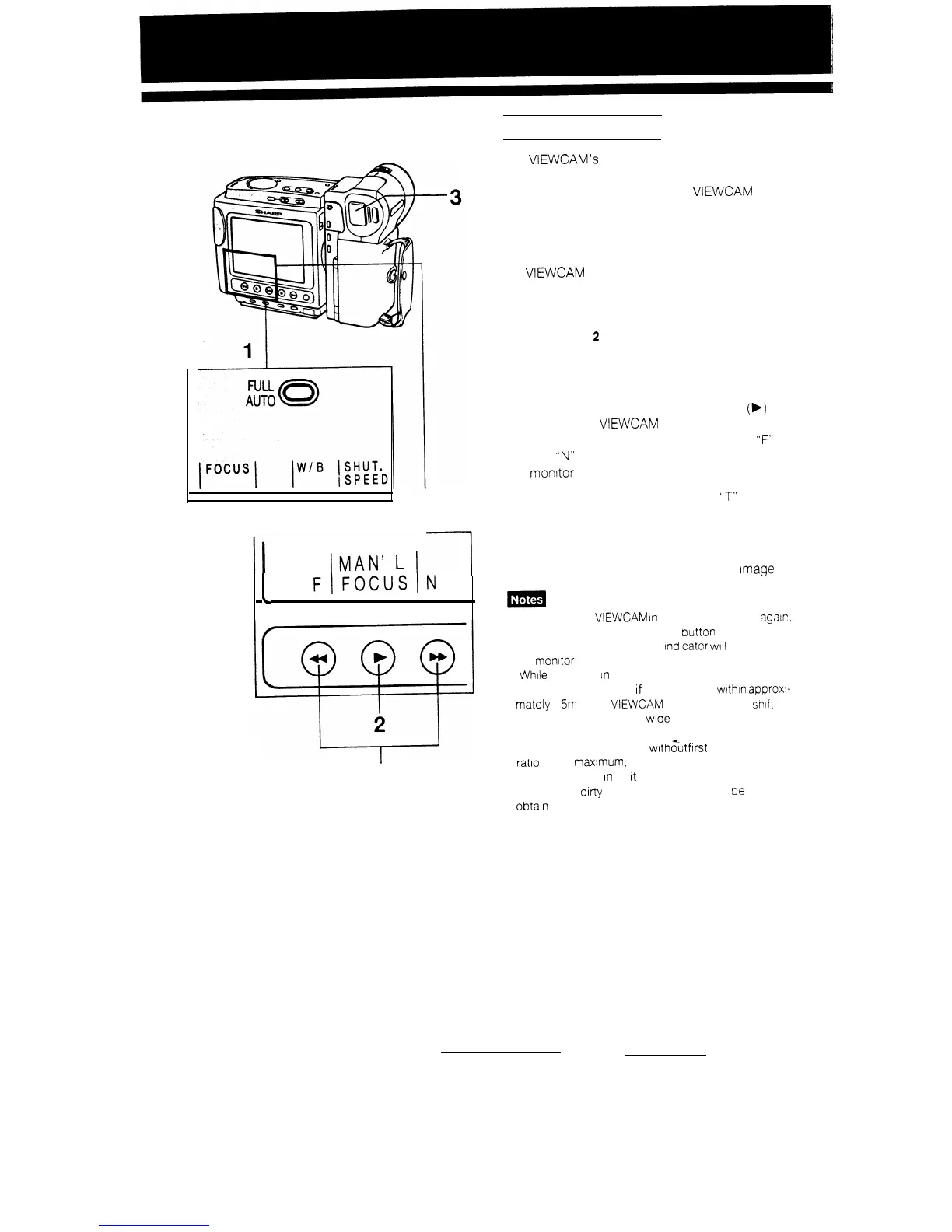
Press and hold the FULL AUTO button for
more than
2
seconds to disengage Full Auto
mode. The “FULL AUTO” indicator disappears,
and operation control indicators for Manual
Focus mode appear on the monitor.
Press the Auto/Manual Focus button
(b)
to
engage the VIEWCAM in manual Focus mode.
The “MAN’L FOCUS” indicator and the
“F”
(far)
and
“N”
(near) indicators will appear on the
monitor.
Press and hold the Power Zoom
“T”
(Telephoto)
button to zoom in all the way.
Use the Power Focus F/N buttons to focus
correctly on the subject. Then, use the Power
Zoom buttons to obtain the desired
Image
size.
l To engage the
VIEWCAM
In
FULL AUTO mode
agalr,
press and hold the FULL AUTO
Putton
for more than 2
seconds. The “FULL AUTO”
lndcator
WIII
reappear on
the monitor.
l
While
recording
in
Manual Focus mode. you may not be
able to focus correctly
If
the subject IS within approxl-
mately 1
5m
of the
VIEWCAM
In such a case,
St-lit
the zoom control toward wide angle, and then try
focusing again.
l If you focus on a subject
with%t
first setting the zoom
ratio to the maxtmum, the subject may go out of focus
when you zoom
In
on
It
later.
l If the lens IS dirty or fogged, you may not
oe
able to
obtain correct focus.
36


 To Next Page