VIDEO SEARCH
VIDEO SEARCH
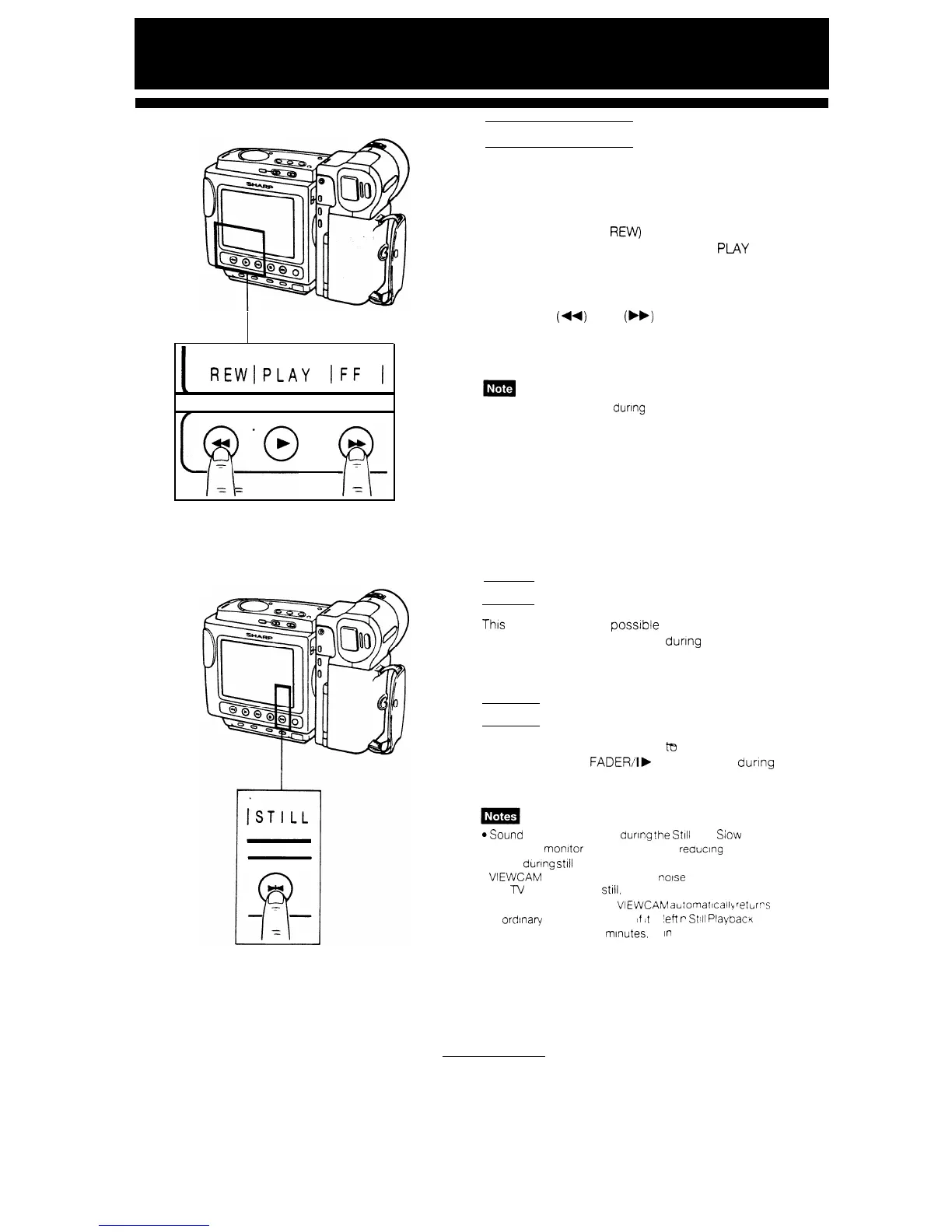
This function makes it possible to quickly search for
desired scenes during playback. All you have to do
is to press the FF (or
REW)
button during playback.
To return to normal playback, press the PLAY
button.
This unit has a two-speed video search function.
Press REW
(44)
or FF
(bb)
twice to switch from
slow to high speed.
I
REWIPLAY
IFF
(
Sound cannot be heard
during
these searches
[
fy@
p(_
-
-
-
STILL
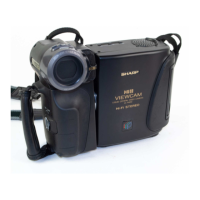
This
function makes it posstble to freeze the picture
Press the PAUSE/STILL button durtng playback.
To return to normal playback, press the PAUSE,
STILL button or PLAY button.
SLOW
This function makes it possible ta play back in slow
motion. Press the
FADER/I,
SLOW button during
playback. To return to normal playback, press the
PLAY button.
*Sound cannot be heard
during
the
St111
and Slow modes
l The LCD
monitor
has a function for reducing picture
noise during still or slow playback. However, when the
VIEWCAM
IS connected to a TV,
noise
may appear on
the
lV
screen during
still,
slow or search mode
l TO protect the tape the
VIEWCAM
a~iomattcally
rettirrs
to
or&nary
playback mode
!f
It
s
:eft
r
Still
PlaybacK
mode for more than 5 minutes, or
In
Slow mode for more
than 1 minute.
30


 To Next Page