2
I~ELECT
-SET
I
L
REWl
USING THE COUNTER MEMORY
Use the counter memory when you want to return
to the beginning of a desired scene.
The unit will automatically stop at the point where
the counter reads M O:OO.OO during fast forward or
rewind.
1
2
3
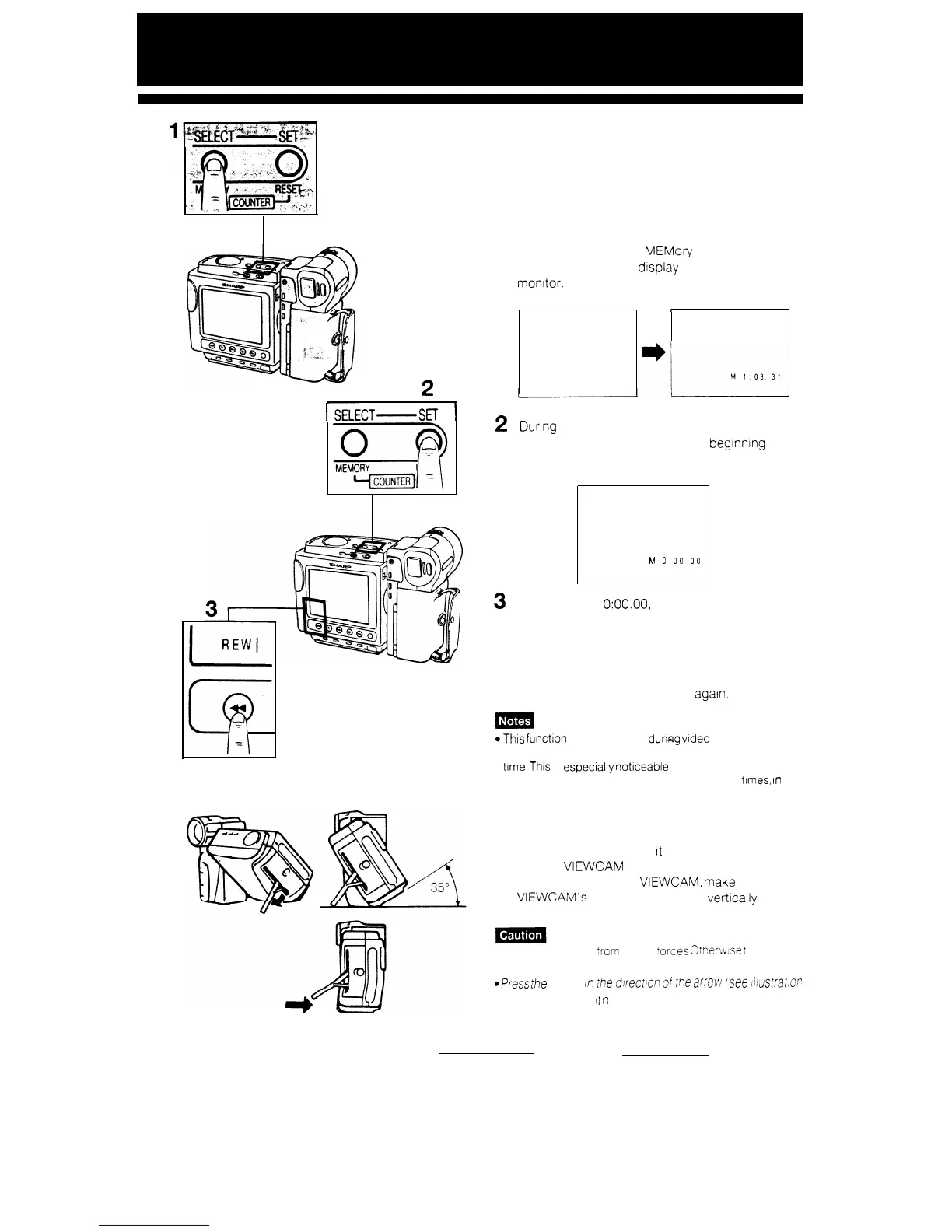
Press the COUNTER MEMory button to make
the counter memory dtsplay appear on the
monitor.
1.08. 31
r
During
playback (or recording) press the
COUNTER RESET button at the beginning of a
scene that you want to return to.
M
0
00
00
To return to M
O:OO.OO,
slide the OPERATE
switch to VCR and press the FF or REW button.
To cancel Counter Memory mode
Press the COUNTER MEMORY button to make the
counter display disappear, and then press the
COUNTER MEMORY button once
again.
aThis functton does not work
durlcag
video searches.
l The counter reading may differ slightly from the actual
time.
This
is
especially
notlceable when the tape has
been rewound or fast forwarded a number of times,
In
which case there can be a difference of several seconds
USING THE STAND
Pull out the stand and lock
It
into position when
you put the VIEWCAM on a table or other flat
surface. To stabilize the VIEWCAM,
make
sure that
the VIEWCAM’s camera part stands verttcally as
shown to the left.
l Protect the stand ‘ram strong forces
CtP‘er~v~se
I
may
break
@Press
ihe
stand in ihe
direc:/On
0i
2-e
MN
isee
~IidSKlt~C~
on the left) to fold
4
r:
32


 To Next Page