STILL/STROBE RECORDING
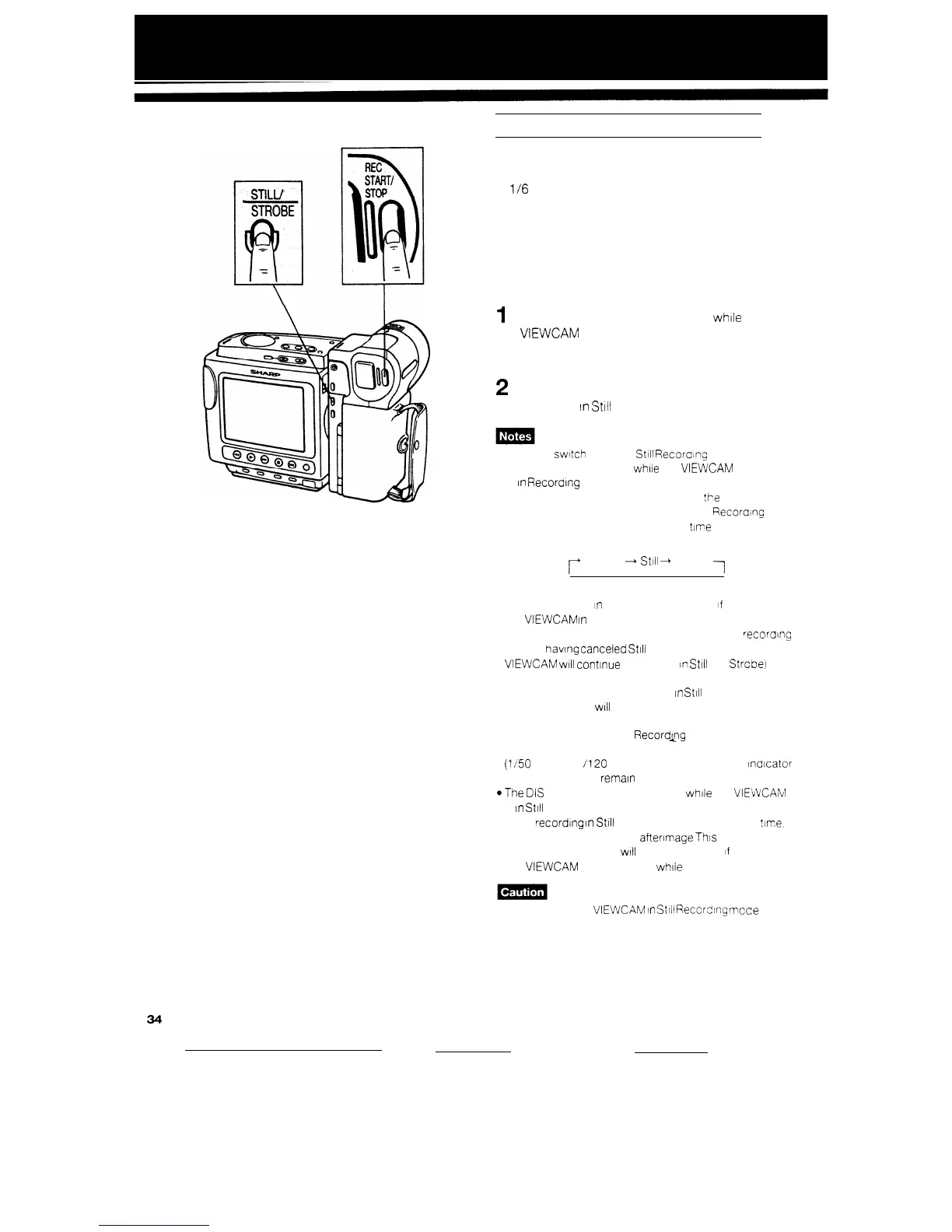
The STILUSTROBE button lets you record still or
strobe (still pictures that capture continuous motion
at
l/6
sec. intervals) images of subjects along with
normal sound.
You will find it useful when you want to record a
shot of, say, a tourist information board during
sightseeing (still recording), or produce a special
effect while recording moving subjects such as your
friends waving at you (strobe recording).
1
Press the STILLSTROBE button while the
VIEWCAM is in Recording Standby mode.
Press the button once to select Still mode,
press it twice to select Strobe mode.
2
Press the REC START/STOP button to start
recording
In
Still
or Strobe mode.
l You can switch between
Still
Recoraing mode and
Strobe Recording mode while the
VIEWCAM
IS recording
or
In
Recordrng
Standby mode.
l To cancel Still Recording mode. press
!he
STILL
STROBE button twice. to cancel Strobe
Fiecordinc
mode. press the button once Each
?/me
vou press the
button, the recording mode changes as snown below
r+
Normal
-
Still
-
Strobe
1
l When recording
n
Still (or Strobe) mode
if
you engage
the
VIEWCAM
In
Recording Standby mode and then
press the REC START/STOP button to restart
recorong
without having canceled
St111
(or Strobe) mode. the
VIEWCAM
wtll
conttnue to record
In
Still (or Strcbe)
mode.
l The quality of pictures recorded
in
Still
or Strobe
Recording mode
WIII
be slightly lower than normal
pictures.
l When you select Strobe
Records9
mode, the shutter
speed automatically swatches from the standard speed
(l/50
sec.) to 1
/120
sec. (The “SHUT. SPEED”
ndtcator
on the monitor will remain unchanged.)
@The
DIS
button remains Ineffective while the
VIELVCAM
IS
In
Still Recording mode.
l After recording
in
St111
Recording mode for a iong time.
the monitor may hold an afterlmage
This
IS not a
problem. The monitor
wtll
return to normal
If
you turn off
the
VIEWCAM
and wait for a while
Do not keep the
VIEWCAM
In
St111
Recording mcce too
long.
34


 To Next Page