41
Launching (SC-E7000)
If assist switch is not connected, the setting menu cannot be displayed.
1.
Stop your bicycle.
2.
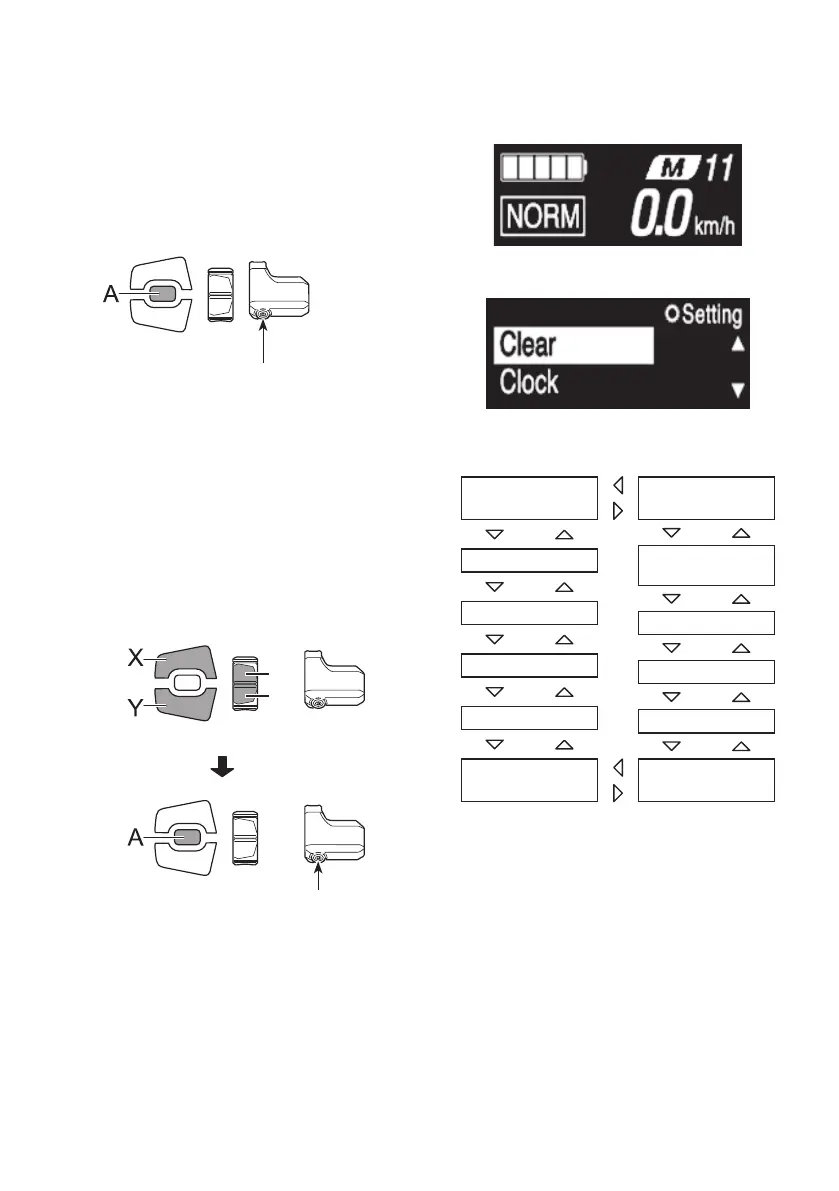
Hold down Function button to display the menu list
screen.
If using SW-E6010, control is also possible with
Assist-A.
Assist
Function button
< Basic screen >
< Setting menu screen >
3.
Select a menu item.
(1) Press Assist-X or Assist-Y to move the cursor on
setting menu.
(2) Press Function button.
The display changes to the selected menu item.
If using SW-E6010, control is also possible with
Assist-A.
X
Y
Assist
Assist
Function button
[Clear]
[Clock]
[Startmode]
[Light]
[Beep]
[Unit]
[Exit]
[RDprotection
reset]
[Shifttiming]
[Adjust]
[Fontcolor]
[Language]



 To Next Page