42
Configurable items Details
X
[Clear] Clear settings
Y
[Clock] Clock setting
[Start mode]*1 Set the start gear.
[Light] Turning the light on/off
[Beep] Turning the beep noise on/off
[Unit] Switching between km and miles
[Language] Language setting
[Font color] Font color setting
[Shift timing]
Adjusting the electronic gear
shifting unit
[RD protection
reset]*2
Activating RD Protection Reset
[Exit] Return to the main screen
*
1 Only for electronic shifting with internal geared hub.
*
2 Only for electronic shifting with rear derailleur.
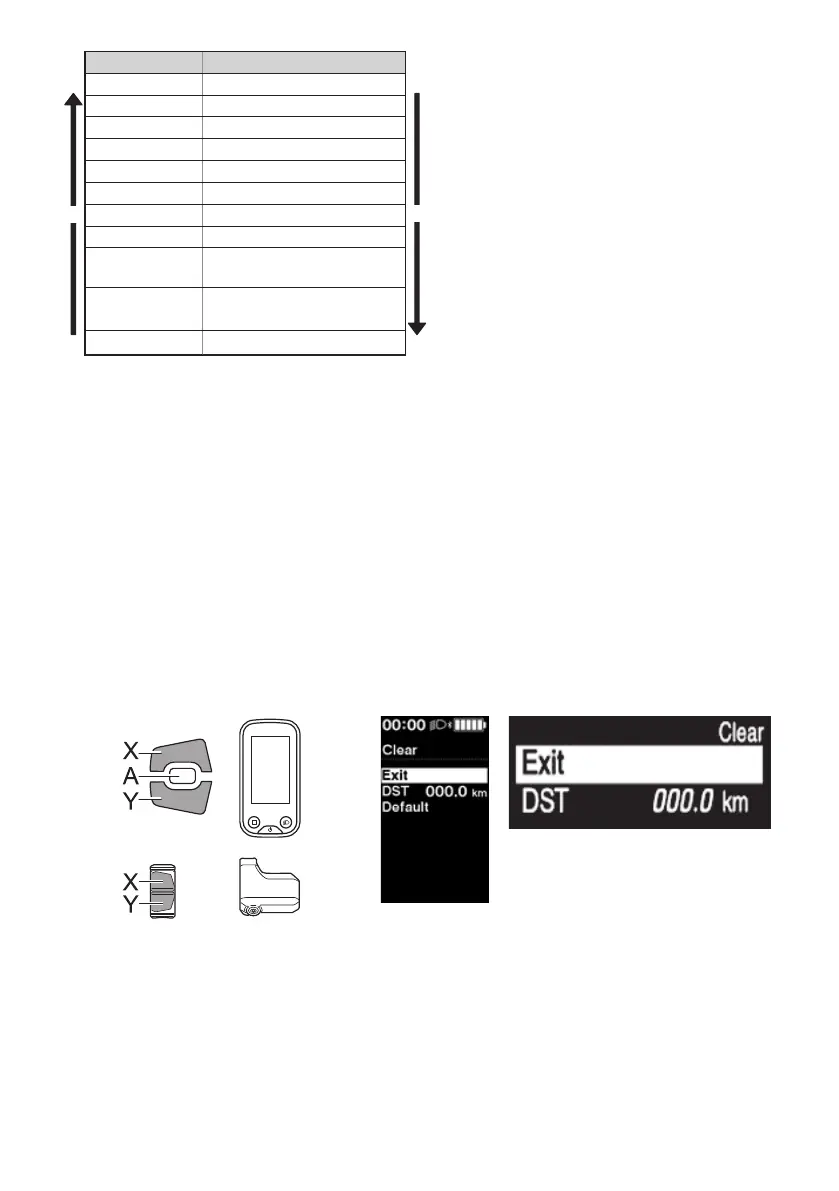
[Clear] Setting reset
Reset the traveling distance or the setting values.
When the [DST] (traveling distance) is cleared, [TIME] / [TME] (travelable time), [AVG] (average speed) and [MAX]
(maximum speed ) are also cleared.
1.
Enter the [Clear] menu.
(1) Launch the setting menu.
(2) Press Assist-X or Assist-Y to select [Clear], then
press Function button.
If using SW-E6010, control is also possible with
Assist-A.
2.
Press Assist-X or Assist-Y to select what you want to
reset.
Assist
< SC-E6100 > < SC-E7000 >



 To Next Page